Figma AI Design Agent: What It Actually Does Inside Your Files
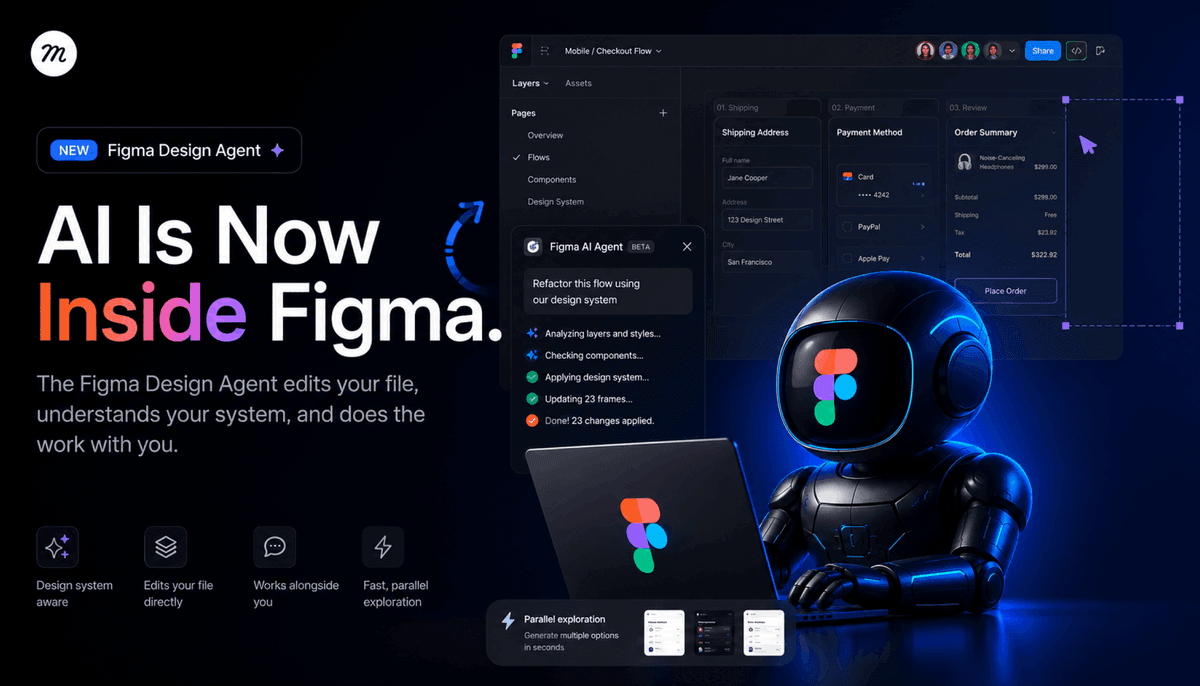
Figma’s new Design Agent lives on the canvas, knows your design system, and edits the same file you’re working in. We break down what it changes for designers, what it doesn’t, and the real question it forces every team to answer.
For two years, “AI in design” mostly meant a sidebar that generated a UI you would never actually ship. Pretty mockups, wrong components, no design system, no context, no use. Today Figma shipped something different. The Figma Design Agent is not a generator bolted onto the canvas. It is an agent that lives inside the file, reads your design system, and edits your work the same way a teammate would.
It is in beta starting today, May 20, 2026, on Professional, Organization, and Enterprise seats. During beta, it does not consume AI credits. After that, it will. The product leads are Rodrigo Davies (PM) and Tammy Taabassum (Product Designer).
That is the announcement. The interesting part is what it changes about the job.
What the Agent Actually Does
The Figma Agent operates from the left rail and acts directly on layers. You can prompt it from any selection. You can reference specific components, variables, and tokens with @ mentions. It runs alongside you in the same file, which means you keep editing while it edits, and neither of you blocks the other.
Three things it is built to do well:
Parallel exploration. Ask it for several stylistic directions to the same problem at once. Different information architectures for a settings page. Three checkout flows with different trust signals. Two onboarding patterns built from the same component library. You pick the direction before you commit hands-on time.
Bulk editing. Rename variables across a file. Swap components across many screens. Apply padding changes across a full flow. Populate frames with realistic content. Convert a flow to dark mode. Push design system updates through a sprawling file in minutes instead of an afternoon.
Feedback integration. Drop the agent into a file full of comments and it will cluster them by theme, surface the conflicts, and generate revisions that incorporate the feedback. It is not deciding for you. It is doing the part of design review that nobody wants to do manually.
The agent also talks to the Figma MCP server and the use_figma capability, which means design context can move between code and canvas without losing fidelity. That matters more than it sounds. The handoff layer is where most “AI design” demos quietly fall apart.
Why This Is Different From the Last Wave of AI Design Tools
The last 24 months of AI design tools mostly produced two patterns. Tools that generated images of interfaces (beautiful, unshippable). Tools that generated React code from a prompt (interesting, often disconnected from a real design system).
Both treat design as a one-shot generation problem. You type, you get an artifact, you start over.
The Figma Agent treats design as an editing problem on a file that already exists. The file has components. The components have tokens. The tokens have rules. The agent reads all of that as context before it touches a layer. When it produces a variation, the variation respects your system because it was generated inside your system.
That is the gap. Generation tools work on a blank canvas. The Figma Agent works on your canvas, which is the only canvas that actually ships.
This also reframes the partnership debate. Designers have spent the year arguing about whether AI replaces them or assists them. The Figma Agent is built around a third answer: AI does the parts of the file that are mechanical, repetitive, or exploratory, and humans do the parts that require taste and decision. It is not a co-pilot. It is more like a junior designer who can hold a hundred files in their head and never gets tired of renaming variables.
What About Claude Design?

One month before the Figma Agent launched, Anthropic shipped Claude Design, an Anthropic Labs product that lets you create prototypes, slides, one-pagers, and visual work from a prompt. It reads your codebase and design files during onboarding, builds a design system from that, and applies it to every project after. It is powered by Claude Opus 4.7 and available to Pro, Max, Team, and Enterprise subscribers. VentureBeat called it a challenge to Figma. That framing is understandable and mostly wrong.
Claude Design and the Figma Agent are aimed at genuinely different problems.
Claude Design is a creation tool. You start from nothing. You describe what you need, Claude builds a first version, you refine through conversation or direct edits, and you export to PDF, PPTX, Canva, or standalone HTML. When a prototype is ready to build, it packages into a handoff bundle for Claude Code. It is fast, it is good for stakeholder decks and quick prototypes, and it does not require a Figma seat or a design file to already exist. The design system promise is real, but it works by reading your codebase. Not by reading a Figma file that your design team has maintained for three years.
The Figma Agent is an editing tool. You start from a file that already exists, with components that already exist, with a system that the design team already owns. The agent does not build a design system from your codebase. It works inside the one you built.
The gap comes down to who is in the seat. Claude Design is genuinely useful for product managers, founders, and developers who need visual output quickly and do not live in Figma. The Figma Agent is for designers who do live in Figma and want mechanical work to take a fraction of the time it currently takes.
Both tools made the same promise: AI that understands your design system. They just answered it from opposite ends of the process.
What Changes for Designers Day to Day
Three workflows shift immediately.
Exploration gets cheaper. Most designers ship the second or third idea they had, not the eighth, because the eighth was too expensive to mock up. When the cost of exploring a direction drops to a prompt, the ratio of explored to shipped goes up. Teams will see more variations before lock-in. That is healthy if the team has taste. It is dangerous if the team treats “more options” as a substitute for opinion.
Design system enforcement stops being a chore. Every design system team has the same backlog: screens built before the system existed, components that drifted, padding that nobody updated. The agent collapses that backlog. Swap, rename, conform, repeat. The work that used to take a quarter takes a sprint.
Review cycles get tighter. The feedback summarization feature is small in description and large in practice. Design reviews drag because nobody wants to sit through 47 comments and decide which ones matter. If the agent clusters comments by theme and produces revisions that address them, the review meeting changes shape. You arrive with directions, not arguments.
The thing that does not change: the decision. The agent will not tell you which checkout flow is right. It will give you three. You still have to know why one of them is wrong.
What It Cannot Do (Yet, or by Design)
The announcement is honest about scope. The agent is a design agent. It is not a strategy agent, a research agent, or a product manager. It does not know what your users actually need. It does not know what your business is trying to prove next quarter. It does not know that the CEO hates the color teal.
It also operates inside one file at a time. It is not yet a cross-file refactor tool, and it is not a project-wide auditor. The dream of “agent, please audit every product surface for accessibility issues and fix them” is not what shipped today. What shipped is an agent that makes one file faster.
And, as with every AI editing tool, the risk surface is the same: confident edits that look right and are subtly wrong. Tokens applied to the wrong layer. Variables renamed in a way that breaks a downstream import. The agent does not absolve the designer of reviewing the diff. It just changes what the diff looks like.
The Real Question This Forces Every Team to Answer
If the mechanical 40 percent of design work compresses by 5x, what do designers do with the time?
That is the actual question. The optimistic answer is that designers go deeper on the strategic, conceptual, research-heavy parts of the job that they always claimed they did not have time for. The cynical answer is that org charts compress and three designers do what five used to do.
Both answers will be true at different companies. The teams that come out ahead will treat the agent as a multiplier on judgment, not as a replacement for it. The teams that come out behind will treat it as a way to ship more screens without thinking harder about them.
For anyone tracking the broader category, this announcement sits next to a year of AI design tools we have reviewed in Best AI Design Tools for UI/UX (2026). The shift is that the agent moved from a separate product to a feature inside the file where the work actually lives. That is a big move. The other tools now have to answer it.
The Figma Agent is in beta from today. Designers on eligible plans can opt in. The honest recommendation: try it on a real file, not a demo file. The interesting failures and the interesting wins both live in the messy, real-world projects, not in the toy ones.
Written by

Eyal Zuri
Co-Founder and Creative Director at Muzli · View profile on Muzli

Every new tab, full of fresh inspiration.
Join 800k+ creatives who start their day on Muzli.
Add Muzli — freeRelated articles

AI didn’t kill the design process. It made being dirt cheap. The new workflow, the tools, and what you should do today.

GPT-6.1 Sol built our 3 Opus 5.5 briefs for $1.88. Here are the live demos, the prompts and what else OpenAI’s DevDay gave designers.

Opus 5.5 builds Muzli Picks-level websites. Here are 3 live demos, the prompts and how to make your own.

Claude Design, One Week In: Hacks, Best Practices & Tips From Real-World Use

Getting Started with Claude Design: A Collaborator for Your Design Workflow

Vibe Design in 2026: What AI-Generated UI Means for Your Work

Figma Just Opened the Canvas to AI Agents – Here’s What It Means for Designers
More categories
Looking for more daily inspiration? Download Muzli extension your go-to source for design inspiration!
Get Muzli for your browser

