Three.js threw its first conference. The best thing on stage was a button.

TL;DR
- 🎪 The 3D web got its own conference. Three.js is the library behind most of the 3D you see in a browser. Its first ever conference ran in Paris on 10 and 11 September, two days, 20-plus speakers, after party on a boat.
- 🔮 The big one is HTML in Canvas. Chrome can now put real, live HTML onto a 3D surface. A real button, a real form, real text you can select and translate, wrapped around an object. I think this is the next design trend, and I will explain why.
- ⚙️ The engine underneath got swapped. The browser has a new, faster way to talk to the graphics card, called WebGPU, and three.js now treats it as the default. In practice that means a million particles on a phone and photoreal scanned objects in a tab.
- 🎨 The work proves it. A WebGL comic, a tiny planet you can walk around, a portfolio you drive a truck through. All linked and playable below.
- 🛠️ There is something to try whoever you are. A fifteen-minute tour if you do not code, copy-paste prompts if you build with AI, snippets if you write three.js.
Most design conferences are a lanyard, a tote bag, and forty minutes on “the power of story”.
This one had a man driving a toy truck around his portfolio with a game controller, and a room full of people taking notes.
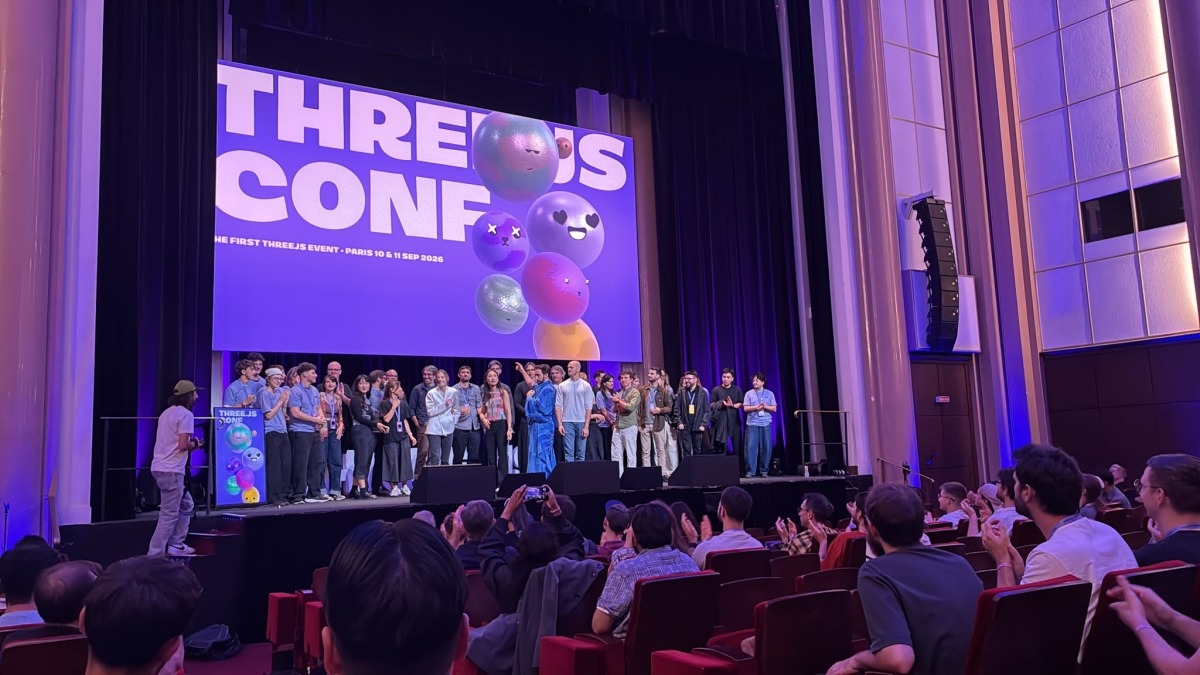
The first Three.js Conf ran on 10 and 11 September at Maison de la Chimie in Paris. If you have never touched three.js, that is fine, you have still used it. It is the free JavaScript library behind most 3D on the web: the sneaker you spin on a product page, the award-site hero that reacts to your cursor. When a website has depth, it is usually three.js underneath.
So this piece skips the changelog voice. For each thing that came out of Paris, here is what it is, what it lets you design that you could not before, and a live example to poke at.
Sixty seconds of vocabulary
You will see these words below. Here is all you need.
- three.js. The library. You describe a scene, a camera and some lights in JavaScript, and it draws 3D in the browser.
- r186. Just a version number. Three.js ships a release about every month and numbers them r184, r185, r186. The newest, r186, came out on 8 September, two days before the conference.
- WebGL and WebGPU. Two ways a browser talks to your graphics card. WebGL is the old one. WebGPU is the new one. Same road, newer engine: more on screen, less battery.
- Shader. A tiny program that decides the colour of every pixel. Every liquid gradient, glass blur and ripple-on-hover you have admired is a shader.
- TSL. Three.js Shading Language. A way to write those shaders in plain JavaScript instead of a cryptic graphics language.
- Gaussian splat. A 3D photo. You film an object with a phone, software turns the footage into a cloud of soft coloured dots, and it looks photographic from any angle.
That is the whole glossary.
🔮 HTML in Canvas: the one I would bet on
Chrome origin trial since version 148 · extended through Chrome 160 on 7 September · three.js support since April
Here is a problem you have hit even if you never named it.
A web page is made of two worlds. There is the normal page, the DOM, where text is text. You can select it, translate it, zoom it, tab through it, and Google can read it. Then there is the canvas, the rectangle where 3D and fancy effects live. Anything inside the canvas is a picture. That gorgeous 3D laptop on a landing page with the app on its screen? The “app” is a flat image or a video. You cannot click its buttons. A screen reader sees nothing. Autofill does not work. Change the copy and someone has to re-export a texture.
For twenty years designers picked a side. Rich and dead, or plain and alive.
HTML in Canvas ends that. Thomas Nattestad and Natalia Markoborodova from the Chrome team showed it on day one. You mark ordinary HTML elements, and the browser paints them, live, into the canvas, onto any 3D surface or through any effect. And per Chrome’s own write-up, they stay real: text selection, copy and paste, right-click, screen readers, find-in-page, translation, autofill, dark mode, browser zoom, even DevTools.
Here it is running. This is the official three.js example. That cube is wrapped in a real HTML block: bold text, an emoji, right-to-left Persian, vertical Chinese, an animated image, an SVG. And a text field and a button. Type in the field. Click the button. It is a form, on a cube.
What this unlocks for designers
This is the part I think people are sleeping on. Forget “3D websites”. Think about what you can now do to ordinary UI:
- The product screen that is the product. That laptop or phone mockup in your hero can run the real app. Real hover states, real scrolling, real sign-up form. One source of truth, and the marketing page can never drift out of date.
- Effects on real text, with SEO intact. Liquid distortion, glass refraction, rain on the window, pixelation. Until now that meant turning your headline into an image. Now the headline stays an
<h1>and the effect is a layer on top. - Page transitions that were never worth the pain. A page that curls like paper. A login card that folds away. A checkout that flips over to show the receipt. All of it on live, clickable content.
- Micro-interactions with physics. An input whose text dissolves into particles when you hit enter. A slider made of jelly. Small, delightful, and still a real
<input>. - Interfaces inside 3D and XR. Menus in a web game, a configurator panel floating beside the car, a form in a headset. Laid out with normal CSS, not hand-placed pixel by pixel.
- Better text in the tools you already use. Chrome names Google Docs, Miro and Figma as the other big audience, since canvas-based apps have always had to fake their own text rendering.
Vittorio Retrivi, a design engineer at basement.studio, built a set of demos for Codrops that make the point better than I can. His line: “HTML-in-Canvas feels like one of those ideas that makes you wonder why it didn’t exist before.”
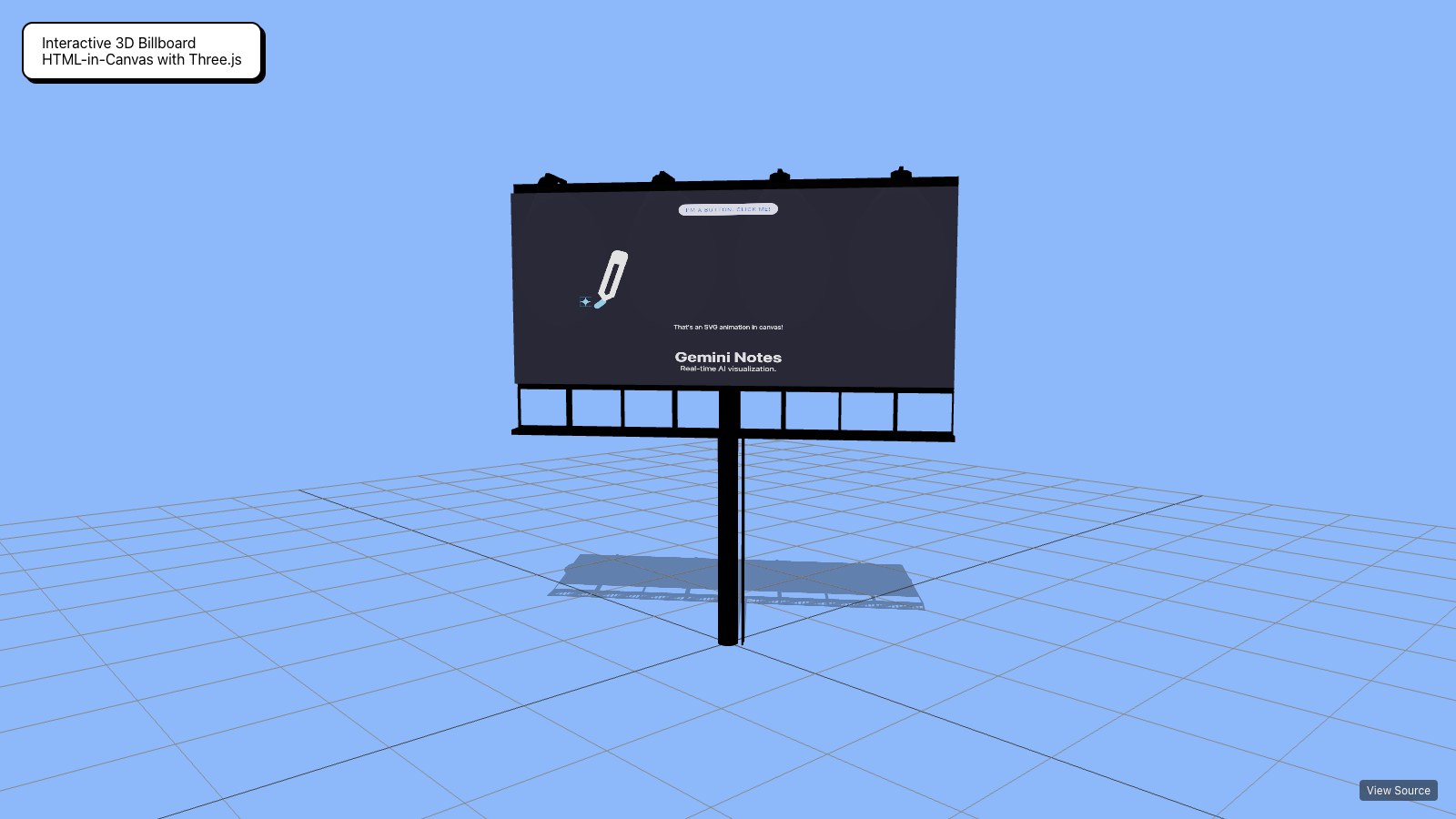
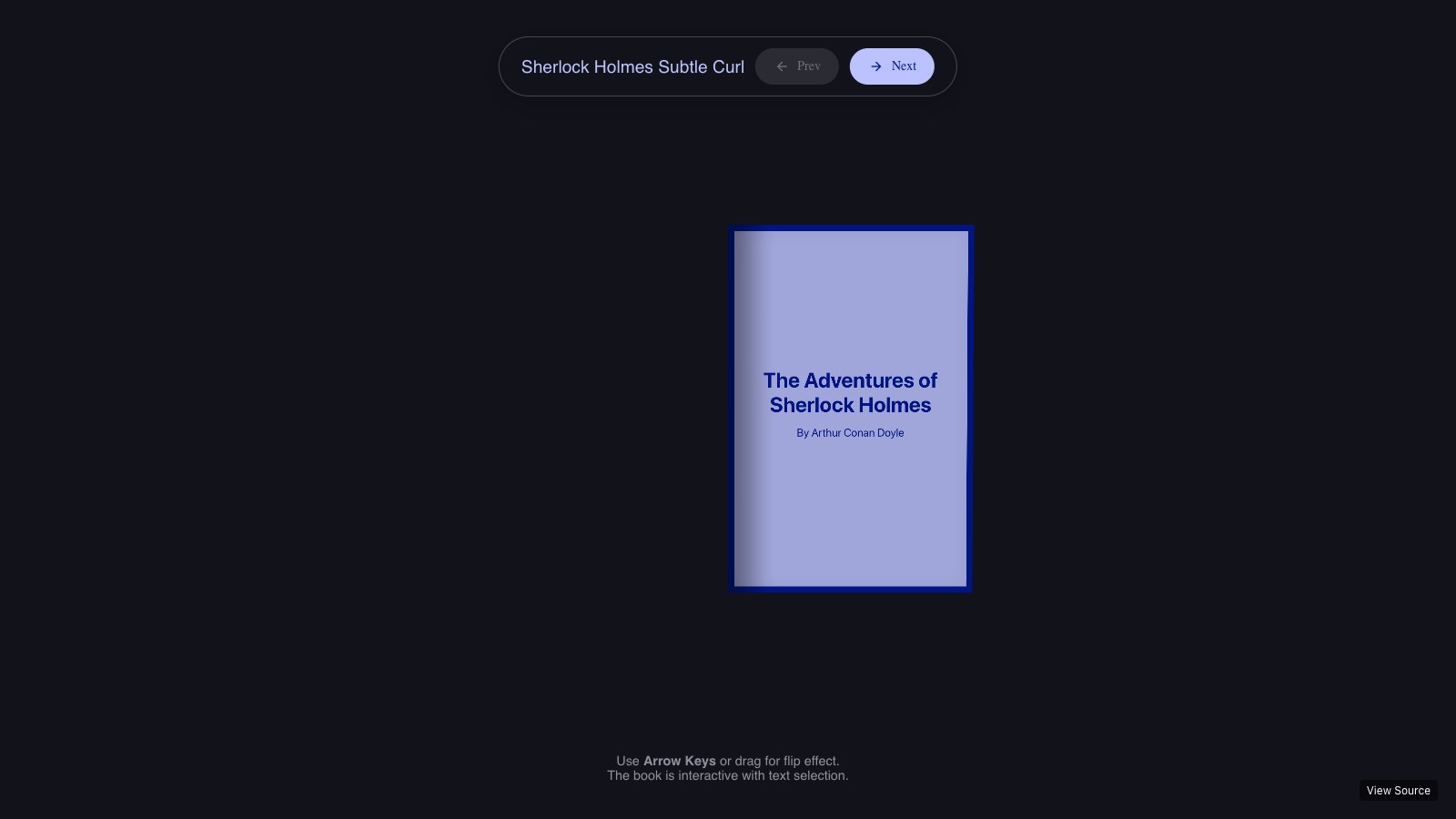
Go play with these. They need Chrome with the flag on, which takes thirty seconds and is explained further down.
- 3D book with page curl. A real book of selectable text, with pages that bend when you drag.
- Interactive billboard in three.js. Live HTML as signage inside a scene.
- Fluid prism text. A wall of body copy refracting like liquid metal, and still selectable.
- Deformable page. A whole web page as soft cloth.
- Jelly slider. A range input that wobbles.
- UI on a 3D computer, page curl and vanish input. Vittorio Retrivi’s set, the closest to real product UI.
The honest status
It is not shipped. It is a Chrome origin trial, which means real sites can switch it on for real Chrome users while the spec is still moving. The trial started in Chrome 148. On 7 September, three days before the conference, the Chrome team filed to extend it through Chrome 160, because feedback from other browser makers means some breaking changes to the API. Mozilla’s recorded position is no objection. WebKit has given no signal, so Safari is the open question.
That is exactly the stage where a design trend starts. Good enough to ship to Chrome with a fallback for everyone else, new enough that almost nobody has. Three.js added support in April. The award-site studios were in that room in Paris. I give it a few months before “live UI on a 3D object” is the hero pattern everyone is copying.
What else changed, and what it buys you
⚙️ WebGPU is now the default, not the experiment
Every serious talk assumed it · three.js falls back to WebGL on its own
You do not have to care how WebGPU works. Care about the budgets it moved.
Renaud Rohlinger of Utsubo showed the installation his studio built for Expo 2025 Osaka: a body of digital water made of around one million particles, in real time, in a browser. Anderson Mancini shipped a full WebGPU experience, forest included, in about 6MB. That is smaller than a lot of hero videos.
What it unlocks: the ambitious idea you cut from the brief because “it will not run on a phone” deserves a second look. Crowds, fluids, weather, thousands of products on one shelf. And three.js picks WebGPU or WebGL per device by itself, so nobody gets a blank page.
⚙️ TSL: effects become reusable parts
Three.js Shading Language · shaders in JavaScript · one source, runs everywhere
Shaders used to be the wall between designers and the good stuff. They were written in a separate, unforgiving language, pasted in as strings, and only the one person on the team who understood them could change them.
TSL, built by sunag (Jean Carlo Deconto), who gave the talk on it, turns a shader into ordinary JavaScript you compose from small named pieces. This is a complete material that tiles a fine detail texture over a base colour:
import { texture, uv } from 'three/tsl';

const detail = texture( detailMap, uv().mul( 10 ) );
const material = new THREE.MeshStandardNodeMaterial();
material.colorNode = texture( colorMap ).mul( detail );
You can more or less read that aloud. Which is the point.
What it unlocks: effects become components. A “frosted glass” or “holographic foil” material can live in your design system like a button does, get reused across projects, and be tweaked by changing a number. And because it is plain JavaScript, AI assistants write it far more reliably than the old shader languages. For a designer who prompts, that is the difference between “ask a specialist” and “try it this afternoon”.
This galaxy is one of the official examples. Every star’s position and colour is computed in TSL.
Robin Payot rebuilt a Zelda scene in TSL for his talk. Bruno Simon rebuilt his whole course around it: the new WebGPU and TSL edition of Three.js Journey is 21 lessons and 24 hours, $45 alone or $120 bundled with the original. When the person who taught most of the industry re-records the shader chapters, the transition is over.
⚙️ Gaussian splats: a 3D photo in a web page
New in r186 · loader and renderer built into three.js
A 3D model is a sculpture someone had to build. A splat is closer to a photograph someone took. You walk around an object with a phone, software does the rest, and the result holds up from any angle, fur and reflections included.
As of r186, three.js loads and renders them out of the box. This lioness is the official example.
What it unlocks: real things, online, without a 3D artist. A ceramicist’s actual vase. A hotel room. A vintage jacket with every crease. Marcus McLean of Miris pushed it further in his talk: stream the scan like video, sending only what the camera is looking at. Their site claims under a second to first interaction, with a three.js kit and a free tier. The 3D asset is turning from a file you download into a stream you watch.
⚙️ SunLight: believable daylight in one line
New in r186 · sharp shadows near the camera, soft ones far away, automatically
Outdoor scenes on the web have the same tell: shadows that are crisp where you stand and mush ten metres away. Fixing it took an add-on and an afternoon of fiddling. r186 adds SunLight, which handles it for you.
What you get: architecture walkthroughs, car configurators on a road, anything with a horizon, looking right on the first try. Open the SunLight example and drag the elevation slider from noon to sunset.
🧩 The tools around it moved in the same week
Cassie Evans got ten minutes and used them to announce GSAP 4. Springs as a first-class easing, tighter three.js integration, and tooling for DOM and WebGL moving together. Codrops reported GSAP is on 13 million-plus sites, which is why this matters more than a version number. As of today the gsap.com blog still tops out at 3.15 from April, so treat the details as what was said on stage until the post lands.
For designers: one animation timeline for the page and the 3D scene, so the headline and the object behind it move as one piece.
Dennis Smolek and Kris Baumgartner showed React Three Fiber v10, the version of three.js that React teams use. It is in alpha, with WebGPU and TSL built in. If your product is a React app, all of the above arrives as components rather than a rewrite.
The work, playable
The best argument for any of this is the sites themselves. Open them on a laptop, sound on.
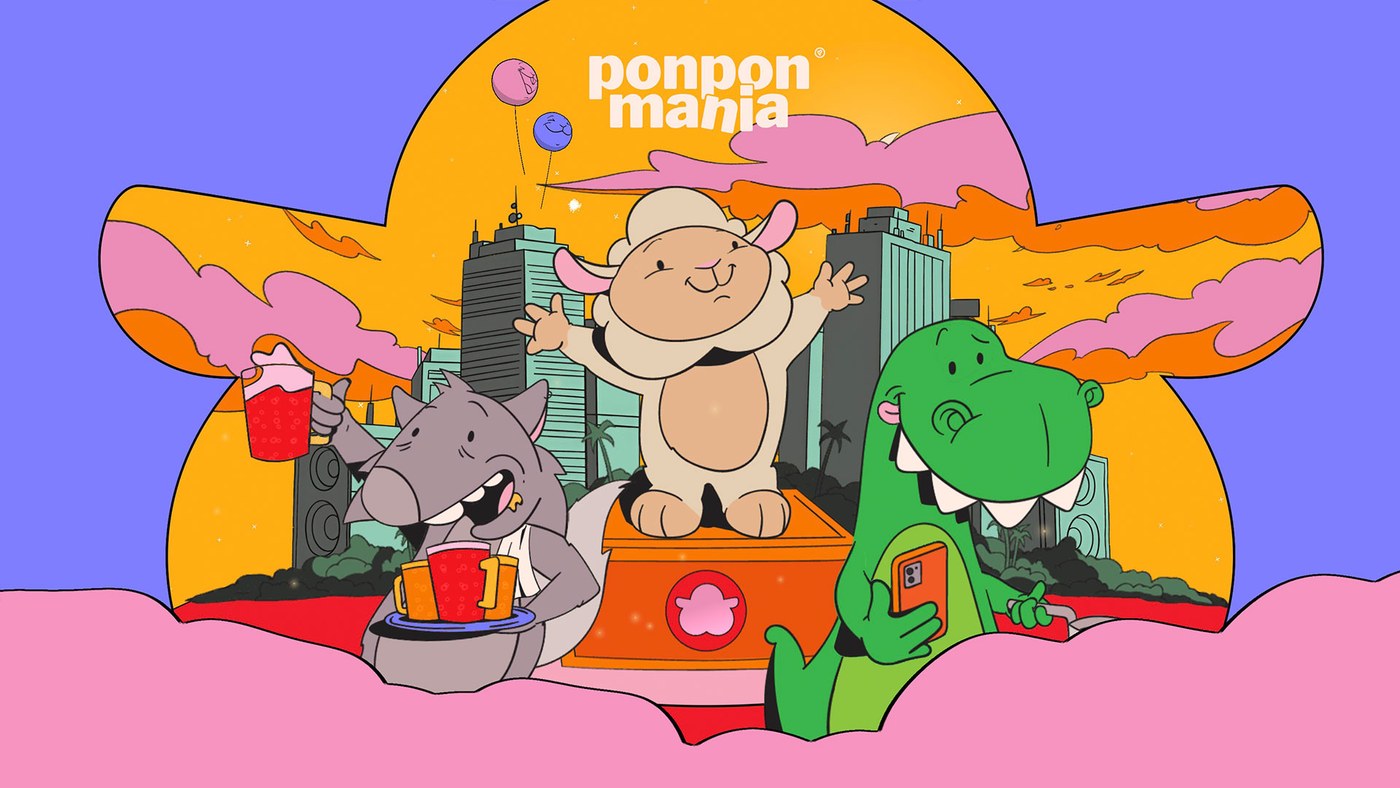
Ponpon Mania. A comic you scroll through, where every panel is alive. Patrick Heng and Justine Soulié opened day two with it. The lesson for design teams was the process: they built a custom editor so the illustrator and the developer worked in the same tool. Their line: “A sketch can inspire an interaction, and an interaction can inspire a new visual idea.”
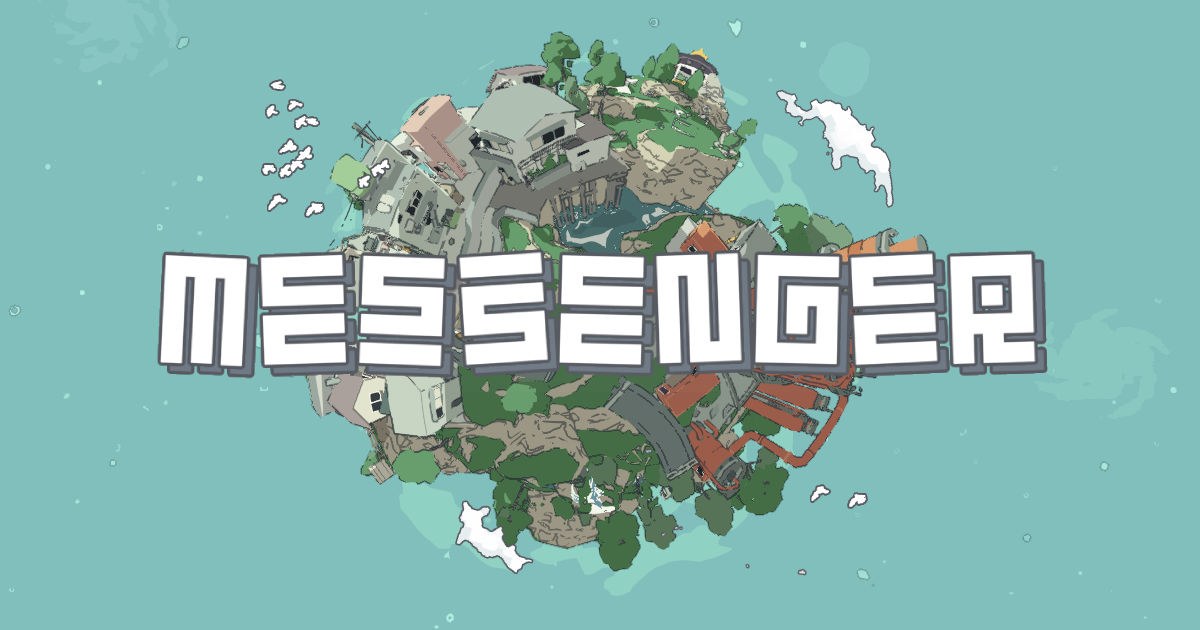
Messenger. A tiny planet you walk around. Vicente Lucendo of Abeto, a two-time Site of the Year winner, opened the conference with how it was made, and talked about composition and sound before he mentioned code.

Bruno Simon’s portfolio. You drive a truck through his CV. He closed the conference by playing it live with a controller, then gave his rules for memorable web experiences. Animate everything. Keep it smooth. Find the one original feature. Iterate fast. Entertain. Treat sound as a feature. Collect inspiration before production, not during.
threejs.paris. The conference site, by David Ronai and Hervé Studio. Every visitor becomes a bouncing character sphere. Hervé Studio spent seven months on the identity, down to electronic speaker badges that react when two are placed together.
Two studio talks were about restraint. Antoine Ménard of Merci Michel argued that “real-time 3D doesn’t have to look like 3D”. Edan Kwan of Lusion, whose sites look expensive, gave a list of cheap tricks combined well.
What the room argued about
Portfolios. In Roast My Folio, Bruno Simon, Cassie Evans and Nicolas Barradeau tore through real portfolios on stage. The red flags they named: fluid simulations, slow loading, too many effects, dense blocks of text. If your home page opens on a fluid sim, they were talking about you, and they were right.
AI. mrdoob, who created three.js, compared coding with AI to anti-aliasing in the nineties. Purists sneered, then everyone used it, then nobody mentioned it. His line, as Codrops reported it: “We’ve moved one level of abstraction higher.” The design panel on day two added the limit. AI shortens the distance from an idea to a prototype. It does not shorten the distance from a prototype to a good one.
Taste. The best line of the event came from a two-minute lightning talk by Dario Sanchez. “Rendering isn’t always the bottleneck. Perception is. Technical accuracy alone doesn’t make something beautiful. Taste does.” The most reassuring thing a designer could hear at a graphics conference.
Try it this week
🛠️ If you do not write code: the fifteen-minute tour
- Open Chrome and go to
chrome://flags/#canvas-draw-element. Set it to Enabled and relaunch. - Open the 3D book. Drag a page. Then select a sentence with your cursor. That second part is the revolution.
- Open the UI on a 3D computer. Click around the interface on the screen.
- Now open your current project and ask one question. Where do we show a picture of our product that could be the product? Hero mockups, onboarding, the pricing page. Write down three.
- Take one to your developer with the three.js example linked above. The whole thing is a single short file.
🛠️ If you build with AI tools
These work in Claude, Cursor, v0 or whatever you use. Each one names the version, because models default to older three.js habits.
A live product screen in a 3D hero:
Build a landing page hero with three.js r186.
A 3D laptop sits centre stage and turns slightly with the cursor.
Its screen must be LIVE HTML, not an image: render a real
<form> (email input + button) onto the screen mesh using
THREE.HTMLTexture, following the official example
webgpu_materials_texture_html, including its polyfill fallback.
The form must stay focusable, typeable and screen-reader visible.
Use WebGPURenderer. Keep the headline as a normal <h1> outside
the canvas.
An effect on real text:
Using three.js r186 and THREE.HTMLTexture, take the existing
<section class="hero"> and draw it into a full-screen canvas.
Add a TSL shader that gives a subtle liquid-glass distortion
following the cursor, fading to zero when the cursor is still.
The original text must remain selectable and in the DOM.
Respect prefers-reduced-motion by disabling the effect.
A material for your design system:
Write a reusable three.js r186 material in TSL (three/tsl),
as a function holographicFoil({ hueShift, grain, intensity }).
It returns a MeshPhysicalNodeMaterial whose colour shifts with
view angle, like foil on a trading card. No GLSL strings,
no onBeforeCompile. Expose the three parameters as uniform()
nodes so GSAP can animate them. Add a demo on a rounded card.
Paste the result into the TSL editor if something looks off. It shows what your code turns into, which is the quickest way to catch a model inventing functions.
🛠️ If you already write three.js
- Put HTML on a mesh. It is one line once you have an element:
material.map = new THREE.HTMLTexture( element ). AddInteractionManagerfrom the addons for clicks, as the example does. Expect API changes while the trial runs. - Port your smallest shader to TSL. Take one
ShaderMaterialand rewrite it as nodes. It will then run on WebGPU and WebGL from one source. - Swap your sun. Replace the
DirectionalLightand its hand-tuned shadow camera withSunLightand delete the tuning. - Try React Three Fiber v10 on a branch.
npm install @react-three/fiber@alpha, renamestate.gltostate.renderer, and add Anderson Mancini’sr3f-webgpu-perfto watch draw calls while you do it. - Scan something. Film an object, clean the splat up in SuperSplat, and load it with the r186 splat loader.
Worth bookmarking
🔮 HTML in Canvas
- Chrome’s origin trial announcement. What it is, what stays accessible, how to sign a site up.
- Chrome demo gallery. Every official demo, with source.
- The WICG explainer. The spec in progress. Check here for the breaking changes.
- three.js HTMLTexture example. The cube above, with code you can copy.
⚙️ The engine
- three.js r186 release notes. Everything in the September release.
- Three.js Shading Language guide. TSL from zero.
- three.js examples. Filter by “webgpu” and lose an hour.
- Three.js Journey. Bruno Simon’s course, now with the WebGPU and TSL edition.
🧩 The tools
- React Three Fiber v10 alpha notes. What changed for React teams.
- GSAP blog. Where the GSAP 4 post will land.
- Miris for developers. Streaming 3D, three.js kit, free tier.
- SuperSplat. PlayCanvas’s home for splats, with a browser editor for cleaning them up.
🎪 The event
- threejs.paris. The conference site and full schedule.
- Codrops live coverage. Talk by talk, both days.
The landing
Strip away the version numbers and Paris said one thing. The wall between the page and the canvas is coming down. WebGPU made the canvas fast enough. TSL made its effects writable by normal people, and by their AI tools. And HTML in Canvas lets the two worlds share the same pixels.
Watch that last one. Every other announcement makes 3D prettier or faster. HTML in Canvas makes it useful, because a button on a 3D surface finally stays a button. The open question is Safari. If WebKit moves, the 3D site and the normal site stop being different projects.
So do not wait for the talk recordings. Flip the Chrome flag, open the book demo, and select a line of text on a curling page. Then look at your own hero section and ask what it would do if it were alive.
In a few months somebody’s live-UI-on-an-object landing page will be on every inspiration feed. You have about that long to make it yours.
Sources: Codrops, Inside the First Three.js Conference in Paris, Codrops speaker interviews, Codrops, Exploring the HTML-in-Canvas Proposal, Chrome for Developers, blink-dev, Intent to Extend Experiment, Three.js Conf schedule, three.js releases, pmndrs, Miris. Images: three.js, Chrome for Developers, Ponpon Mania, Abeto, Bruno Simon, Codrops.
Written by

Petras Baukys
Co-Founder and CTO at Muzli · View profile on Muzli

Every new tab, full of fresh inspiration.
Join 800k+ creatives who start their day on Muzli.
Add Muzli — freeRelated articles

Font pairings 2026: we checked the fonts on 2,190 websites designers loved. Most of them used just one.

AI didn’t kill the design process. It made being dirt cheap. The new workflow, the tools, and what you should do today.

GPT-6.1 Sol built our 3 Opus 5.5 briefs for $1.88. Here are the live demos, the prompts and what else OpenAI’s DevDay gave designers.

Opus 5.5 builds Muzli Picks-level websites. Here are 3 live demos, the prompts and how to make your own.

Apple finally folded. Designers got the homework | Apple Event 2026

Weekly Designers Update #568

Weekly Designers Update #567
More categories
Looking for more daily inspiration? Download Muzli extension your go-to source for design inspiration!
Get Muzli for Chrome