Back-to-school shopping usually means grabbing whatever’s cheapest at the campus bookstore, but Japanese stationery culture operates on a completely different level. While you’re stocking up on basic supplies, Japanese designers are obsessing over how every tiny detail can make your semester smoother, more enjoyable, and genuinely more productive. It’s the difference between tools that barely work and tools that make you want to study.
These are productivity systems disguised as beautiful objects that’ll make your dorm desk the envy of every study group. They solve real problems you probably didn’t realize were killing your focus, from constantly losing pens during lectures to staplers that jam right before assignment deadlines. Your professors won’t care what pen you use, but you’ll notice the difference.
1. Inseparable Notebook Pen
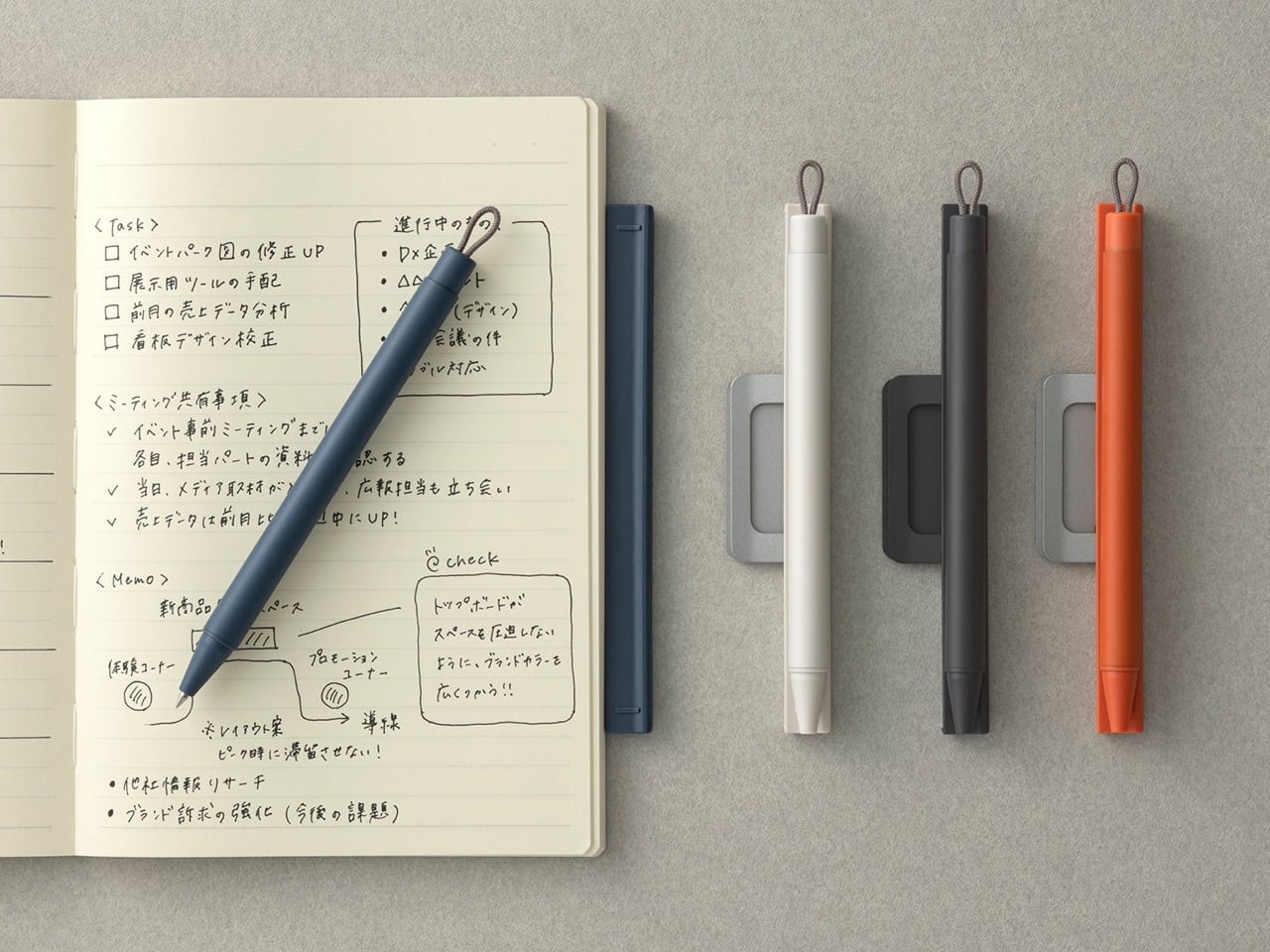
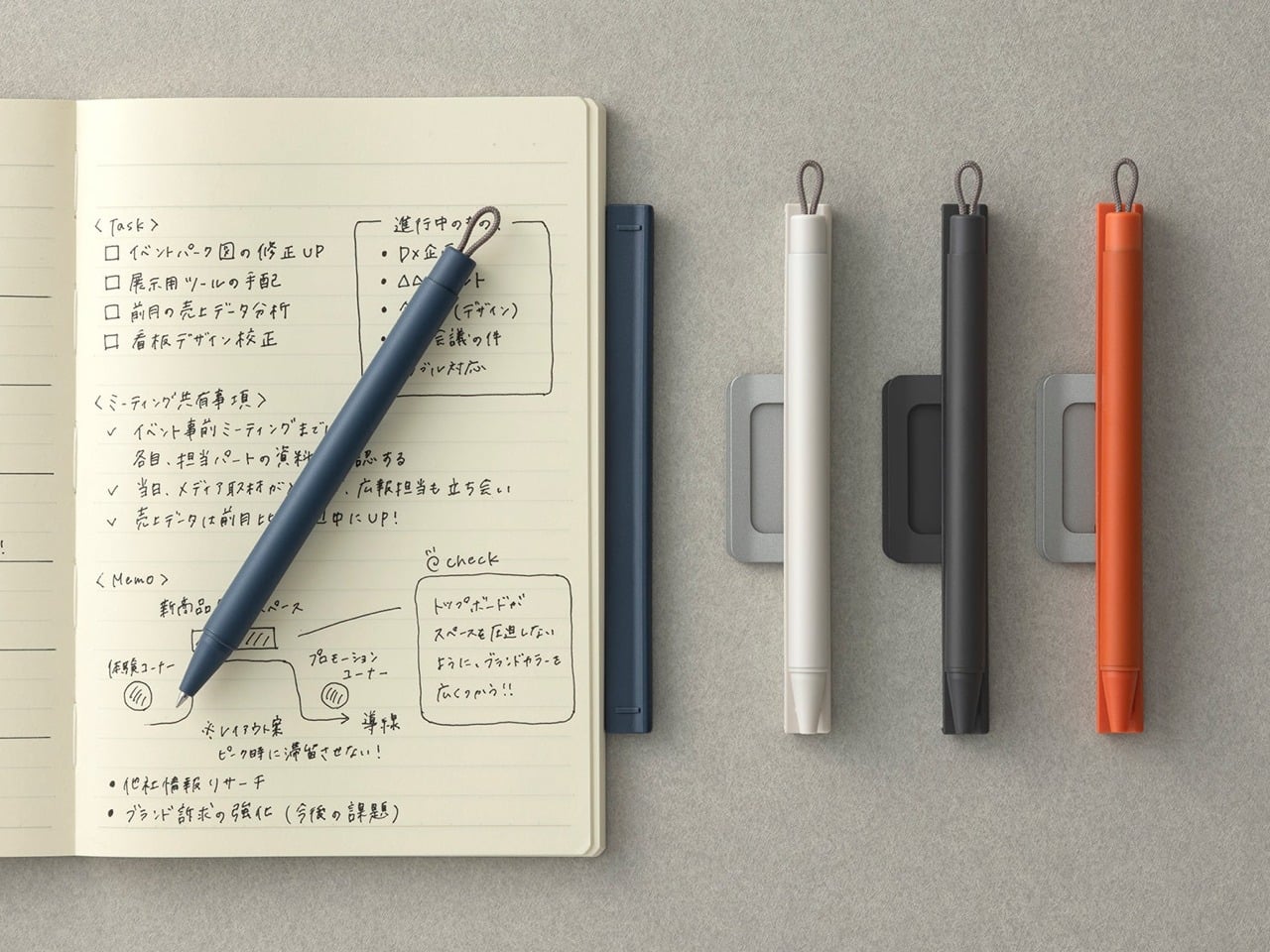
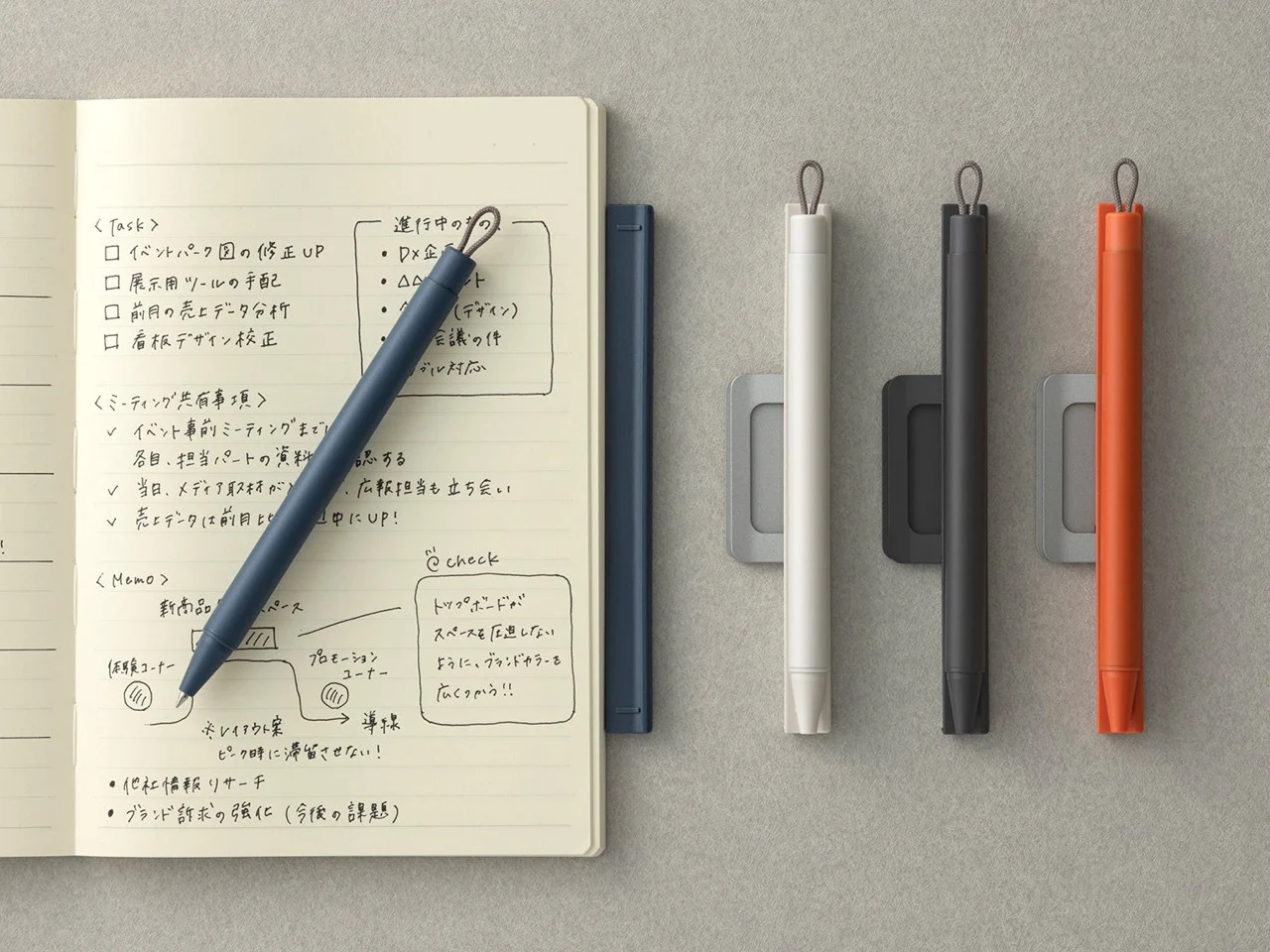
The biggest productivity killer isn’t procrastination; it’s losing your pen when the professor drops something important during lectures. This magnetic companion solves that ancient student problem with elegant simplicity, making it perfect for anyone constantly moving between classes, libraries, and those weird study spots you discover around campus. The pen clips securely to your notebook with this satisfying magnetic snap, creating a writing system that travels as one unit.
This pen is a good fit for student life, since the whole system encourages consistent note-taking habits that actually boost your grades. When your pen is always exactly where you expect it, there’s zero friction between hearing something crucial and getting it down on paper.
Click Here to Buy Now: $19.00
What we like
Magnetic attachment means you’ll never lose your pen or interrupt your flow searching for it.
Silent magnetic mechanism keeps things quiet in professional or study environments.
What we dislike
Limited to notebooks with covers that can accept magnetic attachment effectively.
Single pen design means no backup if you need different ink colors for organization.
2. Everlasting All-Metal Pencil
Traditional pencils are the worst during those crucial study sessions; they need sharpening right when you’re working through complex calculus problems or detailed biology diagrams. Mechanical pencils aren’t much better since they break leads at the most inconvenient moments possible. This metal pencil eliminates both headaches with a special alloy core that writes like graphite but barely wears down, making it perfect for students facing long semesters packed with intensive coursework.
You can sketch, write, and plan for literally months without any maintenance beyond the occasional erasing session. The real back-to-school game changer is never having to stop mid-thought during lectures or cram sessions for pencil maintenance. Complex concepts flow fast during learning, and anything that breaks your momentum kills comprehension completely. This pencil becomes invisible in the best possible way; you focus entirely on absorbing information instead of managing tools that should just work.
Click Here to Buy Now: $19.95
What we like
Never needs sharpening, so your creative flow stays completely uninterrupted for months.
Works beautifully with watercolors for visual note-taking and creative planning sessions.
What we dislike
The metal body might feel unfamiliar if you’re used to traditional wooden pencils.
Higher upfront cost compared to regular pencils, though it pays off long-term.
3. Mecricco Catch
Page-turning seems like a non-issue until you’re dealing with massive textbooks during marathon study sessions, research materials for major papers, or trying to protect an expensive manicure while staying academically productive. These elastic finger aids solve a surprisingly common student workflow interruption with clever engineering that makes extended reading way more comfortable.
The outer ribs grip pages firmly while inner ribs prevent finger slipping during those late-night library sessions, and the concave curve allows natural finger movement when working through hundreds of pages of required reading. The shorter keyboard version deals with that hybrid reality where students constantly switch between digital research and analog note-taking throughout coursework.
What we like
Dual-rib system provides a secure grip while preventing finger slipping during extended sessions.
Keyboard-compatible shorter version enables seamless digital-analog workflow transitions.
What we dislike
The very specific use case means limited value unless you regularly handle large document volumes.
Multiple color options might encourage overthinking a simple productivity tool choice.
4. MagBoard Clipboard
Most clipboards force you into whatever organizational system seemed logical at 8 am, but the MagBoard flips that completely around. This is perfect for students juggling multiple research projects, group assignments, and field work, where things change constantly. The magnetic and lever system holds up to thirty sheets while letting you rearrange, add, or remove pages instantly as your research develops and new information comes in.
The hardcover design means you can write comfortably while standing in labs, walking between library sections, or working in those cramped dorm spaces where desk real estate is nonexistent. The water-resistant surface handles inevitable coffee spills during all-nighters and outdoor fieldwork without destroying crucial assignment materials. What seems like a simple upgrade completely transforms how you approach information gathering throughout the semester.
Click Here to Buy Now: $45.00
What we like
The magnetic system lets you instantly reorganize pages as your thinking evolves and develops.
Hard surface enables comfortable writing while standing or moving around different spaces.
What we dislike
Thirty-sheet capacity might be limiting for extensive research or large project documentation.
Heavier than traditional clipboards due to the magnetic mechanism and sturdy construction.
5. Memento Business Card Log
Digital contact management completely misses the human element that makes networking actually work, especially for students building professional connections at career fairs and industry meetups. This business card organizer stores 120 cards plus a dedicated space for handwritten notes about each person you meet, creating a personalized database that helps you remember crucial details for follow-up conversations.
Instead of collecting cards that become meaningless rectangles forgotten in your backpack, you’re building genuine professional relationships with context, conversation details, and strategic follow-up reminders. Writing notes by hand creates way stronger memory connections than typing ever could, which means you’ll remember important contacts when applying for internships or jobs after graduation. This becomes valuable for students trying to build real professional networks instead of just accumulating business cards that never lead anywhere.
Click Here to Buy Now: $35.00
What we like
Handwritten notes create stronger memory connections and more meaningful professional relationships.
Flexible binding system lets you reorganize contacts by project, priority, or any system.
What we dislike
Requires consistent discipline to maintain notes for maximum networking effectiveness.
Physical storage means you need to remember to bring it to networking events.
6. Levitating Pen 2.0 Cosmic Meteorite Edition
Sometimes productivity needs inspiration more than optimization, and this gravity-defying pen brings genuine wonder to dorm rooms that desperately need personality beyond standard-issue furniture. The 23.5-degree levitation angle creates this conversation piece that makes your desk instantly memorable to roommates and study group visitors, while the spinning function provides perfect stress relief during finals week when everything feels impossible.
The meteorite tip connects you to something genuinely cosmic during those 3 am study sessions when you need perspective on seemingly insurmountable coursework. Brief mental breaks actually improve focus and retention, but scrolling through phones or checking social media completely destroys concentration. This pen offers a mesmerizing alternative that lets your mind wander productively while keeping you physically present during marathon study sessions.
Click Here to Buy Now: $399.00
What we like
The levitation effect creates an inspiring focal point that makes any workspace more engaging.
Spinning function provides perfect fidget breaks that refocus attention without digital distractions.
What we dislike
Premium price point puts it out of reach for budget-conscious productivity seekers.
Novelty factor might wear off, leaving you with an expensive but ordinary writing experience.
7. Harinacs Press Stapleless Stapler
Traditional staplers create way more problems than they solve for students, metal staples jam printers when submitting assignments, hurt like hell when removing pages for reorganization, and create recycling complications on environmentally conscious campuses. This press-lock system binds up to five sheets by cutting and folding the paper itself, creating secure attachment without any consumable supplies that constantly run out during crucial assignment prep periods.
The environmental and practical benefits compound throughout the academic year into serious productivity advantages for budget-conscious students managing multiple courses simultaneously. Never buying staples eliminates one more supply management task during busy semester periods, while the recyclable binding simplifies document disposal and reduces waste guilt on sustainability-focused campuses. The press-lock mechanism works reliably without those jamming issues that plague regular staplers.
What we like
No consumable supplies needed means zero maintenance and eliminates staple supply management.
Flat binding prevents document stack buildup and makes storage more efficient and organized.
What we dislike
Five-sheet capacity limits usefulness for larger document binding and compilation tasks.
Press-lock removal requires tools like pen caps rather than simple finger manipulation.
8. Personal Whiteboard
Paper notes disappear into notebooks never to be seen again, but this portable whiteboard creates a capture-and-process system that’s perfect for students who need to retain information for exams. Write study concepts with any whiteboard marker, snap photos to create digital study guides, then wipe clean for the next round of problem-solving or group brainstorming.
The multi-functional cover works as an eraser, a stand, and a pen holder, creating a complete thinking system that fits perfectly in dorm rooms or library study carrels where space is always precious. This fixes the problem with student note-taking – information gets captured during lectures but never processed into useful study materials for tests. The photograph-then-erase workflow forces you to review and decide what’s worth keeping, which dramatically improves retention and test prep effectiveness.
Click Here to Buy Now: $49.00
What we like
Photo-then-erase workflow forces information review and dramatically improves follow-through on ideas.
Reusable surface encourages experimental thinking without waste anxiety or commitment pressure.
What we dislike
Requires smartphone access for the digital capture aspect to work effectively.
Limited writing surface compared to full notebooks for extensive information capture.
9. Midori TRC Brass Ruler
Most rulers are flimsy plastic tools that bend, break, and disappear right when you need them for technical drawing assignments or precise lab work. This brass ruler treats measurement as a long-term relationship instead of a temporary transaction, making it perfect for students in engineering, architecture, or design programs where precision matters throughout their entire academic career.
The laser-engraved scale won’t fade with constant use, and the brass develops this unique patina over time that makes it genuinely personal as you progress through challenging coursework. The substantial weight provides satisfying feedback that makes precise academic work feel more intentional and focused during those detail-oriented assignments that determine final grades.
What we like
Brass construction develops a unique personal patina while providing lifetime durability and precision.
Perfect 16cm size fits notebook systems while handling most measurement and layout tasks.
What we dislike
Higher initial cost compared to disposable plastic rulers, which seem more budget-friendly.
Limited length means larger projects require additional measurement tools for completion.
10. Tsugite
Pencil waste happens gradually throughout the academic year; you don’t notice the environmental and economic cost until you realize how many barely-used pencil stubs you’ve tossed during intensive coursework, especially painful for students on tight budgets managing educational expenses. This pencil uses traditional Japanese joinery principles to create detachable tips that extend pencil body life indefinitely, perfect for art students, engineering majors, or anyone whose coursework demands extensive pencil use throughout multiple semesters.
When tips wear down during intensive drawing or calculation sessions, you simply detach and connect fresh ones. The arrow-and-horseshoe joinery creates secure attachment without hardware or complicated mechanisms, proving that sometimes traditional approaches work better than modern disposable alternatives you find in typical campus bookstores
What we like
Japanese joinery creates secure attachment without hardware while extending pencil body life indefinitely.
Twelve-tip pack system dramatically reduces waste and saves money over complete pencil replacement.
What we dislike
Requires planning to ensure you have replacement tips when the current ones wear down.
The initial cost is higher than traditional pencils, though long-term economics favor the modular approach.
Building Your Perfect Study Setup
The magic of Japanese stationery isn’t about any single amazing product; it’s how great design philosophy transforms boring routine tasks into opportunities for better thinking and smoother workflows. These products tackle specific friction points that slow down productive work, but the real power comes from combining them into systems that actually support how you work best.
Think about how these tools might work together throughout your typical day. The magnetic pen ensures you never miss important lecture notes, the metal pencil handles all your sketching and problem-solving, the MagBoard keeps research organized, and the personal whiteboard helps process information into something you can use for exams. The business card log builds those crucial professional relationships, while the smaller tools eliminate those tiny daily frustrations that add up to major productivity killers.The post 10 Best Japanese Stationery To Achieve Peak Productivity: Ultimate List For Next-Level Efficiency first appeared on Yanko Design.
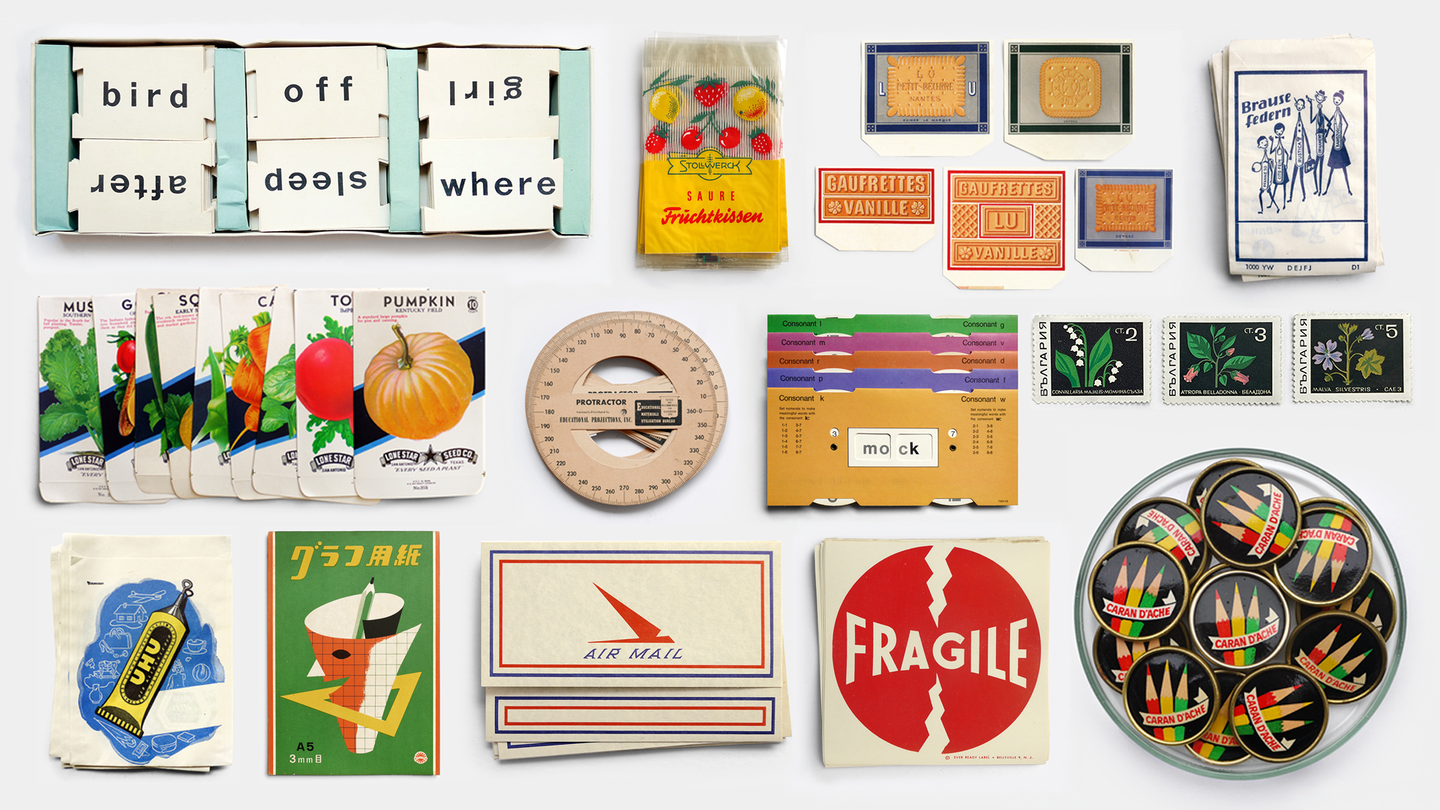
We catch up with co-founder Neal Whittington as the fan favourite print ephemera and stationery brand makes its first foray into the publishing world with a debut title from P&C Additions and uncover some of the stories behind the shop’s legendary stock.
The modern workspace craves more than just functionality—it needs products that perfectly capture our values and environmental consciousness. Today’s most innovative stationery designers are transforming everyday office essentials, converting traditional materials and construction methods into sustainable alternatives that perform better than their conventional counterparts. These aren’t compromise solutions that sacrifice quality for environmental responsibility but are designed to be unique reimaginings that offer both sustainability and superior design.
From pencils constructed with honeycomb paper to notebooks made from actual stone, these five sustainable stationery pieces represent a fundamental shift in how we approach desk accessories. The products are eco-friendly, visually appealing, and functional, serving as clever solutions that reduce waste while enhancing your daily work experience. The future of stationery lies in these innovative design philosophies that honor both our planet and our need for beautiful, practical tools.
1. Hollow Pencil
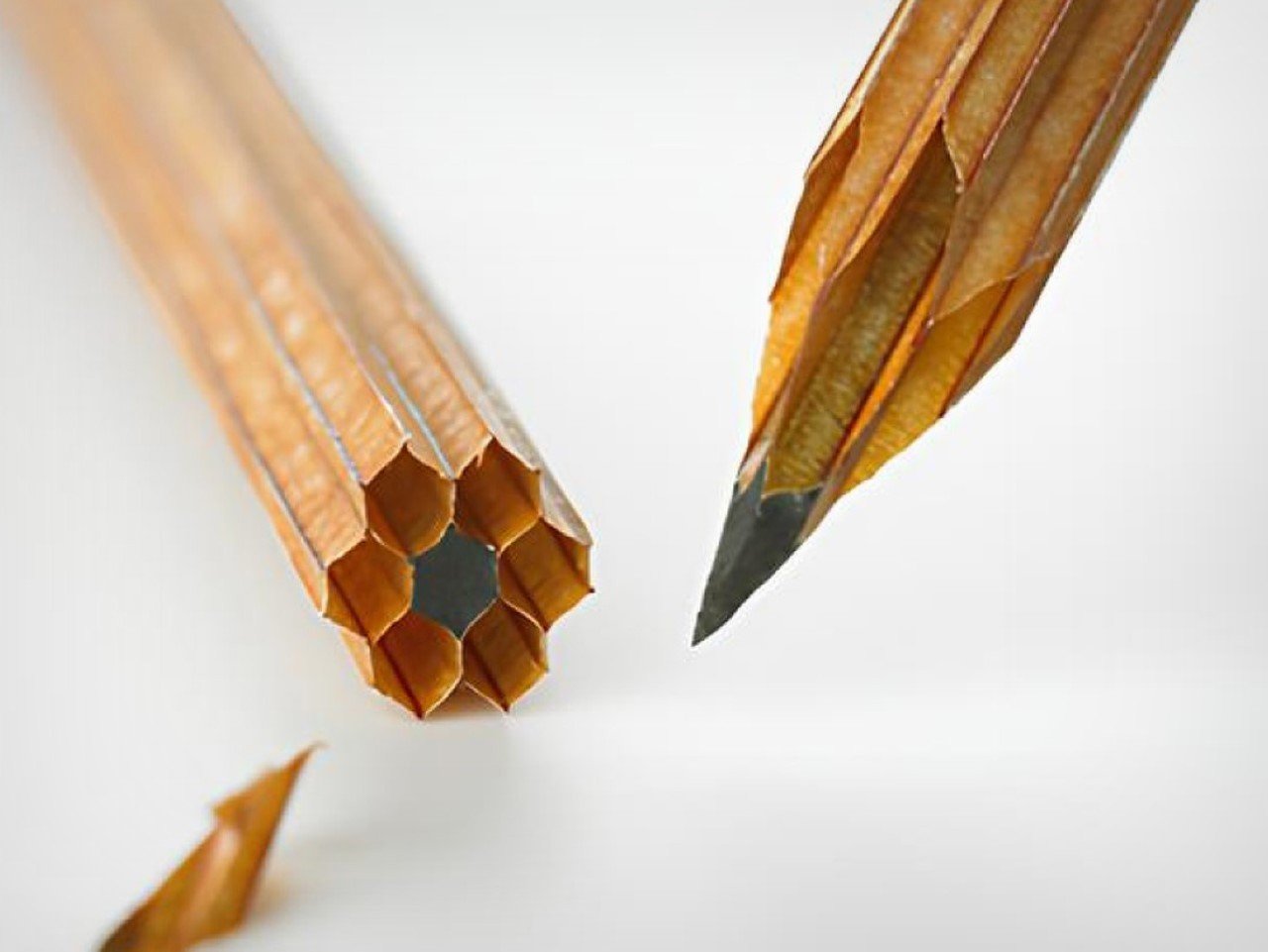
The Hollow Pencil pushes aside centuries of pencil-making tradition by replacing wood with an ingenious honeycomb paper structure that reduces material waste by an astounding 85%. This audacious redesign maintains the familiar hexagonal cross-section while completely reimagining the internal construction, creating a writing instrument that feels both familiar and revolutionary in your hand.
The honeycomb structure provides adequate stiffness for writing while offering surprising flexibility that acts as natural cushioning during extended use. This eliminates the need for traditional wood harvesting while creating a pencil that adapts to your grip rather than fighting against it. This innovative pencil offers a unique tactile experience while also serving as a super cool conversation starter in your desk setup.
What we like
Reduces material waste by 85% compared to traditional wooden pencils.
The honeycomb structure provides natural cushioning and grip flexibility.
What we dislike
May lack the familiar rigidity that some users prefer in traditional pencils.
Durability concerns with paper construction under heavy use or moisture exposure.
2. Korka
Cork remains surprisingly underutilized in modern office environments, typically relegated to wine bottles and bulletin boards despite possessing unique qualities that make it ideal for sustainable desk organization. The Korka desk organizer brilliantly reimagines cork’s potential, transforming this renewable resource into a thoughtful workspace companion that organizes your belongings while supporting environmental values.
The genius of Korka lies in its exploitation of cork’s natural texture, which creates inherent friction that gently grips your belongings without requiring additional clips or dividers. This natural quality eliminates the need for extra components or materials, resulting in a simpler design that works effortlessly while reducing environmental impact through minimalist construction principles.
What we like
Natural friction eliminates the need for additional clips or securing mechanisms.
Cork’s antimicrobial properties and moisture resistance enhance durability.
What we dislike
Limited color options compared to synthetic organizers.
May show wear patterns more readily than harder materials.
3. Karst Stone Paper Notebook
The Karst Stone Paper Softcover Notebook gives paper production a whole new identity, utilizing sustainable stone paper technology that eliminates the need for tree harvesting while creating a superior writing surface. This premium A5 notebook combines high-quality, recyclable stone paper with a flexible vegan leather cover, proving that environmental responsibility and a luxurious feel can coexist seamlessly.
The notebook includes an expandable back pocket for extra storage, a divider ribbon that doubles as a bookmark, and a lay-flat binding that makes writing comfortable and natural. These features transform the notebook from a simple writing pad into a comprehensive organizational tool that adapts to your workflow while maintaining environmental integrity.
What we like
Tree-free stone paper reduces environmental impact while providing a superior writing surface.
Lay-flat binding and organizational features enhance usability.
What we dislike
Higher price point compared to conventional paper notebooks.
Unique textures may feel unfamiliar to users accustomed to traditional paper.
4. Gripix POP Mechanical Pencil
The Gripix POP mechanical pencil concept by Jonggun Kim is a prime specimen of elegant minimalism and ergonomic comfort, proving that sustainable design doesn’t require sacrificing aesthetic refinement. The clean form and absence of unnecessary embellishments create a writing instrument that feels equally at home in a designer’s studio or your everyday workspace.
The pencil features a soft rubber grip with subtle patterned surfaces that reduce hand fatigue during extended writing sessions, while the rotating eraser mirrors the same motif for visual continuity. The carefully balanced weight distribution ensures comfortable handling, making long sketching or note-taking sessions more pleasant and productive than traditional mechanical pencils.
What we like
Ergonomic design reduces hand fatigue during extended use.
Refillable mechanism eliminates waste from disposable pencils.
What we dislike
Concept status means limited availability for purchase.
Higher initial cost compared to standard disposable pencils.
5. Da Vinci Pencil/Bookmark
The Da Vinci Pencil transcends traditional pencil limitations by serving dual purposes as both a writing instrument and a bookmark. Created through advanced 3D printing technology, this pencil embodies a minimalist aesthetic despite its multifunctional capabilities, challenging the notion that sustainable innovation must rely on complex or cluttered designs.
This revolutionary pencil lasts longer than traditional alternatives, potentially serving you for years rather than weeks through its durable construction and refillable design. Integrating this multi-purpose pencil into your workspace introduces a conversation piece, while the bookmark functionality ensures the pencil remains useful even when not actively writing, and its extended lifespan reduces the environmental impact associated with frequent replacements.
What we like
Multi-purpose design maximizes utility while minimizing environmental impact.
An extended lifespan reduces replacement frequency and associated waste.
What we dislike
3D printed construction may feel different from traditional wooden pencils.
Higher upfront cost compared to conventional pencils, despite long-term value.
Conclusion
These five sustainable stationery designs display exceptional form and function, offering a better user experience rather than compromised performance, despite being eco-friendly in nature. The Hollow Pencil’s honeycomb construction, Gripix POP’s ergonomic refinement, Korka’s natural friction design, Karst’s stone paper innovation, and Da Vinci’s multi-purpose functionality all show how thoughtful and innovative designers can create products that honor both our planet and our daily needs.
The future of workspace design lies in these kinds of innovations that seamlessly integrate environmental responsibility with enhanced functionality. Choosing stationery that reflects your values, organizes your desk, and also allows you to participate in a larger movement toward sustainable design that focuses on both human needs and environmental health.The post Top 5 Sustainable Stationery Designs To Green Your Workspace In July 2025 first appeared on Yanko Design.
Note apps are frictionless. That is supposed to be their advantage. You open one in two taps, type something forgettable, close it, and lose it somewhere between screenshots and grocery lists. The problem is that “frictionless” and “memorable” are not the same thing. Japanese stationery designers figured this out long ago, which is why they keep building analog tools that feel more considered than anything a software update has ever produced.
Every product here solves a specific friction point you have probably accepted as normal: a pen that vanishes when you need it, a clipboard that fights back when you add a sheet, a tape dispenser that looks like it escaped from a supply closet. These five finds fix all of that without an app store, a subscription, or a settings menu.
1. Inseparable Notebook Pen
Most pens exist independently of the surface they write on. The Inseparable Notebook Pen rejects that assumption, using a magnetic clip that locks it to your notebook cover every single time. A built-in silencer dampens the attachment so there is no click, no rattle, just a quiet lock into place. The barrel is slim, the gel ink immediate, and the whole system rests on a principle Japan has long understood: the best tools are the ones you eventually stop noticing.
The gap between reaching for a pen and writing is small but real. In a meeting, on a train, mid-thought at a cafe table, that search breaks momentum in a way you feel but rarely name. By attaching itself to the notebook, the Inseparable closes that gap completely. It arrives wherever the notebook goes, leaves when the notebook leaves, and sits almost invisible against the cover. At $19.95, it is a quiet fix for an annoyance most people have long stopped trying to solve.
Click Here to Buy Now: $19.95
What we like
The magnetic clip holds firm during transit but releases instantly the moment you need it
The built-in silencer makes every attachment feel deliberate rather than mechanical
What we dislike
The slim barrel may feel too narrow for anyone who prefers a wider, more substantial grip
Ink cartridge options are limited, which restricts customization for specific writing preferences
2. Stalogy Editor’s Series 365-Day Notebook (A6)
The Stalogy Editor’s Series 365-Day Notebook packs 368 pages into an A6 form factor that still slides into a coat pocket. Each page carries minimal printed detail: faint dates, a light grid, time indicators running along the margin. Use them or ignore them entirely. The paper is ultra-thin but writes with a smooth resistance that makes ink feel like it belongs on the page rather than sitting on top of it. Gel pens, ballpoints, and lighter fountain pen inks all perform cleanly without feathering.
Most planners assume they know how your day should be structured. The Stalogy steps back. The faint markings give you reference points without enforcing a system, which means the same notebook works for bullet journaling, meeting notes, rough sketching, and daily records without ever feeling like you are working against the page. For anyone who has cycled through five different note apps looking for the one that finally fits their brain, this is what that search was actually about.
Click Here to Buy Now
What we like
Thin paper keeps 368 pages from becoming heavy, maintaining genuine pocketability throughout
Minimal page markings suit both rigid planning systems and completely freeform, unstructured use
What we dislike
Heavy fountain pen inks will ghost through the thin paper, limiting compatibility with certain instruments
Date and time markings are printed very small, making them difficult to read comfortably in low light
3. MagBoard Clipboard
Most clipboards run on the same tired mechanism: a spring-loaded lever that crushes paper at the top and leaves the rest of the sheet free to shift around below. The MagBoard replaces all of that with a magnetic and lever system that holds up to 30 sheets securely, without the grip marks. The hardcover backing is stiff enough to write on while standing, and the water-resistant surface means it survives bag life in a way paper-covered clipboards rarely manage.
The real advantage is speed. Adding or removing a sheet from most clipboards requires two hands and patience. The MagBoard lets you slide paper in and out cleanly, which changes how you interact with your notes during a meeting or a site walkthrough. It is the kind of improvement that sounds trivial until the first time you need it in a moment where fumbling costs you. At $45, it earns its place on the desk and equally off it.
Click Here to Buy Now: $45
What we like
The magnetic system holds sheets flat without grip marks or any pressure damage to the paper
The water-resistant hardcover handles bag use and outdoor conditions better than standard clipboards
What we dislike
Bulkier than a standard clipboard, which can be a tight fit inside slimmer bags and sleeves
The magnetic hold may feel less secure with very thick paper stocks or layered sheets of card
4. Classiky Wooden Tape Dispenser
The tape dispenser is the most overlooked object on any desk. It sits in a corner, accumulates dust, and looks like it arrived from a supply closet rather than a considered workspace. Classiky’s version, cut from varnished Japanese wood with rounded, sculpted edges, refuses that role entirely. The grain is warm, the weight satisfying in the hand, and the mechanism precise enough to produce a clean tear every time. It quietly raises the standard for everything else sharing the same surface.
Classiky is a Japanese zakka brand that applies the same material thinking to everyday objects that most designers reserve for furniture. The Wooden Tape Dispenser is that philosophy made literal: a utilitarian desk tool reconsidered from the outside in, built from a material that improves with handling. The varnished wood deepens over time, picking up warmth from the room and the hands that reach for it daily. At $42, it makes every other object on your desk look like it is still waiting to be properly replaced.
Click Here to Buy Now
What we like
The varnished wood looks considered at rest and develops a warmer character with regular handling over time
The mechanism produces a clean, controlled tear that most plastic dispensers never consistently manage
What we dislike
Sized for standard tape rolls, so it will not accommodate wider washi tape or specialty roll sizes
The wood surface will mark with use over time, which reads as earned patina to some and damage to others
5. Sonic Kakusta Portable Pen Stand
The Sonic Kakusta starts as a flat soft pen case and folds into a triangular desk stand in a single motion. Open, it props pens at a 60-degree angle: steep enough to show pen caps for quick identification, shallow enough that instruments slide out without tipping the whole case over. A built-in divider splits the interior into two sections, and a second divider in the lid creates a small shelf for erasers or sticky notes. Strong magnets hold the stand shape reliably on any flat surface.
For anyone moving between home, office, library, and studio, this is the object that makes carrying stationery feel considered rather than improvised. The case lies flat in a bag without occupying more space than a notebook. On a desk, it becomes a proper display stand, keeping what you need visible rather than buried at the bottom of a pouch. That transition from flat to functional in one fold is precisely the kind of engineering detail that separates Japanese stationery design from everything else in the category.
Click Here to Buy Now
What we like
The magnetic lid holds the stand shape firmly, even on slightly uneven or textured surfaces
The lid divider creates a genuinely usable small shelf, an extra that most pen cases never think to include
What we dislike
The soft material offers limited protection against crushing when a bag is packed tightly around it
The triangular footprint when open takes up noticeably more desk space than a flat case would
The Best Tools Don’t Get Updated. They Get Better.
These five objects share one quality that note apps cannot replicate: they get better the more you use them. The wood deepens. The magnetic mechanism smooths out. Each session leaves a trace in the material that accumulates into something that is unmistakably yours. That is not sentimentality; it is the material logic of objects built to outlast a software cycle. Japanese stationery design at its best does not chase novelty. It makes the ordinary interaction between a person and a tool feel like it was worth designing in the first place.
The note app on your phone is not going anywhere. But after a week with these on your desk, you might find you reach for it less. Not because analog is inherently better, but because the right physical tool makes thinking feel different from typing. Slower, more deliberate, more yours. That is a harder thing to engineer than an app. Japan has been doing it for a long time.The post 5 Japanese Stationery Finds So Satisfying You’ll Delete Every Note App on Your Phone first appeared on Yanko Design.
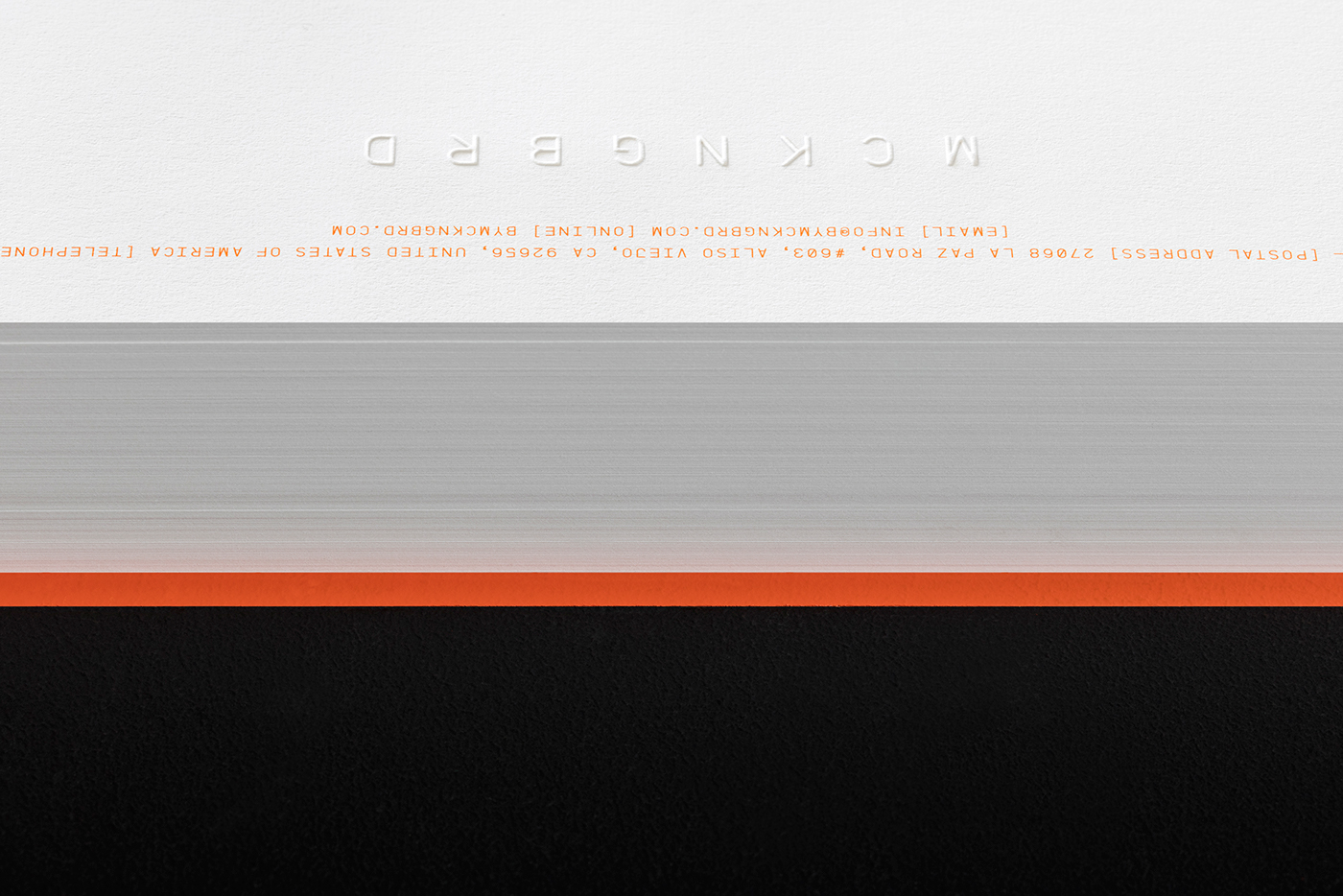
MCKNGBRD is a Los Angeles based brand making premium cases for laptops and tablets. The ambition is to design and manufacture highly versatile cases that combine the functional ingenuity more commonly associated with precision products with the finish of the high-end fashion world. The result is a product that, in contrast to many of the related products on the market, actually protects the device it holds and one that, from an aesthetic perspective, is just as well adapted to the boardroom as weekend hiking.
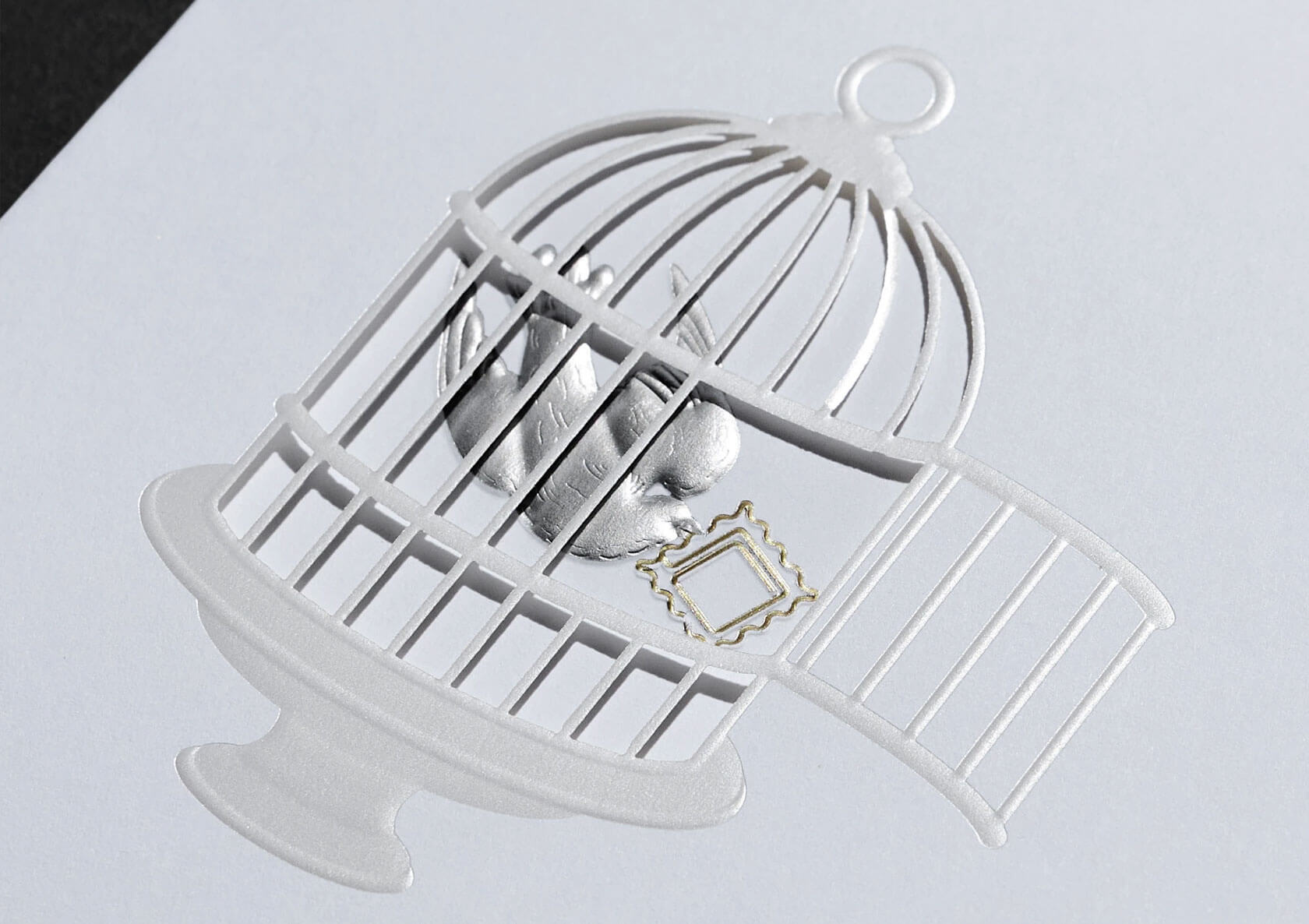
Founded in 2014 by Navid Mokhberi, we have been involved in the project since the very start. Our project started with the naming of the brand. Starting with a comprehensive list of potential alternatives, the final choice fell upon Mockingbird. The brand name is both semantically and phonetically related to the name of the founder, with Mokhberi meaning ’messenger’ or bearer of news’ in Farsi. Adding to that, the (Northern) Mockingbird, a bird native to California, is one of nature’s most skilled adopters, know for mimicking the songs of other birds and the sounds of insects and amphibians, in their hunt for food. This versatility is clearly linked to the products, being one of their primary characteristics. Furthermore, the shell protecting the unhatched bird and feather sheltering its mother is a nice allegory of the products main purpose; protection and panache.
By removing the vowels we created a shorter and more distinctly unique wordmark, prompting the reader to interact with the brand through filling the gaps in the familiar word.
The primary colour palette is made up of three colours; black, white and orange/copper. In physical applications, the orange colour is sometimes replaced with copper foil. A secondary colour palette offers a wider range of options for campaign material and includes a bright green, blue and purple.
An elegant range of stationery was designed, using subtle means to great effect. Archival quality paper of 100% cotton was used, both for its elegant look and feel and because of how well it responds to blind embossing. Bespoke envelopes were designed and manufactured, to hold letters and invoices.
Also included in this case study is a promotional card that is to be given out with each purchase, sometimes with a small thank you-note from the founder himself. The card features an abstract illustration of feathers that have been flatfoiled onto Fedrigoni Ultra Black paper stock. On the reverse, the contact details are copper foiled, with the brand tagline - ’Quality as a way of life’ - in the bottom of the page.
Lundgren+Lindqvist is continually working wih MCKNGBRD on expanding the visual identity. Moving closer to the first product release, we now focus on the packaging and webshop.
This is 1% of what Muzli shows you.
Get the rest — fresh design inspiration on every new tab, free.
Japanese stationery operates on a different logic than most desk goods. The best pieces don’t announce their design—they reveal it through use, the third time you reach for the same tool the same way and realize the motion has become automatic. The seven products in this list were made by people who understand that distinction. They’re not objects that perform their quality. They demonstrate it quietly, over time.
This month’s picks span leather, wood, paper, and pre-inked rubber — materials that share nothing except the care with which they’ve been worked. Some of these come from studios you’ll already know. Others come from makers who’ve spent decades building things for people who pay close attention to how their tools feel. Whether you’re equipping your own desk or looking for a gift worth keeping, all seven earn a permanent place.
1. FoldLine Pen Roll
The FoldLine Pen Roll is a leather carry system built around a single fold, not a zipper or snap closure. Each pen sits in its own slot along the interior, and the whole thing folds flat before closing with a leather strap. It reads less like a pencil case and more like a craftsman’s tool roll — which, for anyone who carries a considered set of pens, is a more honest description of what the object actually is.
At $135, it’s the most expensive piece on this list, and the construction warrants the price. The fold mechanism means there are no moving parts beyond the strap — no zipper to catch, no snap that loosens after a year of daily use. The leather breaks in around the specific pens you carry, developing a memory for your particular arrangement. That’s the kind of specificity most storage solutions reach for and don’t achieve.
Click Here to Buy Now: $135.00
What we like:
The fold mechanism is the most durable carry design in this category. No zipper or snap means nothing mechanical to fail over years of daily use, and the strap is the only component that ever needs attention.
The leather develops a personal fit over time, molding around your specific pen collection until the roll opens to exactly the arrangement you use every day.
What we dislike:
At $135, the price removes this from casual or spontaneous gifting territory. It’s a commitment piece that requires confidence about what the recipient actually carries.
The slot format is sized for standard pens and pencils. Wider barrel markers, brush handles, or oversized tools won’t sit correctly without distorting the leather over time.
2. Japanese Geometric Scissors
These scissors carry a geometric cut pattern along the blade that doubles as a drafting template. Before you cut, you can use the blade itself to trace shapes directly onto paper — a triangle, a hexagon, a clean angle — without reaching for a separate ruler or stencil. It’s a small insight that collapses a two-tool workflow into one, and it’s the kind of functional logic that surfaces in Japanese stationery more consistently than anywhere else.
The dual function works best when you’re already in a cutting workflow, and the template step is simply folded in. Scissors tend to be invisible tools, grabbed and set down without much thought. These invite one extra second of consideration, then behave exactly like scissors should: precise, quiet, and out of the way once the shape is on the page. For paper craft, journaling layout, or light drafting, that compression of steps adds up across a session.
What we like:
The template function is integral to the blade geometry, not a surface treatment or decorative addition. It’s a genuine design decision that changes how the scissors are used rather than simply how they look sitting in a cup.
It collapses two separate tools into one without compromising the cutting performance, which is the kind of economy that makes a desk feel less like a collection of gear.
What we dislike:
The geometric template shapes are fixed by the blade’s design. You can trace what’s there, but you can’t adapt them to custom dimensions or modify the angles for non-standard work.
The template function is most useful in flat, straight-cut contexts. It offers little advantage for freeform cuts or curved work.
3. Kokuyo Campus Roll Sticker
Kokuyo’s Campus Roll Sticker is a continuous roll of repositionable sticky labels in a compact twist-dial dispenser. The format is straightforward: pull the strip, tear at the desired length, apply. No peeling individual tabs from a backing sheet, no hunting for the right size, no wasted label from a crooked tear. Kokuyo built the Campus line for daily working use, and the Roll Sticker fits that brief precisely by removing friction from a task that happens dozens of times across a long session.
The label surface takes most ballpoints and fine-liners cleanly, and the repositionable adhesive holds without committing — you can move a label without tearing the page beneath it. For annotation-heavy reference work, marking passages in a book you’d rather not write in, or flagging a filing system you’ll need to revise, the continuous roll changes the rhythm of the process. One motion replaces three. It’s a small improvement in a category nobody redesigns, which is exactly why it reads as a design object.
What we like:
The continuous roll format replaces the peel-separate-apply sequence with a single pull-and-tear motion. That simplification compounds quietly across a long work session in a way that’s difficult to explain until you’ve used one for a week.
Repositionable adhesive means labels can be relocated after application without leaving residue or lifting the surface of the page beneath.
What we dislike:
Label width is fixed by the roll format. There’s no option for a wider annotation strip if your notes or reference marks need more surface area than the standard roll provides.
The dispenser housing is plastic, which feels lightweight relative to the precision and build quality of the Campus line’s other products.
4. Ito Bindery × Yanko Design Drawing Pad
The Ito Bindery × Yanko Design Drawing Pad is a coverless drawing pad produced through a collaboration between a Japanese binding house and YD. The paper is weighted and surfaced for pencil and fine-liner work, and the no-cover format is a deliberate design position: it removes the bulk and the sense of occasion that a bound cover creates, leaving just the paper and the surface. For daily drawing or ideation work, that removal is the whole point.
Ito Bindery builds bindings to be invisible. The paper is the product, and everything else serves it. That philosophy is legible from the first page: the pad lies flat without being held open, the sheets tear cleanly at the perforation, and the paper handles ink without bleeding through to the sheet below. At $40, it’s priced as a working tool rather than a keepsake, which matches the coverless format. It’s made to be used through and replaced without ceremony.
Click Here to Buy Now: $40.00
What we like:
The binding lies flat from the first page with no spine resistance to fight, which matters more than it sounds across an hour of continuous sketching or ideation work where the pad needs to stay open without a hand on it.
The paper surface and weight are calibrated specifically for pencil and fine-liner use, not optimized for ballpoint or printing as most generic pads are.
What we dislike:
The coverless format offers no protection in a bag. The top sheet is exposed from the moment you pack it, which limits how this travels compared to a conventional pad with a cover.
5. Midori Yuru Log Stamps
Midori’s Yuru Log Stamps are a set of pre-inked stamps with loose, illustrative designs — small icons for weather, daily activity, food, and mood — printed in waterproof ink. They’re part of Midori’s Yuru Log system, which treats the journal page as a casual daily record rather than a structured planner. The stamp designs carry that spirit: they’re quick marks, not declarations. A few stamps and a line of handwriting beside them, and the day is already documented more clearly than a blank page would allow.
Pre-inked means no separate stamp pad and no setup. You uncap and stamp directly onto the page. The waterproof ink is a genuine quality decision: it holds when wet and doesn’t smear when you write across a stamped area with a water-based pen. For anyone building a daily journaling habit, the stamps do something subtle but important. They reduce the blank page from a commitment to a starting point. One stamp and the page is already in motion.
What we like:
Waterproof ink layers with pen, fine-liner, and watercolor without smearing. The stamps work as a base layer for more detailed annotation rather than having to be placed carefully around existing marks.
The pre-inked, cap-off format removes the stamp pad from the journaling setup entirely, simplifying a process that tends to accumulate accessories and surface area over time.
What we dislike:
The Yuru Log icon vocabulary is built specifically for daily life logging. It serves that use case well and offers little for professional note-taking, task management, or any structured planning context.
Pre-inked stamps can’t be re-inked with a different color once the original ink runs out. The stamp is spent when the ink is gone.
6. Stalogy 365 Days Notebook (B6)
The Stalogy 365 Days Notebook runs 368 pages of thin, smooth paper in a B6 body — a size that sits between A6 and A5, pocketable without feeling cramped. The layout is minimal: a faint date-recording strip at the top of each page and a grid below that functions equally well as a bullet journal, a daily log, or plain note paper. Stalogy built no structure beyond that strip. Whether you record the date or ignore it entirely is left entirely to the person holding the pen.
The paper is the notebook’s clearest argument. Thin enough to keep 368 pages in a compact body, smooth enough that fine-liners and fountain pens move without catching. Ghosting is present with heavier inks but controlled — visible when you look for it, invisible during normal use. At $31 via Tokyo Pen Shop, it’s priced as a working notebook meant to be filled and replaced, not preserved. That clarity of purpose is part of what makes the format work so reliably across a full year of daily use.
What we like:
368 pages of fountain-pen-friendly paper in a genuinely pocketable B6 format. The combination of volume and size is rare in a single notebook at this price point, and the paper quality punches well above it.
The date strip at the top of each page is optional infrastructure. You can run it as a planner or ignore it entirely without the page layout working against either approach.
What we dislike:
Ghosting is visible on the reverse side with heavier fountain pen inks or brush pens. Lighter-handed writers won’t notice, but heavy ink users will need to account for it in how they use both sides of a sheet.
No elastic closure or bookmark ribbon. The notebook relies on the cover wrap alone, which feels minimal for a product designed for daily carry.
7. Classiky Chestnut Postcard Case
The Classiky Chestnut Postcard Case is a solid chestnut wood box built to hold postcards, letters, and small paper goods, modeled on the wooden storage boxes Japanese craftsmen use to protect ceramics and lacquerware. Inside, two removable dividers organize the contents without being fixed in place, and a magnetic closure keeps the lid shut between uses. Classiky is a Kobe-based craft goods maker, and the postcard case is one of their quietest pieces — an object that makes the act of storage feel considered rather than merely practical.
At $67 via NOMADO Store, it occupies a price point that makes sense once the box is in hand. It’s heavier than photographs suggest, and the grain reads differently in different light — close and pale in indirect, warmer and more textured in direct sun. The magnetic closure is well calibrated: firm enough to feel secure, light enough to open single-handed. For a desk that collects paper — postcards, receipts, small prints, folded letters — the chestnut case gives those things a home worth keeping visible.
What we like:
Solid chestnut construction with a surface finish that reads the grain clearly and develops a light patina with handling. It’s the kind of material that improves with use rather than wearing in a way that reads as damage.
The magnetic closure is firm and precise. It shuts cleanly without requiring two hands and doesn’t rattle or shift when the box is moved around the desk.
What we dislike:
At $67, the price requires some confidence. It’s a meaningful spend for what is, at its most functional, a storage box for paper goods that could live in a drawer.
The fixed internal dimensions don’t accommodate larger format cards or A5 folded correspondence. If your paper collection runs larger than standard postcard size, the case becomes limiting quickly.
The Quiet Logic of Japanese Stationery
Japanese stationery at its best works through constraint — one problem resolved with unusual precision, everything else left open. What connects these seven pieces isn’t a shared aesthetic. It’s a shared approach: a fold instead of a zipper, a continuous roll instead of a backing sheet, a date strip instead of a full calendar grid. That restraint is harder to design than it looks, and consistently rarer than it should be outside of Japan.
Whether you’re building out your own desk or looking for a gift that communicates something about how you think about work, any of these holds that weight without requiring explanation. They speak through use — the first time the leather fold settles around your pens, or the first time the paper takes the ink exactly right. September’s best Japanese stationery looks like this: nothing excessive, nothing missing, and nothing you’ll want to replace before you’ve used it through.The post 7 Best Japanese Stationery Gifts of September 2026 first appeared on Yanko Design.
Japanese stationery has a reputation that precedes it, and it is earned. The paper is smoother, the mechanisms are more considered, and the objects themselves carry a material honesty that most Western equivalents don’t bother with. Japan has spent long enough treating stationery as a design discipline to have produced things that function noticeably better than what fills most pencil cases. The difference doesn’t announce itself loudly. You notice it the first time you sit down to write.
These seven picks are unique, intentional, and design-forward. Some cost less than a lunch. One requires a short search to track down. All of them share the quality that makes Japanese stationery worth paying attention to: a specific problem solved with enough elegance that the solution becomes the whole point of the object.
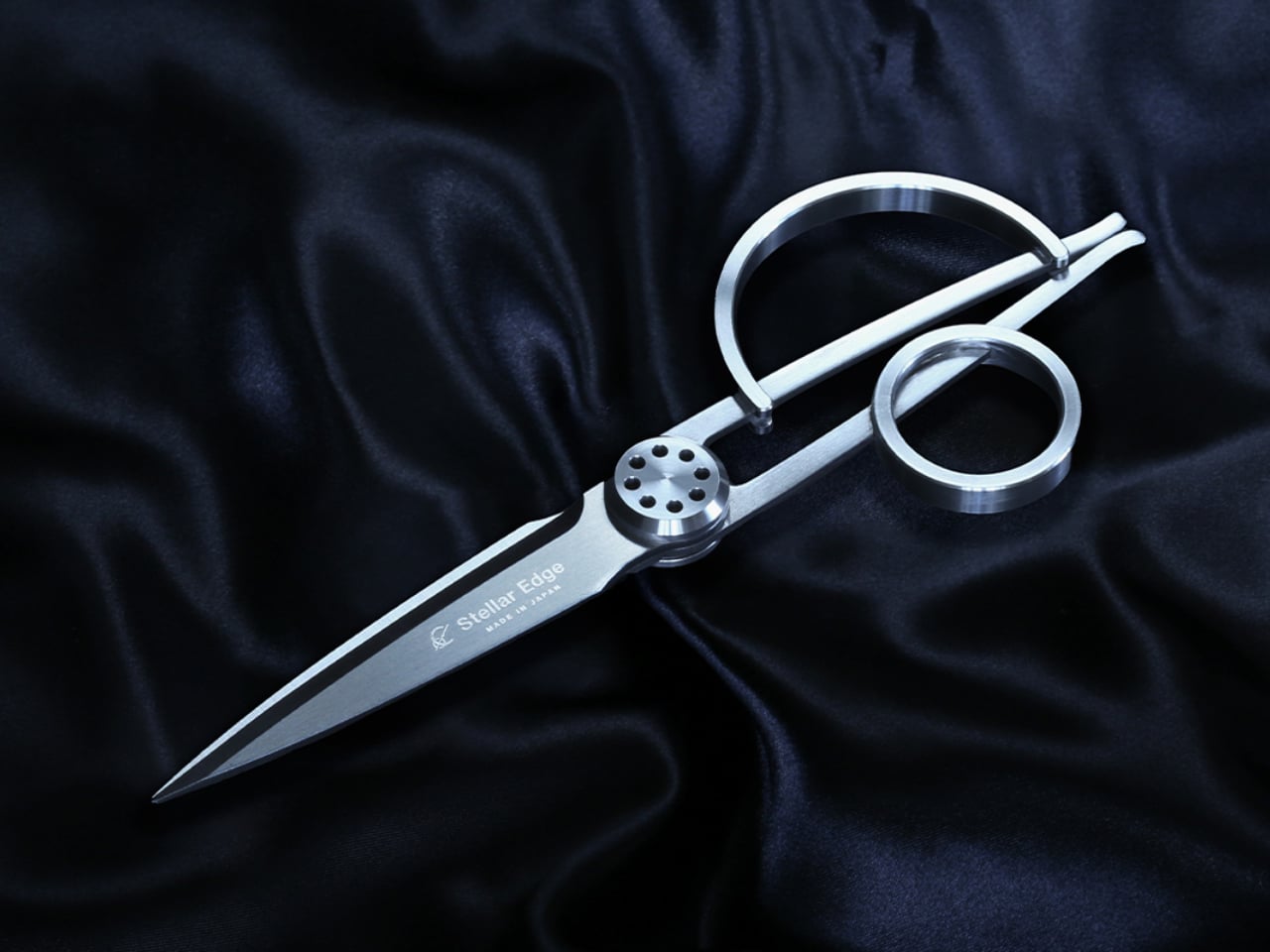
1. Stellar Edge Scissors
Scissors belong in a category of tools that most people replace when they break rather than choose with intention. The Stellar Edge Scissors suggest a different approach. Crafted from Japanese stainless steel, they arrive with gleaming, seamless handles and a weight distribution that makes the blade feel like an extension of the hand rather than something being held onto. Every curve and angle is deliberately considered. The result is a pair of scissors that earns a place on the desk rather than disappearing into a drawer.
Each snip registers cleanly, with the kind of resistance that confirms the blade is doing exactly what it was made to do. The polished finish across the handle elevates the tactile experience without making the scissors feel precious or fragile. Ergonomics were clearly a priority in the development: the grip sits naturally regardless of hand size, and extended cutting sessions don’t accumulate the fatigue that cheaper alternatives build across an afternoon. These are scissors for people who appreciate what happens when form and function are treated as the same brief.
What we like
Japanese stainless steel construction holds its sharpness across sustained use rather than dulling after a few weeks
The seamless handle design and polished finish make these genuinely display-worthy on a desk
What we dislike
The premium material and manufacturing precision place these at a higher price point than standard scissors
The minimalist form prioritizes aesthetics, so there are no rubber grip inserts for those who prefer a softer handle feel
2. Stalogy Editor’s Series 365-day Notebook (A6)
Stalogy’s 365 Days Notebook manages something most pocket notebooks don’t: 368 pages of ultra-thin paper in an A6 form factor that still fits in a coat pocket without bulging. Each page carries minimal printed detail, with dates, days, a faint grid, and time indicators that function as suggestions rather than structure. The paper itself is a genuine pleasure to write on, recalling Hobonichi’s Tomoe River stock in the way ink glides across the page without feathering or bleed-through.
What separates the 365 Days from most planners is what it refuses to do. It doesn’t impose a structure on your day or assume how your hours should be divided. Bullet journaling, daily planning, freeform sketching, and straight note-taking all work comfortably within its pages, and none of them feel like compromises. Most stationery at this level quietly pushes a method. Stalogy provides the space and steps aside, which turns out to be the more useful approach.
What we like
Thin paper keeps 368 pages genuinely pocketable without adding bulk to a coat or bag
Minimal page markings give it equal footing for structured planning and open-ended creative work
What we dislike
Date and time markings are printed very small, making them difficult to read in low light
Heavy fountain pen inks will ghost through the thin paper, limiting compatibility for serious pen users
3. Classiky Chestnut Postcard Case
Classiky’s Chestnut Postcard Case takes its design cues from the wooden boxes Japanese craftsmen have long used to house precious ceramics. Varnished Japanese chestnut wood gives it a warmth and grain depth that plastic or metal storage simply cannot reach, and the proportions at 17.6 x 11.6 x 12.4 cm are calibrated precisely for standard postcards. Two removable separators sit inside, and a magnetic closure shuts with the kind of clean, weighted precision that makes opening and closing the thing quietly satisfying.
What makes it worth the attention is its relationship with time. Chestnut doesn’t fade with handling — it deepens, growing richer in tone the more it’s used, which means the case becomes more beautiful the longer it stays in rotation. The removable separators allow the internal configuration to shift as a collection grows or changes. For collectors, letter writers, or anyone who treats a postcard as a physical artifact worth keeping, this turns an act of storage into something closer to curation.
What we like
Varnished Japanese chestnut deepens in tone over years of handling rather than wearing down
Removable separators allow flexible internal configuration as collections grow or change
What we dislike
Dimensions are postcard-specific, so larger formats like A5 prints won’t fit
The material quality and craftsmanship place it at a premium that makes it a harder sell for casual buyers
4. Midori MD Notebook A5
Midori developed MD Paper specifically for this notebook, and the difference is apparent within a few lines. Fountain pen ink sits on the surface without feathering into the fibers. Gel pens don’t bleed through to the reverse. Fine-liners retain their edge rather than spreading at the tip. The same paper runs across the cover, endpapers, and text pages, creating a material consistency that most notebooks don’t consider worth pursuing. Thread binding holds the quires together and allows the book to open completely flat from the first page to the last, with no resistance pulling the spread closed.
The exterior wraps in glassine paper, a translucent sheet that protects the cover and references the packaging of older books without being precious about it. Index stickers come included for navigation, and a silk ribbon bookmark sits at the spine with a color that varies by notebook type. Available in blank, lined, grid, and dot grid in A5, it is made in Japan and sold directly through md-product.com. Once you write in one, returning to a generic notebook starts to feel like a visible compromise rather than a neutral choice.
What we like
MD Paper handles fountain pen ink and gel pens without feathering or bleed-through, which changes the writing experience measurably
Thread binding allows the notebook to open 180 degrees flat, removing the resistance that glue-bound notebooks create mid-spread
What we dislike
The cream-toned paper suits most writing but won’t work for illustrators who need a bright white surface for accurate color work
The glassine cover wrapper is more delicate than synthetic covers and shows handling wear with heavy daily use
5. Kokuyo Harinacs Press
Staplers exist because paper needs to stay together, not because metal staples are the best way to achieve it. The Kokuyo Harinacs Press removes the staple entirely. A press-lock mechanism cuts a small tab directly from the sheets being bound, folds it through a matching slit, and locks the pages together without puncturing them with metal. Up to five sheets bind cleanly. The binding area stays flat so pages stack without a raised lump, and no staple removal is needed when the paper reaches a recycling bin at the end of its life.
Kokuyo has been making office products in Japan since 1905, and the Harinacs reflects the company’s long habit of questioning what the category accepts as fixed. The staple has existed long enough that challenging it feels strange, which is exactly why this product lands as well as it does. The body is compact at 34 by 95 by 85 millimeters, sits upright on a desk, and works without refills of any kind. Bindings are reversible by rubbing the lock area with a firm object.
What we like
The press-lock mechanism requires no consumables, so the stapler functions indefinitely without replacement staples
Binding is reversible using any firm object, allowing pages to separate cleanly without tearing
What we dislike
The five-sheet maximum limits its use for thicker documents, making it a companion tool rather than a primary binding solution
Very thin or coated paper may not lock as securely as standard copy-weight sheets
6. Kokuyo Hakoake Two-Way Cutter and Mini Scissors
Kokuyo made one decision with the Hakoake that makes the whole product work: the switch between cutter and scissors happens with a single squeeze and slide, one hand, no covers or attachments to manage. The 3mm cutter blade is short enough to open packing tape cleanly without threatening the contents inside. Scissors mode engages by sliding the mechanism forward, and a built-in guide aligns the cut so the action is accurate without requiring careful positioning. It fits in a pencil pouch, clips to a lanyard via a strap hole, and disappears into a bag the way a good tool should.
Compact tools that try to do too many things usually fail at each of them. The Hakoake works because it only commits to two, and the two it chose are the ones that come up in the same moment. Opening a package almost always means also needing to cut a tag or trim a plastic band nearby. Having both in one slim object, without compromise to either mode, is the kind of product outcome that requires genuine engineering attention.
What we like
The one-handed sliding switch between cutter and scissors is fast enough to use in the same motion as reaching for the tool
The compact form and strap hole make this genuinely portable in a way that full-size scissors are not
What we dislike
The 3mm blade is purposely short, so it is not suited to cutting through thicker materials or multiple layers at once
The slim form factor means grip depth is minimal, which may feel less secure during heavier cutting tasks
7. Sonic Kakusta
The Sonic Kakusta spends most of its life looking like a soft pen case. Unfold it and it becomes a triangular desk stand that props pens at a 60-degree angle, steep enough to display pen tops for quick identification, shallow enough that pulling one out doesn’t send the rest toppling. A built-in divider splits the interior into two sections, a second divider in the lid creates a small shelf for erasers and sticky notes, and strong magnets hold the folded shape in place so the stand doesn’t quietly collapse between uses.
The angle is the detail that earns it a second look, but the real argument is the one object doing two jobs cleanly. For anyone moving between a home desk, an office, and a library table, the Kakusta removes the logic of carrying both a pen case and a desk cup. Most products that try to collapse two functions into one end up feeling like a halfhearted version of each. This one doesn’t, and the soft exterior keeps the whole thing light enough that the trade-off barely registers until you’re already at your desk with your pens on display.
What we like
Strong magnets hold the stand shape reliably, even on surfaces that aren’t perfectly level
The lid divider doubles as a small shelf for erasers and sticky notes, a detail most pen cases overlook
What we dislike
Soft material offers limited protection against crushing inside an overpacked bag
The triangular footprint takes up more space than a flat pouch, which matters in tighter carries
This Is What a Well-Made Desk Looks Like
The objects that last on a desk tend to be the ones that earn their place through daily use rather than first impression. Each of these seven earns it the same way: by attending to the part of the tool that most manufacturers treat as already resolved. The paper that accepts ink without spreading. The clip that silences itself. The stapler that eliminates its own raw material. Every one of those decisions took longer than the obvious alternative would have.
A desk set up with tools this considered starts to function differently. Not because the objects are precious, but because they remove the small frictions that accumulate across a working day. Reaching for a pen that is always where it should be, writing on paper that responds the way paper should, cutting with scissors that feel like they were made for a specific hand. July is a reasonable time to replace what is merely functional with what is actually well made.The post The 7 Best Japanese Stationery Picks Of July first appeared on Yanko Design.
Japanese design philosophy has long celebrated the marriage of form and function, transforming everyday objects into tools that spark joy while serving practical purposes. This ethos shines brightest in stationery design, where minimalism meets innovation to create products that streamline workflows and declutter both physical and mental spaces. The items on this list represent a modern evolution of this tradition, offering solutions that fit seamlessly into contemporary life.
Organization isn’t just about having the right storage solutions; it’s about surrounding yourself with tools that inspire consistent use and thoughtful habits. These seven Japanese-inspired stationery essentials combine intelligent engineering with aesthetic restraint, ensuring that staying organized feels less like a chore and more like a natural extension of your creative process. Each piece has been selected for its ability to eliminate friction from daily tasks while adding visual harmony to your workspace.
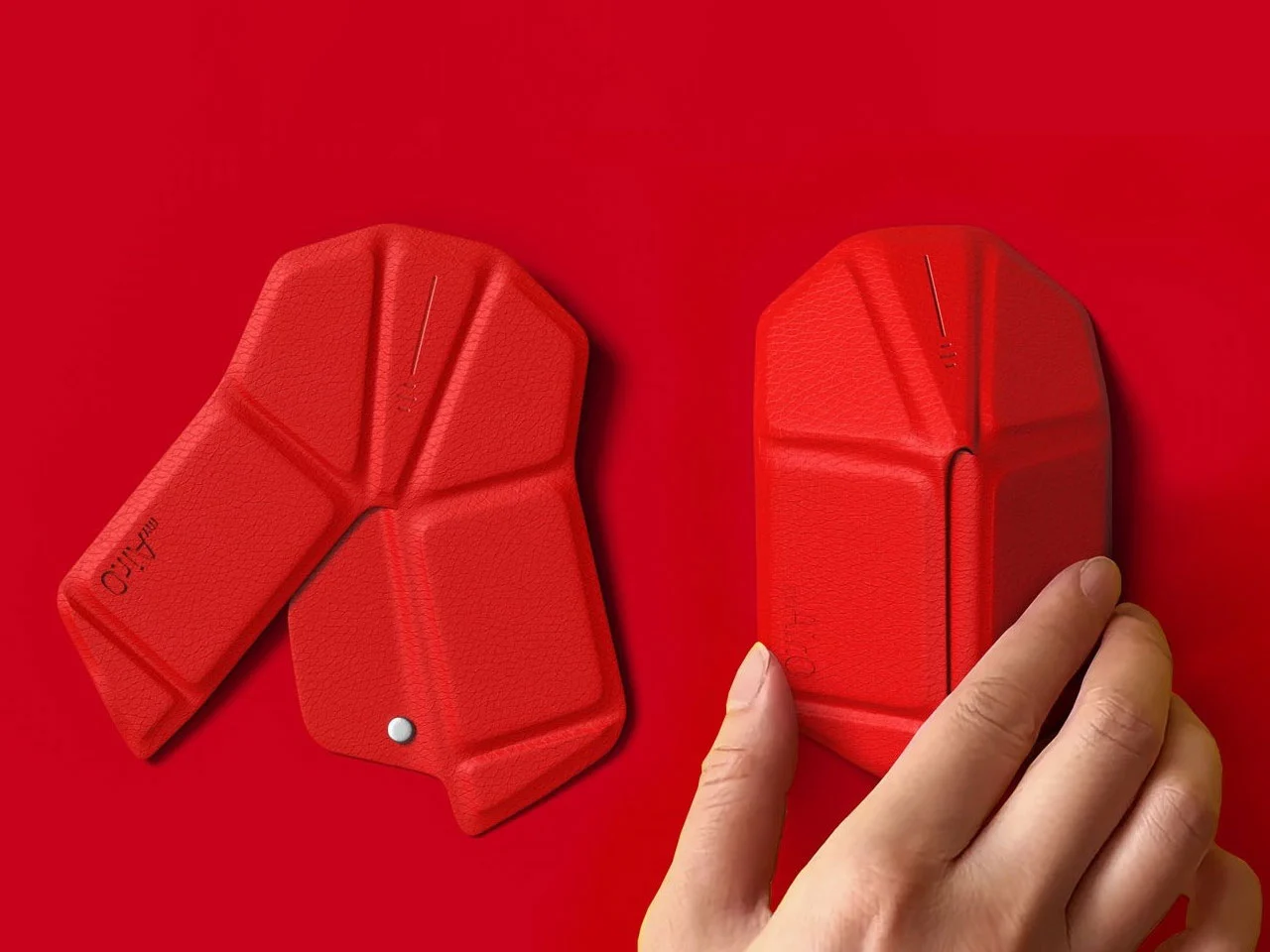
1. OrigamiSwift Folding Mouse
Staying organized in a mobile work environment means carrying the right tools without the bulk. The OrigamiSwift reimagines the traditional computer mouse through the lens of Japanese paper-folding artistry, creating a device that collapses to pocket size yet delivers full desktop functionality. This ingenious design features a triangular skeletal structure that folds completely flat when not in use, allowing digital nomads and hybrid workers to maintain their preferred setup regardless of location.
The transformation happens in less than half a second with a simple flick of the wrist, instantly morphing from a slim card into a responsive input device. Weighing just 40 grams, this featherweight mouse disappears into bags and pockets until the moment productivity calls. The aluminum construction ensures durability despite the mechanical complexity, while the ergonomic contours cradle your hand during marathon editing sessions or detailed design work. For anyone juggling multiple workspaces throughout their day, this folding marvel eliminates the compromise between portability and performance.
Click Here to Buy Now: $79.00
What We Like
Deploys in under 0.5 seconds for instant workflow activation.
Origami-inspired triangular structure provides surprising rigidity and stability when deployed.
Ultra-lightweight 40-gram design makes it virtually unnoticeable in bags.
Fits in pockets and tight spaces without compromising on full-sized mouse functionality.
What We Dislike
Ultra-slim profile requires an adjustment period for users accustomed to bulkier mice.
Mechanical hinges need occasional maintenance to preserve smooth folding action.
2. Everlasting All-Metal Pencil
Few things disrupt creative flow like a broken pencil lead or the constant need to sharpen. The Everlasting All-Metal Pencil eliminates these frustrations through material innovation rather than mechanical complexity. Crafted from a specialized alloy core encased in aluminum, this writing instrument leaves graphite-like marks on paper without wearing down at the accelerated rate of traditional pencils. The result is a tool that writes for years rather than weeks, producing consistent lines that erase cleanly with standard erasers.
The tactile experience mirrors conventional pencils closely enough that your hand won’t notice the switch, yet the absence of sharpening fundamentally changes how you interact with the tool. You can sketch freely without monitoring lead length or calculating whether you have enough left for a particular project. The weight distribution feels substantial without being cumbersome, lending a sense of permanence that disposable writing tools simply cannot match. This pencil becomes a reliable companion rather than a consumable supply, encouraging deeper attachment and more intentional use.
Click Here to Buy Now: $19.95
What We Like
Never needs sharpening, creating a completely uninterrupted workflow.
Alloy construction lasts for decades, eliminating constant supply replenishment.
Marks erase cleanly with standard erasers just like traditional pencils.
Reduces waste and mental load of managing consumable supplies.
What We Dislike
Fixed line weight offers less variation than traditional graphite pencils with different grades.
Higher initial cost compared to conventional pencils.
3. MagBoard Clipboard
Traditional notebooks impose structure that sometimes stifles rather than supports organization. The MagBoard Clipboard embraces flexibility through its magnetic lever mechanism, securing up to 30 loose sheets while allowing instant reordering, removal, or addition. This hardcover design functions equally well on a desk or held against your torso while standing, transforming any environment into a viable workspace. The rigid backing provides writing stability without the permanence of bound pages.
The magnetic closure system offers satisfying tactile feedback while maintaining security during transport. Water-resistant materials ensure your notes survive coffee spills and sudden weather changes, protecting work that might otherwise be lost to environmental hazards. The ability to shuffle pages means your organizational system can evolve with your projects, accommodating non-linear thinking patterns that don’t fit neatly into numbered sequences. You might start a meeting with prepared sheets, add new observations throughout, then reorganize everything based on priority before leaving. This adaptive format respects how actual work happens rather than imposing artificial constraints.
Click Here to Buy Now: $45.00
What We Like
Instant page reorganization without tearing or rewriting saves significant time.
Hardcover design allows comfortable note-taking while standing or moving.
Water-resistant materials protect notes from spills and weather damage.
The magnetic lever mechanism secures up to 30 sheets during transport.
What We Dislike
30-sheet capacity may feel limiting for extensive multi-page projects.
Magnetic mechanism adds noticeable weight during extended holding periods.
4. Inseparable Notebook Pen
Misplaced pens represent one of the organization’s most persistent frustrations. The Inseparable Notebook Pen solves this through integration rather than attachment, creating a writing instrument designed specifically to remain with your notebook. The minimalist profile slides easily alongside pages without creating bulk, while the smooth ink flow ensures thoughts transfer to paper without skipping or pressure adjustments. This isn’t just a pen that happens to fit your notebook; the entire form factor was conceived around coexistence.
The grip diameter and length strike a balance between portability and comfort, allowing extended writing sessions without cramping. The understated aesthetic avoids competing for attention, letting your content remain the focus rather than the tool itself. By designing the pen and notebook as a unified system, this approach eliminates the common scenario of finding a notebook but lacking something to write with. The relationship between tool and substrate becomes seamless, reducing decision fatigue and creating muscle memory around a consistent setup. When reaching for your notebook, it always means having a reliable pen immediately available, and capturing fleeting ideas becomes automatic rather than conditional.
Click Here to Buy Now: $19.95
What We Like
Integrated design creates consistent habits around a single unified system.
Slim profile maintains notebook portability without adding noticeable bulk.
Smooth ink flow ensures reliable writing without skipping or pressure issues.
Eliminates the common frustration of finding notebooks without pens.
What We Dislike
Specialized design may not fit other notebooks in your collection.
Requires replacing the specific design rather than using generic pen replacements.
5. Scissors with Magnetic Base
Office scissors typically live in drawers or cups, creating search friction when you need them urgently. These Scissors with Magnetic Base stand perpetually upright on your desk, always visible and immediately accessible. The weighted aluminum base uses magnetic attraction to hold the Japanese stainless steel blades in an elegant vertical position, transforming a utilitarian tool into a sculptural desk element. The Teflon coating on the blades ensures smooth cutting through various materials while preventing adhesive buildup from tape or labels.
The substantial weight of the all-metal construction provides satisfying heft during use, allowing the scissors’ sharpness to do the work rather than requiring excessive hand pressure. One finger ring incorporates a hidden box cutter blade, adding functionality without compromising the clean aesthetic. The upright storage position protects blade edges from the dulling contact that occurs when scissors roll around in drawers. By giving these scissors a permanent home that celebrates rather than hides them, you’re more likely to use the right tool for cutting tasks instead of making do with whatever’s closest. The magnetic base also prevents the gradual migration that causes tools to disappear into desk clutter.
Click Here to Buy Now: $49.00
What We Like
Always-vertical positioning eliminates search time and tool misplacement.
Japanese stainless steel with Teflon coating maintains sharp cutting performance.
One finger ring doubles as a box cutter for added functionality.
Magnetic base transforms a utilitarian tool into a sculptural desk element.
What We Dislike
A dedicated base makes scissors less practical for mobile use or multiple workstations.
A prominent vertical display requires a dedicated desk surface area.
6. Paperweight and Pen Holder
Desktop organization often suffers from single-purpose items that crowd surfaces without earning their real estate. The HMM Paperweight serves dual functions through its donut shape, holding papers securely while offering a stable pen rest when writing tools aren’t in use. The milled aluminum construction features twelve beveled faces that create visual interest through their geometric precision, catching light differently throughout the day. Weighing 101 grams across a 50mm diameter, the compact form factor delivers substantial anchoring power without dominating your workspace.
The central cavity accommodates standard pen diameters, creating a natural resting place that keeps writing instruments from rolling away or getting buried under papers. The tactile quality of the machined surfaces invites idle handling during thinking moments, providing subtle sensory engagement that can aid focus. This piece exemplifies multi-functionality done thoughtfully, where each purpose enhances rather than compromises the other. The paperweight function works best with reference documents you need visible but secure, while the pen holder keeps your preferred writing tool elevated and ready. Together, these capabilities reduce desktop chaos by giving key items defined homes that look intentional rather than cluttered.
Click Here to Buy Now: $35.00
What We Like
Dual functionality maximizes usefulness while minimizing desk footprint.
Twelve beveled aluminum faces create a premium aesthetic appeal.
Compact 50mm diameter delivers substantial anchoring without dominating the workspace.
Tactile machined surfaces provide satisfying sensory engagement.
What We Dislike
The central hole only accommodates vertically positioned pens.
The 101-gram weight may struggle with larger document stacks.
7. Serenity Pen Stand
Most pen stands distract from the writing instrument they’re meant to showcase. The Serenity Pen Stand takes the opposite approach, reducing itself to near invisibility through radical simplicity. This minimalist cylinder features a cavity for pen tips and tilts slightly off-vertical for easier retrieval, creating an elegant pedestal that directs attention upward. The combination of aluminum body and copper base creates a subtle two-tone contrast while lowering the center of gravity for surprising stability despite the petite footprint.
The modest dimensions mean this stand occupies minimal desk space, fitting comfortably even on crowded surfaces. The weight distribution prevents tipping even with heavier pens, while the angled presentation makes grabbing your writing tool feel natural rather than requiring careful extraction. This design philosophy celebrates the pen as the protagonist, with the stand serving as supporting architecture rather than a competing feature. The copper bottom develops a natural patina over time, creating an evolving aesthetic that reflects your workspace’s history. For anyone who appreciates their writing instruments as prized tools rather than disposable supplies, this stand offers a reverent display option that respects both the pen and your desktop harmony.
Click Here to Buy Now: $39.00
What We Like
Near-invisible design keeps visual focus on the pen itself.
Copper bottom provides excellent stability despite a tiny footprint.
Slight tilt makes pen retrieval feel natural and effortless.
Develops natural patina over time for evolving aesthetic character.
What We Dislike
Single-pen capacity requires multiple stands for instrument rotation.
A minimalist cavity may not accommodate unusual tip shapes or oversized barrels.
Organizing with Intention
The items featured here share a common thread beyond their Japanese design heritage. Each piece respects your attention by solving specific organizational challenges without introducing new complexity. Rather than adding systems that require maintenance and memory, these tools simply work better than their conventional alternatives. The result is an organization that happens naturally through superior design rather than forced discipline.
When your workspace contains tools that are genuinely pleasant to use and look at, maintaining order becomes effortless. These seven essentials prove that staying organized doesn’t require sacrifice or compromise. By choosing items that combine beauty, durability, and thoughtful functionality, you create an environment where productivity and tranquility coexist. The Japanese design philosophy embedded in each piece offers a masterclass in maximizing efficiency, transforming everyday objects into trusted companions.The post 7 Best Japanese Stationery Items To Keep You Organized first appeared on Yanko Design.
Kristin and Lucy sought a wedding stationery suite that captured their unique story in a non-traditional way. As a couple who value experiences and moments, I identified the theme of international living and travel, brought to life through memories made along the way.
The suite was executed through formats that connected to their lives. With passions and professions in print and design, the visual language and illustrations communicated key milestones in their relationship. Enhancing a minimalist yet detailed approach, technical print production played an essential role in the suite.
The stationery world has long looked to Japan for innovation, and planning enthusiasts know this better than anyone. Japanese design philosophy brings together minimalism, functionality, and thoughtful engineering to create tools that transform mundane tasks into moments of creative joy. These aren’t just accessories that sit pretty on your desk. They’re carefully crafted instruments that respect your workflow, elevate your planning rituals, and make every stroke of the pen feel intentional.
What separates Japanese stationery from the rest comes down to obsessive attention to detail and problem-solving that addresses friction you didn’t even know existed. The best pieces remove obstacles between your thoughts and the page, letting ideas flow without interruption. From clipboards that reinvent organization to pencils that never need sharpening, these ten items represent the pinnacle of accessible Japanese design. Each piece delivers exceptional value while staying comfortably under the $100 mark, proving that extraordinary craftsmanship doesn’t require a luxury price tag.
1. Inseparable Notebook Pen
Pens have a frustrating tendency to disappear precisely when inspiration strikes. The Inseparable Notebook Pen addresses this through elegant magnetic integration, designed specifically to blend seamlessly with your planning system. The minimalist form feels natural in your hand, with comfortable grip proportions and smooth ink flow that removes any friction between thought and page. The magnetic clip securely attaches to your notebook cover, ensuring the pen travels with your planning system as a permanent extension rather than a separate item you might forget.
The built-in silencer demonstrates the obsessive attention to detail that defines Japanese design excellence. Instead of the harsh click or scrape of metal on metal, attaching and detaching the pen creates a quiet, satisfying sensation that respects your workspace and thinking process. The sleek aesthetic complements any notebook style without drawing attention to itself, allowing your planning system to maintain its visual coherence. For those who have developed specific pen preferences and rituals around their planning practice, this tool honors that relationship by creating reliable, constant access. The pen becomes as integral to your system as the notebook itself.
Click Here to Buy Now: $19.95
What We Like
The magnetic clip system ensures the pen always stays with your notebook
The built-in silencer creates a refined, quiet attachment experience that respects workspace tranquility
Minimalist aesthetics blend seamlessly with any notebook style or planning system
The comfortable grip and smooth ink flow support extended writing sessions without hand fatigue
What We Dislike
The magnetic system requires your notebook to have a compatible cover material and thickness
The specialized design focuses on notebook integration rather than standalone versatility
2. Magboard Clipboard
Planning systems thrive on flexibility, and the Magboard Clipboard understands this at a fundamental level. This minimalist marvel replaces traditional clipboard mechanisms with an elegant magnet and lever system that secures up to thirty sheets without punching holes or creating permanent bindings. The hardcover construction means you can capture thoughts while standing at a gallery opening, jotting notes during a walking meeting, or sketching layouts at a coffee shop. The freedom to rearrange pages instantly transforms how you organize information, letting you shuffle priorities and reorder thoughts as your projects evolve.
The water-resistant surface adds a practical dimension that traditional clipboards simply can’t match. Spilled coffee becomes a minor inconvenience rather than a catastrophe, and the easy-to-clean material means your workspace aesthetic stays pristine. Planning enthusiasts particularly love how this design eliminates the commitment anxiety that comes with bound notebooks. Pages can migrate between projects, early drafts can be removed without tearing, and your organizational system can adapt as fluidly as your thinking process. The Magboard turns note-taking into a dynamic, modular experience.
Click Here to Buy Now: $45.00
What We Like
The magnetic binding system offers unprecedented flexibility for reorganizing content on the fly
The hardcover design enables comfortable writing while standing or moving
Water resistance protects your work from common desk disasters
The minimalist aesthetic complements any planning system or workspace style
What We Dislike
The thirty-sheet capacity might feel limiting for those working on extensive projects
The hardcover adds weight compared to traditional clipboards, which may matter during long periods of handheld use
3. Everlasting All-Metal Pencil
The ritual of sharpening pencils carries a certain nostalgic charm, but it also breaks concentration and creates friction between thinking and writing. The Everlasting All-Metal Pencil eliminates this with a special alloy core that writes like traditional graphite yet refuses to wear down at any noticeable rate. The aluminum body feels substantial in your hand, grounding you in the physical act of writing, while the metal tip glides across paper with familiar smoothness. For planners who sketch layouts, draft bullet journal spreads, or map out monthly calendars, this tool becomes an extension of thought itself.
What makes this pencil genuinely revolutionary is how it erases cleanly with standard erasers despite its metal composition. The marks blend beautifully with watercolor and water-based markers, making it perfect for planners who incorporate artistic elements into their organizational systems. The pocket-sized variant now available means you can carry this innovation everywhere, always prepared to capture ideas without worrying about broken mechanical pencil leads or dull points. The permanence of the pencil itself creates a different relationship with your tools, transforming a disposable item into a lasting companion.
Click Here to Buy Now: $19.95
What We Like
The alloy core eliminates sharpening completely while maintaining authentic pencil-like writing
Standard erasers work perfectly, preserving the familiar correction process
The metal construction ensures the pencil will outlast countless traditional alternatives
Compatibility with watercolor techniques expands creative possibilities for artistic planners
What We Dislike
The unfamiliar feel of metal may require an adjustment period for those accustomed to wooden pencils
The fixed line weight offers less variation than traditional pencils that develop different points through sharpening
4. Heritage Craft Unboxing Knife
Opening packages becomes a small ceremony when you’re using a tool that looks like it belongs in a design museum. The Heritage Craft Unboxing Knife takes inspiration from Paleolithic hand axes, reimagining ancient stone tools through the lens of modern materials and precision machining. Carved from a single block of aluminum, the circular form fits naturally in your palm while the wave-like patterns created during manufacturing provide both visual interest and functional grip. This isn’t a utility blade you’ll hide in a drawer. The sculptural quality demands display, transforming a mundane task into an opportunity for tactile pleasure.
The tapered design adds practical benefits beyond aesthetics. The form naturally guides the blade through tape and packaging materials with minimal effort, while the substantial weight provides cutting control. Planning enthusiasts who regularly receive stationery hauls, subscription boxes, or online orders find genuine joy in the unboxing ritual this tool creates. The piece occupies that rare space where functional tool meets conversation starter, sitting proudly on your desk as both instrument and art object. The connection to human tool-making history adds a layer of meaning that elevates everyday tasks.
Click Here to Buy Now: $99.00
What We Like
The ancient-tool-inspired design brings historical resonance to a modern implement
Wave-pattern machining marks create a natural, ergonomic grip texture
The sculptural form makes this a display-worthy desk object rather than a hidden utility
The substantial metal construction ensures durability and satisfying cutting control
What We Dislike
The circular form takes practice to master compared to conventional box cutter shapes
The artistic design comes at a higher price point than basic utility blades
5. Craftmaster EDC Utility Knife
Precision tools appeal to planning enthusiasts because they respect the importance of exact measurements and clean cuts. The Craftmaster EDC Utility Knife combines minimalist aesthetics with thoughtful functionality, packaging an OLFA blade system in a sleek metal body just 0.3 inches thick. The tactile rotating knob for blade deployment feels satisfying in a way that cheap sliding mechanisms never match, turning tool use into a deliberate, mindful action. What sets this apart is the magnetic companion piece: a metal ruler with both metric and imperial markings that docks directly to the knife’s back.
The ruler itself demonstrates exceptional design thinking. The raised edge makes it easy to lift from flat surfaces, solving that frustrating fumbling moment when thin rulers refuse to cooperate. The built-in blade breaker lets you snap off dulled OLFA segments safely, extending blade life and maintaining cutting precision. The 15-degree curved edge protects your fingers during use, while the 45-degree inclination angle makes opening boxes cleaner and safer. For planners who craft custom inserts, trim printed materials, or create collage elements, this tool brings professional-level precision to personal projects without requiring a dedicated crafting space.
Click Here to Buy Now: $79.00
What We Like
The magnetic ruler system keeps measurement and cutting tools together in one compact package
The rotating deployment knob offers tactile satisfaction and precise blade control
The raised ruler edge and integrated blade breaker demonstrate thoughtful problem-solving
The slim 0.3-inch profile makes this genuinely pocketable despite its metal construction
What We Dislike
The OLFA blade system requires purchasing specific replacement blades rather than universal options
The premium materials and mechanisms place this at the higher end of utility knife pricing
6. Personal Whiteboard
Digital planning tools promise endless flexibility, but they can’t match the cognitive benefits of writing by hand. The Personal Whiteboard offers the best of both worlds: the tactile satisfaction of marker on surface combined with instant digital capture and infinite reusability. This single-page whiteboard notebook transforms brainstorming and quick planning into a frictionless process. Jot down your daily priorities, sketch out a weekly layout, or map connections between projects, then simply photograph your work to preserve it before wiping it clean. The multi-functional cover serves as an eraser, a built-in stand, and a storage pocket.
The innovative Mag Force system exemplifies Japanese attention to small details that create big impacts. This mechanism functions as both a cover handle for comfortable carrying and a secure pen holder, ensuring your marker never goes missing. Compatible with any standard whiteboard marker, this removes the frustration of proprietary refills or special equipment. Planning enthusiasts particularly love this for morning brain dumps, temporary schedules that change frequently, and collaborative planning sessions where ideas need to flow without commitment. The ephemeral nature paradoxically encourages bolder thinking since nothing feels permanent until you decide to save it.
Click Here to Buy Now: $49.00
What We Like
The reusable surface eliminates paper waste while maintaining the benefits of handwriting
Quick photography lets you preserve and share work before erasing for the next session
The Mag Force system keeps the pen and whiteboard together as an integrated tool
Standard marker compatibility means no proprietary supplies or special purchases required
What We Dislike
The single-page format limits how much information you can view simultaneously
Whiteboard markers can dry out faster than traditional pen options, requiring more frequent replacement
7. Effortless Standing Letter Cutter
The daily mail ritual deserves better than raggedly torn envelopes or dangerous knife work. The Effortless Standing Letter Cutter transforms this mundane task into a moment of satisfying precision. This elegant bar of anodized aluminum sits upright on your desk, functioning as both sculpture and tool until correspondence arrives. Simply slide an envelope across the blade and watch it create a clean incision along one edge, opening the letter without generating paper scraps that need disposal. The standing design means the cutter occupies minimal space while remaining constantly accessible.
What planners appreciate most is how this tool respects the correspondence they receive. Important documents, special cards, and treasured letters all deserve careful opening, and this cutter delivers that reverence. The substantial weight allows it to double as a paperweight when needed, pinning down reference materials or holding open your planner to a specific spread. The replaceable blade extends the product’s lifetime indefinitely, embodying sustainable design principles that Japanese manufacturers champion. This piece represents the Japanese design philosophy of finding extraordinary solutions for overlooked everyday moments.
Click Here to Buy Now: $49.00
What We Like
The standing design keeps the cutter accessible while maintaining an elegant desk presence
Clean side incisions eliminate paper scraps and disposal frustration
The anodized aluminum construction offers both beauty and functional weight as a paperweight
Replaceable blades ensure this tool lasts indefinitely with minimal maintenance
What We Dislike
The specialized function means this serves one specific task rather than offering versatility
Those who receive minimal physical mail may find limited opportunities to use this tool
8. Japanese Drawing Pad
Paper quality fundamentally affects the planning experience, yet most people accept whatever their notebooks provide. The Japanese Drawing Pad elevates this foundational element, offering sheets that honor the centuries-old Japanese papermaking tradition. Available in traditional white or striking black, these pads let you choose the backdrop that best suits your planning style and creative vision. The durable paper fibers resist damage from erasing, marker bleed-through, and frequent handling, maintaining their integrity through intensive use. Microperforations allow effortless tearing when you need to extract a page.
The recycled cardboard base adds environmental consciousness without compromising quality, staying rigid enough to support writing and drawing when you’re away from a desk. Planning enthusiasts who incorporate illustration, calligraphy, or watercolor elements into their systems find that this paper transforms their results. The fiber quality creates the right amount of tooth for pencil work while remaining smooth enough for fine-line pens. Available in A6, A5, and A4 sizes, you can match the pad to your specific planning needs, whether you’re working on pocket-sized daily cards or full-page monthly spreads. The paper itself becomes a creative partner.
Click Here to Buy Now: $26.00
What We Like
Traditional Japanese paper quality elevates the writing and drawing experience noticeably
The choice between white and black paper enables different aesthetic approaches and creative styles
Microperforations allow clean page removal without damaging the sheet or pad
Multiple size options let you match the paper to your specific planning system
What We Dislike
The premium paper quality comes at a higher cost than standard drawing pads
The cardboard base, while sturdy, lacks the portability of hardcover-bound alternatives
9. Scissors with Base
Scissors live an undignified life, scattered in drawers or lost in desk clutter, despite being essential tools. The Scissors with Base restores proper respect to this fundamental implement, providing a magnetic aluminum base that keeps the scissors upright, visible, and exactly where you need them. The Japanese stainless steel construction with Teflon coating delivers confident, precise cuts through paper, tape, fabric, and packaging materials. The solid weight creates stability during cutting, preventing the lightweight flimsiness that makes cheap scissors frustrating to use.
The innovative dual-function design adds unexpected versatility. One finger ring incorporates a box cutter blade, giving you two essential tools in a single elegant form. Planning enthusiasts who craft custom layouts, work with washi tape, or assemble collage elements find that this combines accessibility with performance. The upright storage means the scissors become a desk sculpture rather than a hidden tool, and the visual presence actually proves functional since you’ll never waste time searching. The magnetic base attachment feels satisfying in a way that transforms the simple act of returning scissors to their home into a small moment of order restored.
Click Here to Buy Now: $49
What We Like
The magnetic base keeps scissors upright, accessible, and prevents the common problem of misplacement
Japanese stainless steel with Teflon coating ensures smooth, precise cutting performance
The integrated box cutter in the finger ring adds practical versatility
Substantial weight provides cutting stability and confidence compared to lightweight alternatives
What We Dislike
The base requires desk space dedicated to scissors rather than allowing drawer storage
The premium materials and engineering place these at a higher price point than standard scissors
10. Serenity Pen Stand
Most pen stands compete for attention, using elaborate designs that overshadow the writing instruments they’re meant to showcase. The Serenity Pen Stand takes the opposite approach, reducing itself to the absolute minimum: a small cylinder with a cavity for your pen’s tip, tilted slightly for easy access. Made from aluminum and copper with a dual-tone finish, the diminutive stand places complete focus on your pen while adding a subtle accent of visual interest. The heavy copper bottom creates a low center of gravity that prevents tipping despite the stand’s minimal footprint.
This represents quintessential Japanese design philosophy, finding beauty in reduction and celebrating the tools we use daily by giving them proper presentation. Planning enthusiasts who invest in quality pens, like the Everlasting All-Metal Pencil, finally have a display option that honors their instruments without dominating the desk landscape. The stand occupies minimal space, making it perfect for carefully curated workspaces where every object needs to earn its place. When the pen is in use, the stand remains an elegant small sculpture. The copper’s natural patina development means the piece evolves, gaining character and becoming uniquely yours.
Click Here to Buy Now: $39.00
What We Like
The minimalist design ensures the pen remains the visual focus rather than the stand
The copper bottom creates exceptional stability despite its incredibly small size
The dual-tone metal finish adds subtle visual interest without overwhelming aesthetics
Perfect proportions work especially well with metal pens like the Everlasting All-Metal Pencil
What We Dislike
The tilted angle might not suit all desk arrangements or personal preferences
The stand accommodates only one pen, requiring multiple units for those who rotate between writing instruments
Finding Your Perfect Planning Tools
These ten items share a common philosophy that resonates deeply with planning enthusiasts: the belief that everyday tools deserve extraordinary design. Japanese manufacturers understand that the objects we interact with daily shape our experience, our thinking, and our creative output. These aren’t luxury goods positioned beyond reach. They’re accessible innovations that demonstrate how thoughtful design improves life in measurable ways. Each piece removes a small friction point, adds a moment of satisfaction, or solves a problem you might not have consciously identified.
Building a planning practice means surrounding yourself with tools that support your process rather than fighting against it. The best stationery becomes invisible in use, removing barriers between your thoughts and their physical expression. These Japanese designs achieve that goal while also bringing beauty into your daily rituals. Whether you’re reorganizing pages on a Magboard, gliding an Everlasting Pencil across premium paper, or placing your favorite pen on its minimalist stand, these tools transform planning from a task into a practice worth savoring. Your planning system deserves instruments this considered.The post 10 Best Japanese Stationery Items Under $100 Planners Obsess Over first appeared on Yanko Design.
This is 1% of what Muzli shows you.
Get the rest — fresh design inspiration on every new tab, free.
Have you seen ancient wooden puzzle boxes? They’d be these wonderfully intricate chests with hidden gears, buttons, levers, all working in synchronicity to unlock a treasure… only if pressed/activated in the right order. It’s remarkable how precise artists and craftspersons were with a material like wood back in the day, but you look at wood as a material now, it’s mainly used for furniture and construction, and doesn’t see any modern-day intricate building the way it did back in the day.
Now imagine if the elegance of ancient craftsmanship collided with the ingenuity of modern-day design. That’s exactly the essence that Arizona-based ‘CHENGSHE.design’ distilled into the ONE BOX 3.0—a modular wooden storage box that feels like it was dreamed up by a design studio with an eye for both beauty and utility. Whether you’re organizing stationery, storing your board game accessories, or just looking for a satisfying DIY experience, this box is where IKEA-like assembly meets artisanal sophistication.
Designer: CHENGSHE.design
Click Here to Buy Now: $59 $99 (40% off). Hurry, only 5/120 left!
Crafted from beech or black walnut, the ONE BOX 3.0 achieves a level of multi-functionality in wood that we usually see in more sophisticated materials. Every piece flaunts the unique grain and texture that only real wood can offer, making each box feel personal and one-of-a-kind. But behind that woodworking is masterful design at its finest. The box utilizes mortise-and-tenon joints, an ancient joinery technique revered for its strength and precision. Multiple parts come together to form a box that’s highly versatile, storing everything from stationery to SIM cards.
Within the neatly assembled structure lies an array of modular components that redefine functionality. The main storage compartment is cleverly divided, offering ample space for pens, paperclips, or even cherished trinkets. Modular compartments provide tailored organization, transforming cluttered desks into pristine workspaces. With an expandable pen holder, your favorite pen always stays within reach, eliminating the daily scramble to find essential tools.
To this end, the ONE BOX 3.0 even comes with its own OB Unlimited Pen, crafted from the same wood as the box itself. With a two-part design that joins together thanks to a machined metal extender with a knurled grip, the pen serves as both a writing tool and a design statement.
For multitaskers, the ONE BOX 3.0 includes a multifunctional panel that serves as a phone stand with three adjustable angles. This small but thoughtful addition turns any space into a convenient workstation or entertainment hub. Integrated within one of those panels is also a reusable whiteboard swatch, perfect for capturing fleeting thoughts or sketching out quick ideas. Paired with erasable markers, it’s an eco-friendly alternative to sticky notes that brings creativity to the forefront of daily tasks. It’s also the first time I recall the stationery box ever becoming a medium for the stationery.
But classifying the ONE BOX 3.0 as a stationery box would be quite the mistake, given its ability to do much more than store stationery. Apart from the fact that it comes with multiple stands for your phone, the box also packs a special panel designed to store SD and SIM cards. Given how tiny and valuable these little pieces of plastic are, the storage panel allows you to securely dock the cards so that you don’t lose them, or they don’t get buried away under a pile of pens and pencils.
Beyond tech or stationery, the ONE BOX 3.0 can be used to store game pieces. Whether for DND or your tiny portable game of chess, the box’s various containers and slots allow you to store gameplay pieces and dice, with the tiny whiteboard and marker being perfect for keeping score!
Assembling the ONE BOX 3.0 is an experience in itself. Magnets click satisfyingly into place, and each component fits seamlessly with the next, inviting users into a hands-on interaction with the craftsmanship. The woodwork is impeccable, with a lot of DIY involved as you assemble pieces together to build the box you need. That’s the IKEA part I alluded to earlier – except unlike IKEA, the ONE BOX 3.0 isn’t mass-produced, which makes you appreciate the craftsmanship even more.
The appeal of the ONE BOX 3.0 extends across a wide audience. From students seeking tidy study areas to creatives needing flexible storage solutions, the box caters to diverse lifestyles. Designers, engineers, and everyday thinkers will find its modularity and timeless design an inspiring addition to any workspace.
Click Here to Buy Now: $59 $99 (40% off). Hurry, only 5/120 left!The post IKEA Meets Artisanal Craft in This Modular Wooden Storage Box That Stores Stationery, Games, and Tech first appeared on Yanko Design.
A good desk doesn’t happen by accident. Not one loaded with gadgets or overrun with branded accessories, but a workspace where every object earns its place. The stationery you choose sets the tone for how you think, write, and create. When a pen, tray, or ruler is designed with real intention, it stops being background noise and starts becoming an active part of the process itself.
The five pieces collected here share a common thread: they solve real problems without announcing themselves. Each one sits at the intersection of craft, function, and restraint. Whether you’re sketching, drafting, or writing longhand, these objects won’t compete for your attention. They’ll quietly make you better at whatever you’re doing. That’s the standard every great piece of stationery should meet, and these five clear it with ease.
1. Inseparable Notebook Pen
A pen that stays with its notebook sounds like a small idea, but the execution here is anything but minor. Built around a magnetic clip that secures directly to the cover, this piece eliminates the quiet, persistent frustration of reaching for a pen that isn’t there. The minimalist form is unobtrusive, the grip comfortable, and the ink flow smooth enough that writing feels less like a task and more like a reflex you’ve always had.
What makes this pen genuinely useful for daily writing is the built-in silencer, a detail that turns something mechanical into something refined. When you attach or detach it from the notebook, there’s no sharp click, just a quiet, satisfying motion. For anyone who writes regularly, that kind of sensory attention matters more than it should. The pen becomes an extension of the notebook rather than a companion to it, which means your ideas and the tool to capture them are always in the same place.
Click Here to Buy Now: $19.95
What We Like
The magnetic clip keeps the pen fixed to the notebook cover at all times, so losing your writing tool mid-session is no longer a possibility
The built-in silencer makes attaching and detaching feel considered and refined rather than mechanical
What We Dislike
The design works best when paired with its intended notebook, which limits its versatility as a standalone pen
The minimalist form may reduce compatibility with notebooks of varying cover thickness or material
2. Solid Copper & Brass EDC Clutch Pencils
Nicholas Hemingway’s clutch pencils are machined from solid metal bar stock, not hollow tubes or plastic wrapped in metallic finishes, and that distinction matters from the first time you hold one. Copper weighs 8.96 grams per cubic centimeter, and brass sits at around 8.5. Hemingway has built his entire design philosophy around those densities. The mass of the metal body reduces the pressure you need to apply to the page, a concept he calls gravity-feed, making longer creative sessions far less fatiguing on the hand.
The 10th anniversary collection includes three pencils: the 5.6mm Copper and Brass Hybrid at 58 grams for shading and life drawing, with a built-in lead sharpener in the push button, and the 2mm Precision series in both brass and copper at around 30 grams each for technical drafting and fine-line illustration. Hemingway ships each version with a specific lead grade matched to its intended use, so you’re never mid-workflow having to swap. Both formats are fully compatible with any lead brand, making them as practical as they are beautifully crafted.
Click Here to Buy Now: $79 $115 (31% off). Hurry, only 26/50 left!
What We Like
The gravity-feed approach uses the weight of the metal body to reduce hand fatigue across long drawing or writing sessions
Each pencil ships with a lead grade selected to match its intended use, removing the guesswork entirely from setup
What We Dislike
The solid metal construction makes these significantly heavier than standard options, which won’t suit every hand or working style
The price point of hand-machined tools will be a barrier for casual or occasional users
3. KNOB. Pen Tray
Changho Lee’s KNOB. Pen tray is one of those rare desk accessories that rewards both looking at and actually using. The form is clean and minimal with rounded edges, but the real story lives in the knobs, borrowed from the design language of gas burner controls and reimagined as adjustable dividers inside the tray. Those knobs let you reconfigure the interior space in any direction, depending on what you’re organizing and how you want to arrange it on a given day.
For anyone who cycles between different tools, the KNOB. tray removes the need for multiple organizers competing for desk space. One tray handles everything because you can reshape its interior for whatever you need at any given moment. That kind of adaptable functionality is genuinely rare in desk accessories, which tend to be fixed in their layouts and unforgiving when your needs shift. The visual result is a tray that always looks intentional, regardless of what’s inside it or how the internal dividers have been reconfigured.
What We Like
The adjustable knobs let you customize the internal layout in any direction without tools, additional parts, or a second organizer
The minimal aesthetic keeps the tray from visually cluttering the desk, no matter how it’s currently configured
What We Dislike
The knob-based adjustment mechanism may feel fiddly for users who reorganize their setup frequently throughout the day
The compact footprint may not comfortably accommodate larger or unusually shaped stationery items
4. Eco-Friendly Pencil Sharpener
Wang Cheng’s Eco-Friendly Pencil Sharpener is a Red Dot Design Concept Award winner built around one precise and clever observation: pencil stubs don’t need to be discarded. With three sharpening zones, the sharpener handles conventional sharpening but also threads and taps pencils, turning them into wooden screws that connect end to end. A stub that would otherwise be thrown away becomes usable again the moment you screw it into a larger pencil, extending its life without any additional materials or waste.
That mechanism is genuinely satisfying to use, and it shifts how you think about pencils entirely. Threading one end and screwing two together feels intuitive after the first attempt, and the result is a longer, more comfortable writing instrument that has a second act built in from the start. For anyone who goes through pencils regularly, whether sketching, drafting, or writing by hand, this sharpener reframes the stub not as the end of something useful but as the beginning of another productive session.
What We Like
The threading and tapping mechanism extends the life of pencil stubs meaningfully, reducing material waste without requiring anything extra
Winning the Red Dot Design Concept Award confirms that the idea is executed as well as it is inventive
What We Dislike
The three-zone sharpening system introduces more complexity than most casual users will need or ever explore
Screw-together pencils may feel slightly uneven in the hand compared to a single, uniform pencil body
5. Quiver Ruler
Tunir Maity’s Quiver is an anodized aluminum ruler built for people who actually cut with one, not just measure. It has a clip mechanism that holds paper in place, a blade slit that guides your cut in a straight line, and a weight distribution that favors the cutting end so you don’t have to press down as hard. Made for over 300 cuts with recyclable plastic components, Quiver doesn’t treat shaky hands or imprecise cuts as user failures. It treats them as design problems worth solving properly.
Beyond its cutting functionality, Quiver includes a carabiner attachment for clipping to a bag, which makes it genuinely portable rather than just theoretically so. The anodized aluminum finish gives it a premium presence on any desk, and the minimal profile means it stores flat without consuming unnecessary space. For designers, architects, or anyone who works regularly with physical materials, Quiver is the kind of tool that makes you quietly wonder why rulers weren’t designed this way from the very beginning.
What We Like
The blade channel and clip mechanism make precise, straight cuts achievable without pressing hard or manually holding paper in place
The carabiner attachment makes it easy to carry wherever the work actually happens, rather than leaving it behind on the desk
What We Dislike
Quiver is currently a concept, so availability for purchase has not been confirmed
The emphasis on cutting functionality may feel overbuilt for users who only need a ruler for basic measuring
The Desk You Actually Want
Minimalism isn’t about owning less. It’s about owning better. Each piece on this list earns its place not through novelty or surface-level aesthetics alone, but through how well it understands the person using it. A pen that stays with your notebook, a ruler that guides your blade, a tray that reorganizes itself around your tools. These are objects designed around behavior, not the other way around.
The best stationery doesn’t ask for your attention. It earns your trust slowly, through repeated use, through a grip that feels right after the third session, through a cut that lands exactly where you planned it. The five pieces here share that quality. They’re not trying to be beautiful. They are beautiful because they work, and that’s a distinction worth remembering the next time you’re building a workspace from scratch.The post 5 Best Stationery Pieces That Turn Any Desk Into a Minimalist’s Dream Workspace first appeared on Yanko Design.
Japanese stationery operates on a different set of assumptions. Where most of the world treats pens, notebooks, and desk accessories as afterthoughts, Japan treats them as design problems worth solving with the same precision applied to architecture or automotive engineering. The difference shows up in the details: magnetic closures calibrated to be silent, paper engineered for a specific ink behavior, and leather cut from a single hide. Hence, the grain tells a continuous story.
We have been collecting our favorites for a while now, and this batch feels particularly well-considered. These are not gimmicks dressed in minimalist packaging. Each product here earns its place through a specific, clever solution to a friction most people have accepted as normal. From a pencil that never needs sharpening to a wooden postcard case that borrows its form from ceramic storage traditions, this is stationery that makes the rest of the world’s offerings feel like rough drafts.
1. Inseparable Notebook Pen
Most pens exist independently of the surface they write on. The Inseparable Notebook Pen rejects that premise entirely, using a magnetic clip to lock itself to your notebook cover. A built-in silencer dampens the attachment, so there is no click or rattle, just a quiet lock into place. The barrel is minimalist, comfortable during long sessions, and the ink flow is smooth and immediate.
Japanese stationery brands have long understood that the gap between reaching for a pen and writing is a moment of lost momentum. This pen eliminates that friction. The form is understated, almost invisible against a notebook cover, which is the point. Tools that disappear into your workflow tend to be the ones that last the longest.
Click Here to Buy Now: $19.95
What we like
The magnetic clip holds firm during transit but releases with zero effort when needed.
The silencer turns a mundane attachment into something tactile and deliberate.
What we dislike
The minimalist barrel may feel too slim for those who prefer wider-grip pens.
Ink cartridge options are limited, restricting personalization for specific ink preferences.
2. Stalogy Editor’s Series 365-day Notebook (A6)
Stalogy’s 365 Days Notebook packs 368 pages of ultra-thin paper into an A6 form factor that still fits a coat pocket. Each page carries minimal printed detail: dates, days, a faint grid, and time indicators. Ignore them or use them. The paper writes with a smoothness that recalls Hobonichi Techo’s Tomoe River stock, letting ink glide without feathering or bleed-through.
The real strength is flexibility. This notebook works equally well with bullet journaling, daily planning, freeform sketching, or straightforward notes, all without forcing a single organizational method. Most planners assume they know how a day should be structured. This one steps back and lets the user decide, which is a rarer quality than it should be.
What we like
Thin paper keeps 368 pages from becoming a brick, maintaining genuine pocketability.
Minimal page markings make it equally useful for structured planning and unstructured creative work.
What we dislike
Date and time markings are printed extremely small, making them difficult to read in low light.
Heavy fountain pen inks will ghost through the thin paper, limiting compatibility with certain instruments.
3. FoldLine Pen Roll
Cut from a single piece of Italian leather, the FoldLine Pen Roll converts from a carrying case to a functional desk tray in under two seconds using origami-inspired folding geometry: no stitched partitions, no zippers. The natural wrap of the fold separates and protects each pen, and metal-bodied instruments stay scratch-free without dedicated slots.
Unfolded, it creates a defined rectangular workspace on any surface: a cafe table, an airplane tray, a hotel desk. That containment matters. Scattered pens create micro-distractions, and a tray eliminates the chaos without occupying permanent desk space. The leather develops a patina over time, improving with age rather than deteriorating.
Click Here to Buy Now: $135.00
What we like
The two-step unfolding mechanism feels intuitive enough to be fast and intentional enough to feel like a ritual.
Single-piece leather construction means no stitching to fail and no partitions to limit capacity.
What we dislike
Without individual pen slots, instruments can shift during aggressive bag movement.
Italian leather at this quality carries a price premium well outside impulse-purchase territory.
4. Memento Business Card Log
Business cards are collected, shoved into wallets, and forgotten. The Memento Business Card Log, designed by Japanese brand Re+g, rejects that cycle. It stores up to 120 cards using a two-point slit system that keeps each card secure, and the facing page offers dedicated space for handwritten notes about the person: a conversation detail, a follow-up date, a distinguishing trait.
Re+g’s proprietary binding allows pages to be reordered by category, importance, or any logic that makes sense. The paper stock has a warm, tactile quality. Writing a note by hand about someone forces a level of attention that tapping a phone screen cannot replicate. The log becomes a record not just of who was met, but of how those meetings felt.
Click Here to Buy Now: $35.00
What we like
The proprietary binding allows page reordering, so the system evolves with the user.
Dedicated note space alongside each card slot turns passive storage into active relationship memory.
What we dislike
At 120 cards, heavy networkers will fill the log fast, requiring a second volume.
The analog format means no search function, so finding a specific card requires manual browsing.
5. Classiky Chestnut Postcard Case
Classiky’s Chestnut Postcard Case borrows its design language from the wooden boxes used in Japan to store precious ceramics. Varnished Japanese chestnut wood gives it a warmth and grain that plastic or metal storage cannot approach. The proportions (17.6 x 11.6 x 12.4 cm) are calibrated for standard postcards, with two removable separators and a magnetic closure that shuts with clean, weighted precision.
This is a storage object built to outlast its contents. The chestnut deepens in color over years of handling rather than fading, and the removable separators allow flexible configuration depending on collection size. For collectors, letter writers, or anyone who values the physical artifact of a postcard, this case turns storage into curation.
What we like
Varnished Japanese chestnut ages beautifully, growing richer in tone over the years of handling.
Removable separators allow for a flexible internal configuration across different collection sizes.
What we dislike
Dimensions are postcard-specific, so the case cannot accommodate larger formats, such as A5 prints.
The craftsmanship and material quality place it at a premium that limits its appeal for casual purchases.
6. Sonic Kakusta
The Sonic Kakusta starts as a soft pen case and transforms into a triangular desk stand that props pens at a 60-degree angle for easy visibility and access. A built-in divider splits the interior into two sections, while a second divider in the lid creates a small shelf for erasers and sticky notes. Strong magnets hold the folded lid in place, preventing the stand from collapsing mid-use.
That 60-degree angle is the smartest detail. Steep enough to display pen tops for identification, shallow enough that pens slide in and out without tipping the case. For anyone working between home, office, and library, the Kakusta eliminates the need to carry both a case and a desk cup. One object handles both roles without appearing to be a compromise.
What we like
The magnetic lid holds the stand shape on uneven surfaces without collapsing.
The lid divider doubles as a shelf for small items, adding utility most pen cases ignore.
What we dislike
Soft material offers limited protection against crushing in an overpacked bag.
The triangular footprint is wider than a flat case, occupying more bag space than a traditional pouch.
7. Pocket Everlasting All-Metal Pencil
The Pocket Everlasting All-Metal Pencil uses a graphite and metal alloy tip that deposits marks through friction rather than material loss. The core does not shorten. The point does not dull. The manufacturer claims roughly 10 miles of writing, and the marks are erasable with a standard eraser. At 4.7 inches with a cap, it slips into a shirt pocket without protest.
Traditional pencils generate shavings, require sharpeners, and degrade in humid conditions. This pencil sidesteps all three. The all-metal body has a substantial heft without being heavy, and the graphite-alloy line plays well with watercolor and wet media because it does not bleed when painted over. For field note-takers who need a tool that never fails at the wrong moment, this is a quietly radical solution.
Click Here to Buy Now: $19.95
What we like
The graphite-alloy tip eliminates sharpening, shavings, and the risk of a dull point at the worst time.
Compatibility with watercolor and wet media makes it versatile for mixed-media sketching.
What we dislike
Line weight is fixed, so artists needing variable stroke thickness will find it limiting.
The metallic graphite tone differs subtly from traditional pencil graphite, which may bother purists.
8. Stellar Edge Scissors
Scissors are the most overlooked object on a desk. The Stellar Edge Scissors argue that this neglect is a design failure. Crafted from Japanese stainless steel, the blades hold their edge far longer than standard office scissors, and the polished, seamless handles distribute weight so evenly that extended cutting sessions produce no hand fatigue. Every curve has been considered, from the finger loop radius to the pivot tension.
Each snip has a clean, controlled resistance that comes from precise blade geometry and tight manufacturing tolerances. The polished finish reduces friction against tape and adhesive paper, which tend to gum up matte or coated blades. The ergonomic shaping fits both left and right hands without the usual ambidextrous compromise. For anyone who uses scissors more than once a week, these make the ordinary feel considered.
What we like
Japanese stainless steel holds a sharp edge far longer than standard office scissor alloys.
Weight distribution across the handles eliminates fatigue during extended cutting sessions.
What we dislike
The premium material and finish come at a price point difficult to justify for occasional use.
The polished surface shows fingerprints easily, so it requires regular wiping to maintain a clean aesthetic.
Where this leaves us
Eight products, and the common thread is not aesthetics or branding. It is the refusal to accept that everyday tools should be disposable, forgettable, or merely functional. Japanese stationery design starts from the assumption that the interaction between a person and a tool is worth engineering down to the last magnetic click, the last gram of weight distribution, the last millimeter of paper thickness.
The rest of the world makes stationery. Japan makes instruments. The difference is not in the materials alone, though those matter. It is in the insistence that a pen’s relationship to a notebook, a scissors’ resistance against paper, or a wooden box’s aging behavior are all design problems that deserve solutions. These eight products are proof that once experienced, going back feels like a downgrade.The post 8 Best Japanese Stationery Finds So Clever You’ll Question Why the Rest of the World Even Bothers first appeared on Yanko Design.
Japan has a stationery obsession, and the rest of the world is finally catching on. The country treats writing tools and paper goods the way it treats everything else: with an almost unreasonable level of care, precision, and quiet restraint. What looks simple in the hand rarely is. These eight pieces are proof that back-to-school shopping has a ceiling, and most of us haven’t come anywhere close to hitting it.
Every item on this list earns its place for the same reason: it solves something. Not in a Swiss-Army-knife way, but in a quietly elegant way that makes you wonder why the version you’ve been using for years never worked this well. Stock up your stationery collection with these unique essentials, and feel the difference they make to your everyday routine.
1. MagBoard Clipboard
Most clipboards are an afterthought, a plastic spring hinge you buy simply because you had to. The MagBoard is different in the way that good Japanese design tends to be: the function is unchanged, but the thinking behind it is completely rebuilt. A magnet and lever mechanism holds up to 30 sheets of paper in place without the usual clip aggression, and the hardcover backing is stiff enough to write on comfortably while standing, no desk surface needed at all.
The surface is water-resistant and easy to wipe clean, which matters when it travels between meetings, job sites, or a classroom. At A5, it fits in most bags without crowding them, and the cover opens completely flat so there’s no awkward curl mid-note. For anyone who moves through their day between different spaces and needs to take legible notes rather than just keep a surface dry, this is the clipboard that actually earns a permanent spot in the bag.
Click Here to Buy Now: $45.00
What we like
The magnet-and-lever mechanism replaces spring clip tension without sacrificing hold, managing up to 30 sheets at once
Water-resistant surface makes it genuinely travel-ready, not just desk-ready
What we dislike
A5 format won’t accommodate US letter-size paper without folding, which won’t work for everyone
At $45, it’s a significant premium over what most people expect to spend on a clipboard
2. Sonic Kakusta Portable Pen Stand
The Kakusta looks like a soft pencil case until you set it on a desk. Unzip it, fold the lid back, and the whole thing becomes a stand that props your pens at a 60-degree angle, everything visible, everything reachable in one motion. Sonic, the Japanese stationery brand behind it, didn’t add a separate stand component. The fold itself is the stand. That kind of thinking, where the packaging is the product, is what separates it from anything you’d find at Target.
The triangular cross-section when open isn’t accidental. It creates a stable base that doesn’t tip or slide even on slightly uneven surfaces, and when class or the workday ends, everything folds back into the case in seconds. For students who shift between desks, libraries, and coffee shop tables, not having to manage a separate pen holder is genuinely useful. The Kakusta doesn’t ask you to change how you work. It just eliminates one more thing to carry and set up.
What we like
Case-to-stand transformation happens in one fold, no extra components to lose
The 60-degree angle keeps every pen visible rather than buried at the bottom of a flat case
What we dislike
Capacity is on the smaller side, so larger pen collections won’t fit comfortably
The fabric exterior picks up lint faster than a hard-shell case would
3. Stalogy Editor’s Series 365 Days Notebook
The 365 Days Notebook wasn’t designed for bullet journaling that requires stickers and color-coded spreads. It was designed for editors: people who use a notebook to capture ideas, track timelines, make lists, and sketch rough diagrams all in the same session, sometimes on the same page. The cream-toned dot grid is subtle enough that it doesn’t compete with what you’re writing, and at A6 the whole thing fits in a coat pocket without any compromise.
With 368 pages, it holds a full year of daily writing without exhausting itself by October. The binding opens completely flat without tension, which means pages stay where you put them rather than creeping closed between entries. For someone who writes in transit, between calls, or at lunch, a notebook that opens flat and stays flat is worth more than any feature list could describe. This one simply gets out of your way.
What we like
368 pages comfortably handle a full year of daily use across writing, planning, and sketching
Lays completely flat when open without needing a hand to hold the page in place
What we dislike
A6 is small for anyone who writes in long form or needs room to sketch at scale
Cream-toned paper, while easy on the eyes, shows ink colors less vividly than bright white
4. Levitating Pen
The Levitating Pen stands upright on its base without batteries, electronics, or tricks. It balances vertically through a precisely calibrated magnetic pedestal that holds the pen in a stable position, and the whole arrangement is quiet enough that it reads as a desk object rather than a gadget. Picking it up takes a half-second more than reaching for a pen lying flat on a desk, but that pause changes how you think about the act of writing. It feels deliberate in a way that cheap ballpoints never do.
Write with it, and the ballpoint performs exactly as expected: smooth, consistent, without drama. The benefit isn’t in the ink delivery. It’s in what the pen does to the space around it. A desk with a Levitating Pen on it looks considered, and that visual cue tends to set a tone for the work that follows. For someone who moves between focused writing sessions and longer thinking stretches, having a tool that signals “this is where the work happens” is worth more than most productivity hacks.
Click Here to Buy Now: $79.00
What we like
Balances upright through a magnetic pedestal with no electronics or batteries required
Functions as a smooth ballpoint and a distinctive desk object in equal measure
What we dislike
The base adds desk footprint that might not suit a minimal or already-crowded setup
The levitation effect can become a distraction in a shared or open-plan workspace
5. King Jim Visual Bar Timer (VBT10)
Most timers count up or display numerals. The King Jim VBT10 does something simpler and more useful: it shows a row of large LCD segments representing remaining time, and as the countdown progresses, segments disappear from right to left. No digits to read, no beeping at intervals, just a visual progress bar legible from across a room at a glance. It’s the kind of design decision that seems obvious once you see it, but that no Western manufacturer thought to build first.
For anyone who works in timed blocks, whether that’s the Pomodoro method, writing sessions, or class periods, having a physical timer rather than a phone or laptop notification means focus stays on the task rather than the device. The VBT10 sits on a desk without demanding attention, and the countdown is readable enough to track peripherally. For students and remote workers who need structure without constantly checking a screen, this is a more disciplined option than anything most productivity apps currently offer.
What we like
Visual bar display reads instantly from a distance without requiring you to parse numerals
Physical format keeps attention off screens during timed work or study sessions
What we dislike
Pricing and availability vary outside Japan, and shipping times can stretch considerably
LCD has limited visibility in direct sunlight or high-glare environments
6. Shachihata Consolidated Number Stamp
Shachihata makes the Consolidated Number Stamp as a set of individual pieces: 31 dates and 7 days of the week that snap together along two different axes to build any calendar configuration you need. The stamps connect cleanly, ink together evenly, and produce a compact, legible date block that a printed sticker or pre-made date stamp can’t match, because those are fixed and this one isn’t. You build the date you need, stamp it, then rearrange for the next entry.
It’s a genuinely analog solution to a problem most people solve with digital tools or pre-printed labels, and it’s more satisfying than either. For planners, journal keepers, and anyone who archives physical documents by date, having a stamp that adapts rather than repeating the same fixed format is a meaningful upgrade. The ink is self-contained in each piece, and the stamps align precisely enough that the resulting date block looks intentional rather than assembled. That precision is classic Shachihata, and it shows.
What we like
Modular design lets you configure any date on demand without a fixed preset format
Self-inking pieces snap together and align precisely, producing clean, legible date blocks every time
What we dislike
Keeping 38 individual stamp pieces organized requires more discipline than a single fixed stamp would
Not suited for high-volume stamping where speed matters more than customization
7. Lihit Lab Firm Book End
A book end that holds books upright when neighbors are present is not a remarkable product. One that lets a single book stand on its own without leaning against anything is. The Lihit Lab Firm Book End achieves this through a gravity-activated stopper that flips down when the book end is upright, supporting the book from behind. Remove the book and the stopper lifts back up, held out of the way by the book end’s own weight. Nothing to adjust manually.
The mechanism means you can remove a single book from a shelf without the rest collapsing, a small but real frustration that anyone who uses bookshelves regularly will recognize immediately. At A4 scale, it handles textbooks and binders as well as standard books, making it useful for student desks and office shelves alike. For people who work daily with physical reference materials and are tired of the toppling-book routine, this is one of those objects that solves a problem so quietly you forget it ever existed before it arrived.
What we like
Gravity-activated stopper lets a single book stand independently without any manual adjustment
Handles books, binders, and textbooks up to A4 scale across home, office, and student setups
What we dislike
Availability outside Japan is currently limited to the brand’s own site, adding shipping time and cost
The stopper mechanism can feel stiff during early use before it settles into regular operation
8. ITO BINDERY × YANKO DESIGN Drawing Pad
ITO Bindery has been making books by hand in Hachioji, Tokyo since 1938. The Drawing Pad that came out of its collaboration with Yanko Design carries that lineage in the details: binding glue applied by hand with a specialized brush, microperforations inspected sheet by sheet by experienced craftspeople, and a construction that holds through daily use without stiffening at the spine. Each size is limited to 100 individually numbered pads, available exclusively through YD Select, making it as much a document of craft as a writing surface.
Each sheet tears away cleanly along the microperforation, leaving the page intact and ready to pin up, share, or arrange alongside other work in progress. For designers, illustrators, or anyone who treats drawing as a thinking tool rather than a performance, a pad that separates cleanly and doesn’t fight the process is exactly the right kind of equipment. The paper handles pencil, pen, and light marker work without bleed-through. At this build quality and limited-edition scale, $40 is an argument for paying more attention to where your tools come from.
Click Here to Buy Now: $40.00
What we like
Hand-crafted by ITO Bindery, founded in 1938, with construction quality visible from the very first page
Microperforated sheets tear cleanly without damaging the sketch, making each page easy to display or share
What we dislike
Limited to 100 numbered pads per size means stock won’t last once the list picks up attention
Not suited for wet media or heavy-wash work; designed for dry and light-marker use only
Buy Less. Buy Better.
What makes Japanese stationery worth attention isn’t the aesthetic. It’s the reasoning. Every product here started with a specific problem and arrived at a solution that feels like it was always obvious, even when it clearly wasn’t. The attention to material, mechanism, and user behavior that goes into something as ordinary as a clipboard or pen stand reflects a standard of care that changes what you expect from your tools.
None of these require a lifestyle overhaul or a dedicated setup. They slot into how you already work and make that work feel slightly more resolved. Back-to-school season is usually about quantity: more notebooks, more pens, more highlighters. These eight argue for the opposite. One good clipboard beats five bad ones. One pad that holds together properly lasts longer than anything that falls apart by Thanksgiving. Buy less. Buy better.The post 8 Japanese Stationery That Make US Back-to-School Supplies Look Boring first appeared on Yanko Design.
Get access to thousands of freshly updated design inspiration pieces by adding Muzli to your browser. Loved by 900k designers worldwide, Muzli is the leading go-to browser extension for creative professionals.
Why does letterhead design still matter in professional communication?
Letterhead is one of the highest-trust touchpoints in business communication — a document printed on branded stationery carries implicit claims about the sender's legitimacy and seriousness. In an era when most business communication is digital, a professional print letterhead signal is amplified precisely because it's rare. The design principle applies equally to digital letterhead for PDF contracts and estimates: consistent professional stationery design is a marginal cost item that signals a prepared, established business.
What are the layout principles and standards for professional letterhead design?
The letterhead header zone occupies the top 30–50mm, containing logo, company name, and contact details. Address placement follows two conventions: header (all contact info above the content area) or split layout (logo above, contact details in the footer). The content body should have minimum 25mm side margins and 20mm bottom margin to meet standard printer margins and avoid edge clipping. Typography for letterhead body text is typically 10–11pt with 14–15pt leading — slightly more generous than email text because print reads at arm's length.
How do you create a digital letterhead system for modern workflows?
A modern digital letterhead system includes: a Word/Pages template with locked header and footer zones preserving the visual design while allowing body text editing, a PDF variant for read-only distribution, and a full-bleed print PDF with printer marks for professional print production. The challenge in Word/Pages templates is preserving brand typography when recipients may not have the typeface installed — embed fonts or specify a system font fallback that maintains the design intent.