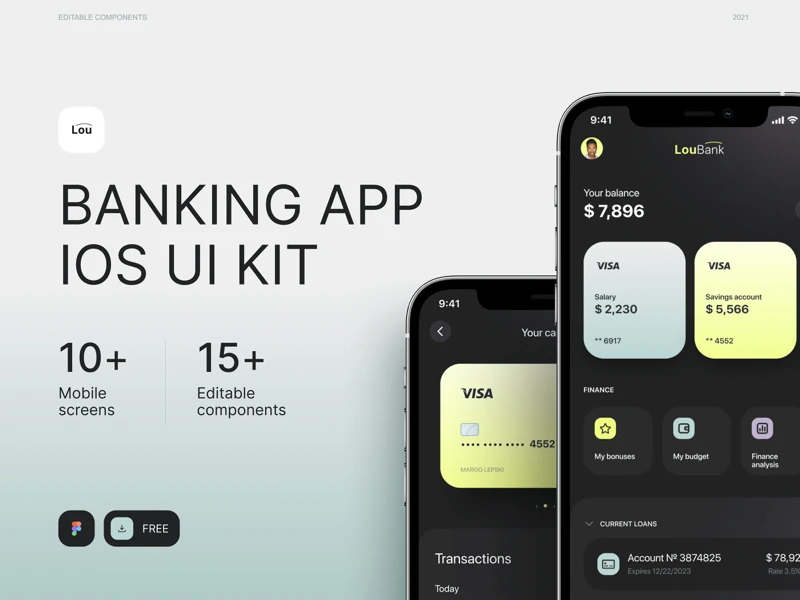
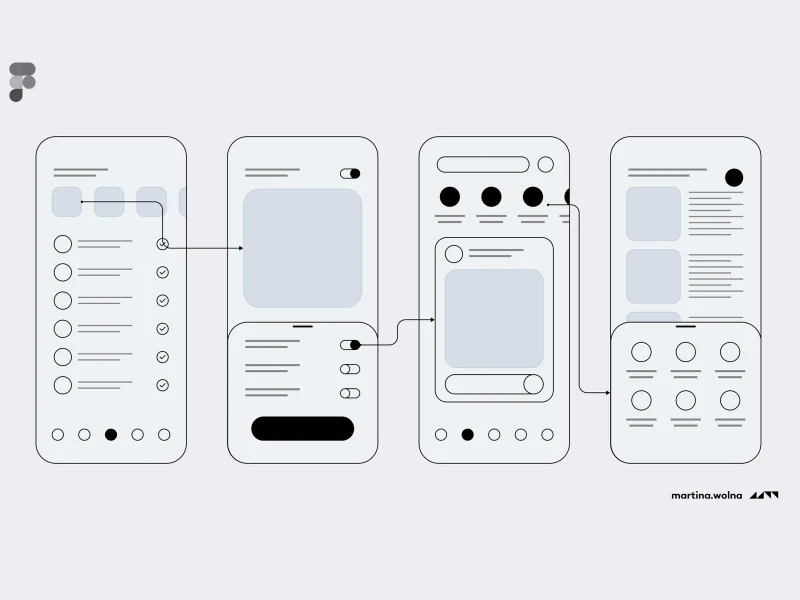
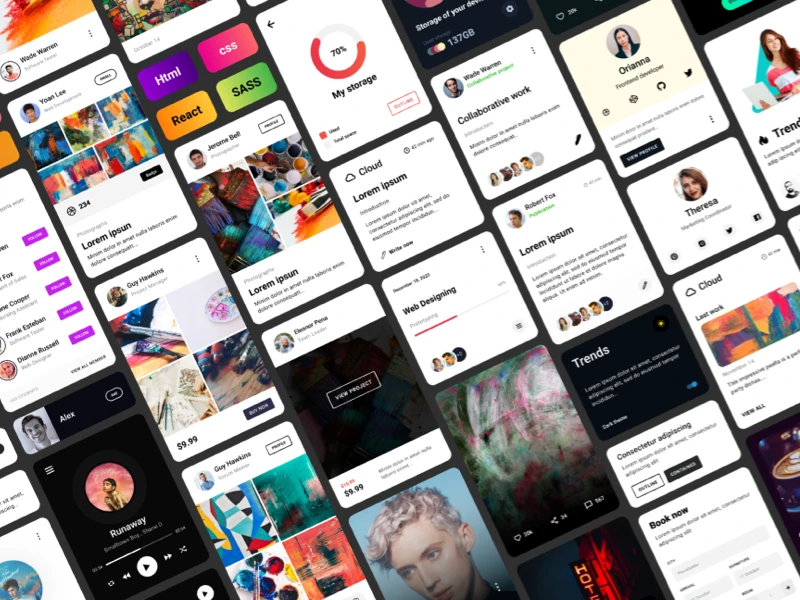
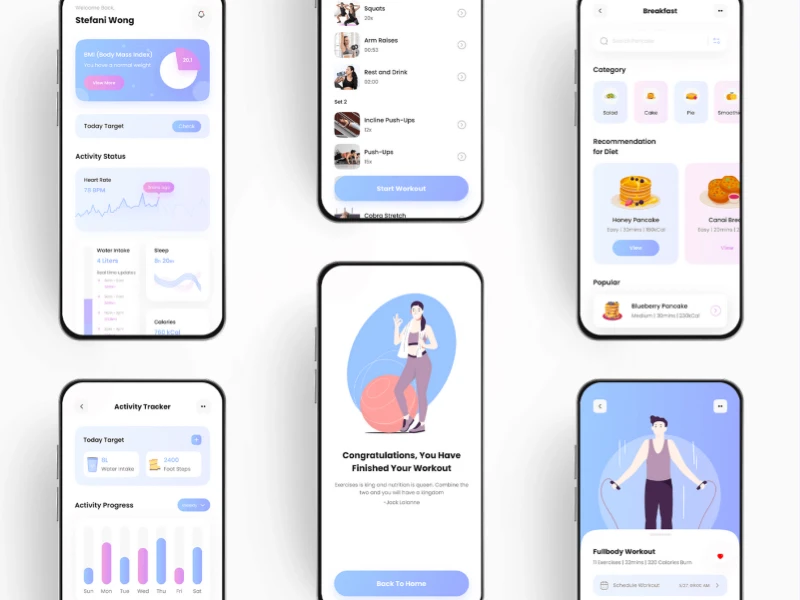
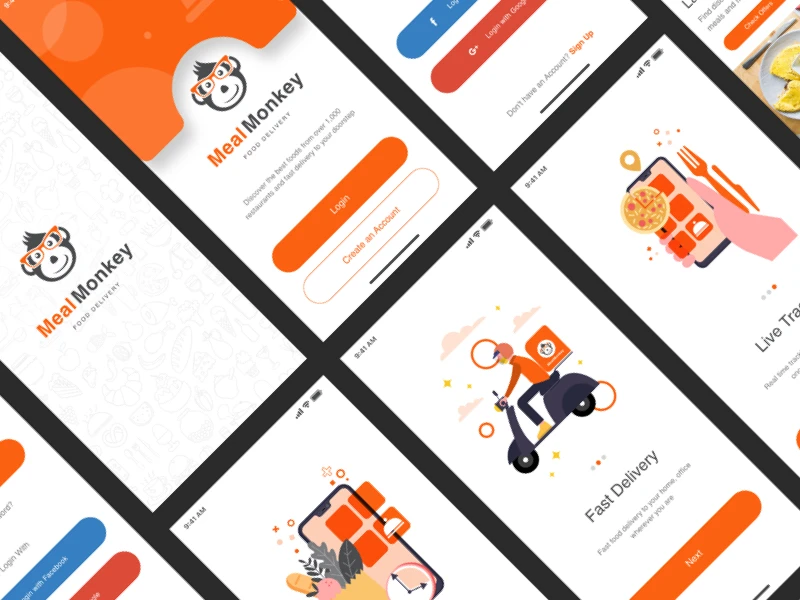
Hundreds of creative, innovative, well designed UI Kits ideas & files.
We curate topical collections around design to inspire you in the design process. This constantly-updated list featuring what we find on the always-fresh Muzli inventory.
A great dashboard is both attractive and informative. Users should be able to get what they need effortlessly. The look should be clean and easy to understand. The result is something users want to visit time and again.
Designing a dashboard from scratch is a huge task, though. Things can get complicated in a hurry with so many widgets competing for attention. Who has the time to deal with all of this?
That’s what makes a Figma template so helpful. A beautiful and functional design is already in place. There are also components for you to use, duplicate, and customize. That means your project will be off to a running start.
Does it sound like something you could use? If so, check out our collection of free admin dashboard templates for Figma. There are options here for virtually every use case. Choose your favorite and get started!
You might also like our collection of web and mobile UI templates for Figma.
Dash Free Dashboard UI for Figma
Give users an easy-to-navigate experience with this Figma UI template. It features a high-contrast color scheme, beautiful design components, and outstanding typography. Use it, and you’ll have a professional-grade dashboard in no time.
Figma UI Dashboard Builder
Download this Figma dashboard template and gain access to over 500 UI components. You’ll find charts, buttons, card layouts, navigation bars, and more. It provides the ultimate flexibility for your project.
Free Admin Dashboard UI Kit
Here’s a UI kit that includes everything you need to build a dashboard layout. It includes multiple screens in both light and dark modes. It also uses Figma variables for easier customization.
Crown Material Admin Dashboard Kit
Crown is a dashboard template inspired by Material Design – Google’s open-source design system. This step makes everything seem intuitive and familiar. The components are colorful, and the layout is roomy.
Horizon UI Free Admin Template Dashboard
This open-source dashboard template was designed to work with React. The package includes several templates and components with light and dark versions. It’s a versatile choice for building web applications.
CoreDashboard Dashboard Kit
Create an analytics-focused dashboard using this Figma template. It features a modern aesthetic and support for multiple color schemes. The template uses layers, making it easy to customize to suit your needs.
Tasks Dashboard For Figma
Kanban boards are great for organizing information for individuals and teams. This Figma template uses the concept to help you build a task management app. Use its clean design to improve communication and stay focused.
Sales Analytics Dashboard UI
Sales Analytics Dashboard UI Kit has 16 predesigned screens for different use cases. You’ll also find plenty of widgets, well-organized layers, and an easy-to-customize setup. It’s also built for accessibility and meets WCAG 2 requirements.
Admin System UI Kit for Figma
The components included in this UI kit will make your dashboard project a breeze. It’s all here: dropdowns, modal windows, navigation, charts, form elements, and more. Use them to build a custom application that’s beautiful and functional.
NewsNet Figma News Dashboard UI
Here’s a different take on the traditional dashboard screen. NewsNet focuses on content more than statistics. That makes it a great choice for company intranets or personalized web portals. There are several creative possibilities here.
Dashboard Payroll Free UI Kit
This free dashboard UI kit focuses on finance. You might use it for a company’s accounting department or as part of an employee portal. The design is clean and easy to read.
Full Charts Components for Figma
Create a custom dashboard layout in minutes using these beautifully designed component cards. Mix and match them to display an array of stats and info. These colorful cards are flexible, and many include crisp graphics.
Analytics Dashboard & Chart Library
This stylish template is perfect for use as an analytics dashboard. It includes all the basics in a simple and colorful layout. Customize it to your heart’s content. You’ll save time without sacrificing quality.
BankDash Free Dashboard UI Kit
BankDash is a free dashboard UI kit that includes over 300 screen layouts. It uses the latest Figma features such as variables and auto layout. That makes it a fit for virtually any type of project.
Multipurpose Free Figma Dashboard
There’s a lot to like about this free dashboard template. It’s clean, colorful, and includes mobile and desktop viewports templates. You’ll find plenty of resources to get your project off the ground.
Constructor Free Figma Dashboard
This free Figma dashboard template includes plenty of ready-made components. Each can be customized to fit your content and color scheme. Pick your favorites and build a user-friendly interface!
Dashboard & Calendar UI for Figma
Do you want to build a collaborative dashboard? This calendar UI template will give you a terrific head start. It includes views for mobile and desktop. In addition, it outlines tasks in an easy-to-follow format.
AI Summarizer Free Template
Digesto is a dashboard template that focuses on content organization. It’s perfect for user portals, client reputation tracking, or any project where media is front and center. The template includes six screens and several attractive components.
Sneat Free Figma Admin UI Kit
This free open-source admin dashboard kit includes an atomic design system. The template features UI elements like tables, charts, forms, etc. You’ll also have access to light and dark versions in an easy-to-edit package.
Untitled Figma UI Kit & Design System
With more than 350 global styles and 10,000+ components, Untitled UI is a powerful package. That provides plenty of options for building a dashboard to match your needs. If you can dream it, you can do it.
Property Management Free UI Kit
Use this dashboard UI kit for real estate and property management projects. Its well-organized layout will help users stay on top of their tasks in style. The kit includes one screen, a component set, and a style guide.
Free Form UI Kit for Figma
Form UI Kit uses a monochromatic color scheme to enhance legibility. It includes all the basics to build an attractive and functional dashboard. There’s enough here to cover a variety of needs.
TailAdmin Tailwind Dashboard UI Kit
Users of Tailwind CSS will want to check out this admin dashboard template. The kit includes four distinctive dashboard layouts and over 400 UI elements. It’s a great way to combine the popular CSS framework with your dashboard project.
Build a Beautiful Dashboard in Less Time
Dashboards are among the most important and most difficult design projects. Users depend on them to perform tasks and gather information. However, building an effective one requires excellent attention to detail.
The templates in this collection are designed to make your job easier. They provide a solid foundation to build upon. The design and layout are taken care of. That allows you to focus on executing your plan.
Now that you have so many outstanding templates within reach – what will you build?
The post 20+ Free Admin Dashboard Templates for Figma appeared first on Speckyboy Design Magazine.
Want a daily boost of creative energy? Install the Muzli extension, your nonstop source for design inspiration, right in your browser!……The best Figma UI kits and design systems for 2026. Tested for Variables, Auto Layout, proper variant structure, and real production use. Not just pretty previews.There are hundreds of Figma UI kits available right now. Most of them look great in a preview and fall apart the moment you try to customize a button. They use fixed dimensions instead of Auto Layout. They hardcode colors instead of using Variables. Their variants are organized by someone who’s never built a real product.We tested these kits against one standard: can a product designer open this file, customize the theme, and start building screens in under 30 minutes? If the answer required watching a tutorial, digging through unlabeled layers, or manually replacing 200 color values, it didn’t make the list.The kits below are organized by use case. Every one uses modern Figma features (Variables, Auto Layout, component properties). Every one has been verified active in February 2026.Complete Design SystemsThese are full systems, not starter kits. They include tokens, components, patterns, documentation, and a structure built for teams.Untitled UI:The industry reference for Figma design systems. 10,000+ components, 3,200+ variants, full token architecture. Best for SaaS products and web applications.Variables for colors, spacing, radii, and typographyAuto Layout on every componentLight and dark themes built into the variable systemResponsive variants from mobile to desktopPricing: Try our free version of Untitled UI, with basic styles and components.Why it works: this is what a professionally built design system looks like. The layer naming alone is worth studying. If you’re building a design system in Figma, Untitled UI is the benchmark..shadcn/ui for Figma:Figma components that match the wildly popular shadcn/ui code library. Best for React/Next.js teams that want their design file and codebase to speak the same language.Components map 1:1 to the shadcn/ui React componentsTailwind CSS token values built into the Figma VariablesMinimal, clean aesthetic that serves as a foundation, not a finished productPricing: free (community maintained).Why it works: if your developers use shadcn/ui (and in 2026, many do), this eliminates the translation gap between design and code. What you name in Figma is what they import in their editor..Ant Design for Figma:Official Ant Design component library for Figma. Best for teams building with Ant Design in React.Comprehensive component coverage matching the Ant Design code libraryVariables and Auto Layout throughoutEnterprise-friendly: data tables, complex forms, navigation patternsPricing: free starter. Full kit premium.Why it works: Ant Design powers a significant chunk of enterprise products. Having the Figma library match the code library exactly saves hours of handoff confusion..Glow Design System:Modern design system with a focus on dark themes and contemporary aesthetics. Best for modern web applications and SaaS products with a premium feel.Dark and light themes with full variable supportClean, contemporary component styleDashboard and data visualization components includedPricing: premium.Why it works: most UI kits default to light themes and add dark mode as an afterthought. Glow is built dark-first, which makes its dark theme feel native rather than inverted.……Platform-Specific UI KitsFor native app design, you need components that match platform conventions exactly.iOS 18 Design Kit (Apple):Apple’s official Figma resource for iOS 18. Best for anyone designing native iOS apps.Every standard iOS component: navigation bars, tab bars, sheets, alerts, controlsSF Symbols integrationUpdated for Dynamic Island and StandBy ModePricing: free.Why it works: it’s from Apple. The components match what ships in UIKit and SwiftUI. No guessing about spacing, sizing, or behavior..Material 3 Design Kit (Google):Google’s official Material Design 3 Figma library. Best for Android app design and any product following Material conventions.Full M3 component set with token-based themingDynamic Color supportVariables for all design tokensPricing: free.Why it works: Material 3’s token system is well-designed and the Figma implementation is maintained by Google’s design team. For Android projects, this is the starting point.……Dashboard and Admin UI KitsDashboards have specific component needs: data tables, charts, metrics cards, filter systems, and dense information layouts.AlignUI:Clean dashboard design system with comprehensive data visualization components. Best for analytics platforms, admin panels, and B2B SaaS dashboards.Chart components (bar, line, pie, area, treemap)Data table variants with sorting, filtering, and paginationMetric cards, KPI displays, and status indicatorsDark and light themesPricing: premium.Why it works: most general UI kits include a token data table. AlignUI includes the full spectrum of data visualization components that real dashboards need..Horizon UI:Dashboard-focused design system with modern aesthetics. Best for admin panels and SaaS products that need to look good while handling dense data.300+ dashboard componentsChart and data visualization libraryMultiple layout templatesPricing: free tier. Premium for full access.Why it works: the layout templates get you to a working dashboard design faster than building from components. If you have a demo to prepare by Friday, this helps.……SaaS and Web App Starter KitsWhen you don’t need a full design system but need more than a blank canvas.Flowbite Design System:Tailwind CSS-based component library for Figma. Best for teams building with Tailwind who want design-code parity.600+ components matching Tailwind’s utility classesE-commerce, marketing, and application componentsAuto Layout and Variables throughoutPricing: free tier. Premium for full library.Why it works: Tailwind is everywhere in 2026. Having a Figma library that uses the same token values and naming conventions as your Tailwind config file reduces design-to-dev friction significantly..Chakra UI Kit:Community-maintained Figma components matching Chakra UI v3. Best for React teams using Chakra UI.Components match Chakra’s code API closelyClean, accessible defaultsLight and dark themesPricing: free.Skip if: you’re not using Chakra UI in your codebase. The value is in the design-code match, not the components alone.……Free Community UI KitsSurprisingly capable options for teams with no budget.Figma UI Kit (Figma Official):Figma’s own starter component library. Best for learning Figma’s component architecture and starting small projects.Basic but well-structured componentsGood example of proper Auto Layout and variant setupFree.Why it works: it’s the official baseline. Simple, clean, and correctly built. Good for understanding how components should be structured before scaling to a larger system.…….How to Choose the Right UI KitBuilding a SaaS product? Start with Untitled UI (premium) or shadcn/ui (free). Both give you a solid foundation for web applications.Building a native iOS app? Apple’s official kit. No exceptions. Third-party iOS kits almost always drift from Apple’s actual components.Building for Android? Material 3. Same logic. Use the official source.Building a dashboard? AlignUI or Horizon UI. General-purpose kits don’t have the data visualization components dashboards require.Using Tailwind? Flowbite matches Tailwind’s token system. The design-code parity is the entire value.Using a specific React framework (shadcn, Chakra, Mantine)? Use the matching Figma kit. Framework parity beats generic design quality.Budget is zero? shadcn/ui, Material 3, Apple iOS kit, or the official Figma starter. All free. All properly built.One principle: match your UI kit to your tech stack. A beautiful Figma kit that doesn’t match your code components creates translation work that erases whatever time the kit saved you.Key PatternsAfter testing dozens of UI kits, a few things are clear:Variables are now mandatory. Any UI kit that still uses static color styles instead of Figma Variables is already outdated. Theme switching, mode support, and token-based customization depend on Variables. If a kit doesn’t use them, it will cost you more time than it saves.Framework-specific kits are winning. The biggest shift in 2026 is UI kits designed to match specific code frameworks (shadcn, Tailwind, Chakra, Ant Design). Generic “pretty” kits lose to framework-matched kits because the design-code translation step disappears.Free kits got surprisingly good. shadcn/ui, Material 3, and Apple’s official kits are free and well-maintained. The gap between free and premium narrowed. Premium kits justify their cost through depth (more components, more variants, more patterns), not through basic quality.Dark mode is a system, not a theme. The best kits (Untitled UI, Glow, AlignUI) treat dark mode as a full variable mode with its own contrast ratios, elevation values, and color mappings. Kits that just invert colors produce bad dark modes.Documentation matters. A UI kit without documentation on how to customize tokens, swap themes, or extend components is a liability. The best kits include setup guides, naming conventions, and usage guidelines. If you have to reverse-engineer the structure, it’s not saving you time.Discover more design systems, kits, and tools on Muzli. Curated daily for designers who build.……💡 Stay inspired every day with Muzli!Follow us for a daily stream of design, creativity, and innovation.Linkedin | Instagram | TwitterBest Figma UI Kits and Design Systems for 2026 was originally published in Muzli - Design Inspiration on Medium, where people are continuing the conversation by highlighting and responding to this story.
A Design System is an invaluable resource for designers, serving as a single source of truth that ensures consistency, efficiency, and scalability throughout the design process.By providing a comprehensive library of reusable components, guidelines, and patterns, it streamlines collaboration across teams, eliminates redundant work, and fosters a unified visual language across projects. Designers can focus more on solving complex problems and crafting user-centric experiences rather than reinventing basic elements for every project.Additionally, a well-maintained Design System bridges the gap between design and development, making implementation smoother and reducing the risk of inconsistencies. It’s not just a tool — it’s a foundation that empowers designers to work faster and smarter while delivering cohesive, high-quality products.Untitled UI / $129Untitled UI is the largest UI kit and design system for Figma in the world.https://medium.com/media/23444405c38b6396ed5fbee61dcc2f3c/hrefUntitled UI has been a staple in the market for years, earning its reputation as one of the most popular UI kits and design systems for Figma.It provides everything needed for any design project, from simple websites to complex web applications, all in one comprehensive package.Staying true to traditional component creation, Untitled UI is expertly built with 100% Auto Layout 5.0, intelligent variants, Figma’s latest variables features, and a strong emphasis on accessibility. Boasting over 10,000 components and variants, 900+ global styles for colors, typography, and effects, and an impressive library of 420+ beautifully designed mobile and desktop page examples, it stands out as one of the most extensive and versatile UI kits available.Get Untitled UI hereDetachless / FreeThe Detachless UI Kit for Figma is an excellent free resource designed to simplify and speed up web design. It offers a wide range of components and styles to help you craft stunning designs with minimal effort.https://medium.com/media/54be9189fcd6eff44e865f30eeb0f0d3/hrefDetachless allows you to kickstart your web projects effortlessly, providing all the essential tools for a seamless and cohesive design workflow. It’s a valuable asset for any designer looking to enhance their efficiency and unleash their creativity in Figma.Get Detachless hereFrames X / $77Created by Dmitriy Bunin in late 2021, Frames X is a standout example of a mid-weight design system for Figma.Frames X includes over 5,500 reusable components and variants, all built with Auto Layout and supporting dark mode. It also features color styles, icons, and more than 420 “building blocks” to kickstart your website and app designs.Get Frames X hereKeep / $99Keep is a streamlined design system that stands out by offering seamless integration for both Figma and React, bridging the gap between design and development. Unlike traditional design systems that often focus solely on design tools, Keep provides a cohesive framework that ensures consistency across design and code.With its dual compatibility, designers can effortlessly prototype and refine their ideas in Figma, while developers can implement those designs with precision using React components. This end-to-end solution not only accelerates the workflow but also reduces the risk of misalignment between design and implementation, making Keep an essential resource for teams aiming for efficiency and collaboration.Get Keep hereAtomize / Free & $59Used by over 12,000 designers and teams from companies like Thoughtworks, Blurb, Latch, and more, Atomize empowers designers to create modern and visually appealing user interfaces and websites, while eliminating tedious tasks.Get Atomize hereBonus: All-In-OneAll-Access Pass to UI8.Instant access to all 10,006 existing products and daily new releases.Unlock $270,453 worth of assets including UI Kits, fonts, Design Systems, mockups, icons, illustrations, themes & templates.Get All-Access Pass Here5 professional, free & paid Figma Design Systems, 2024–2025 was originally published in Muzli - Design Inspiration on Medium, where people are continuing the conversation by highlighting and responding to this story.
Credit: FreepikAre you looking for the best free design tools and resources? Well, then this collection is something every developer should bookmark, as it consists of the best resources that can help you to develop an amazing eye-catchy and visually enriched project.Here you’ll find the best websites and resources with modern UI components in different formats such as PSD, Sketch, Figma, Icons, Illustrations, etc. They are great for ideas for web components/UI.Product design is a very essential part of every designer’s job. It’s not just about a good look, it’s about engaging visuals and overall presentation. For that, these various resources will be helpful to web designers as well as developers.Rather than investing time and money in a long designing process, it is better to use such resources which provide ready-to-use components and features for a great, impressive, and awesome product. This way one can save lots of time and money as well.It can be stressful to search for various resources here and there. That’s why we decided to create this collection which will provide all the best resources and tools in one place.Now let’s start the collection:Design Inspiration:Following are some of the best tools and resources if you are looking for design inspiration.Muzli InspirationMuzli is a powerful new-tab browser plugin (also available as a mobile app) that instantly delivers the latest and cutting-edge designs and news each time you open a new tab.Here you can discover the best web design inspiration, best websites, best logos, web trends, best mobiles sites and applications, minimalist websites, brutalist websites, innovative illustrations, design features, unique websites, photography projects, and visual art, as well as opinions and articles from design experts across the web and around the world.UI Design DailyUI Daily Design is a source where designers can get thousands of UI resources (i.e. XD, Sketch, Figma, etc.) for free. It is updated daily so that you never miss the best one you need. With UI design daily you can share these designs with anybody who is interested in using them as inspiration or research material.This is so far one of the best collections of UI elements and templates for various platforms I’ve ever seen. I would also recommend subscribing to the weekly newsletter to get some cool UI resources weekly. All in all, this website is a fun sandbox, especially for beginners, that will teach you the latest and greatest trends in UX/UI.DribbbleEveryone loves Dribble as a source of inspiration and a platform to share creative work with others. However, Dribble also has a lot of free resources like these nice iPhone 13 mockups. Check out their blog or subscribe to a newsletter to get the best assets right in your inbox.BehanceBehance is part of the Adobe family of companies, it’s probably the world’s largest and most active creative community. What separates Behance from Dribbble is that you can join and post on the site. This gives Behance a wider archive of artwork compared to Dribbble. The large assortment of artwork makes finding specific design inspiration smoother and easier.besides, its extremely comprehensive filtering options can help you find just about anything you’re looking for, from the latest hot typography to the most-discussed UI designs, you’ll get everything you were looking for.AwwwardsAwwwards is a very respected award system that attracts submissions of the highest quality i.e., those that continually push the borders between art and web design. Besides, it is pretty much the high standard when it comes to acknowledging the best-quality web design produced today.Land-bookDesigning landing pages for new websites is a pretty daunting task nowadays. It feels like everything that could be done is done already and nothing is original anymore.Well, this website is trying its best to prove the opposite by collecting the best website designs across the Internet and inspiring others to experiment.Some other sites for inspiration are:CSSnectarBrutalist WebsitesCommerce CreamSiteInspirePagesUI Kits, Tools, and ResourcesFigma Bootstrap 5 UI kitFigma Bootstrap UI Kit comprising of 300+ organized Bootstrap 5 components built with atomic design system & auto layout. Kick start your next Figma project Just drag and drop pre-made components from the Assets panel. Configure them in the right sidebar. Fast and simple, as should be. It is one of the best free UI Kits.Features:Auto LayoutResize any components horizontally or vertically300+ organized Bootstrap 5 components built with atomic designEasy to customizeAlso available: Sketch Bootstrap 5 UI KitUI GarageHere you will find more than 500 handpicked UI kits for your projects. It also offers tools for Web Designers, UI Designers, Developers, UX Designers, Marketers, Inspiration, Productivity. Furthermore, you will also find patterns as well.It is a great place to get free design tools and resources for Adobe Illustrator Adobe Photoshop Adobe XD AE Figma Framer InVision Studio PNG Sketch SVG. Kick start your projects with pre-made free kits available for download.Following are some of the UI kits it offers:iOSWebAndroid and many more.Free Adobe UI KitHere you will find some of the best and most demanded UI kits for free. it offers customized UI kits such as Apple design, google material design, AEM Components, IBM Design and Alexa.Bootstrap 5 CheatsheetBootstrap 5 cheat sheet is an interactive list of Bootstrap 5 classes, variables, and mixins. It helps you easily find the differences between Bootstrap 4 and Bootstrap 5. It is really a useful bootstrap cheatsheet.Besides, it is aimed towards a large community of bootstrap users who find it difficult to search for bootstrap classes, variables, and mixins.Key Features are:Search for your class, variable, or mixinHighlight Difference Between Bootstrap 4 & 5 ClassesLive preview of HTML & code snippetUpdate code snippet on the goEasily copy the code snippet and use it100 Daily UI FreeMade by Jan Janeczek, 100 Daily UI Challenge is a free Figma library of elements and screens. You can customize all of them by changing colors, shapes, or elements. Also, you can create some pretty awesome UI designs and create better products. It is Free for commercial and personal use.Sneat — Sketch Admin Dashboard UI Kit Template (Best Sketch Admin Template UI Kit✨)Design your powerful template in minutes 🚀 with ready-to-use Bootstrap 5 components in Sketch.Sneat Sketch Admin Dashboard UI Kit template consists of 500+ organized Bootstrap 5 components. Besides, this sketch Admin Template UI kit is built with an atomic design system & smart layout. Furthermore, this sketch Admin dashboard UI Kit template also offers 3 dashboards, 6 layouts, 40+ pages, light & dark mode. You can now kick start your next Sketch project by using Just drag and drop pre-made components from the Assets panel. Also, you can configure them in the right sidebar. Fast and simple, as should be.In addition, it also helps you to easily set up colors, typography & border radius that changes everywhere instantly in UI Kit. Also, this sketch admin dashboard UI Kit template allows you to easily update the state of the component. You don’t need to be afraid to change a variant if you edited a component. The settings you have configured will be saved, such as text, icons, and even size. Thus, it is one of the best Sketch UI Kits you will ever need. In case you are looking for a bootstrap version then do check the bootstrap admin templates.Features:Atomic DesignEasy to Customize500+ ComponentsBootstrap GridText VariablesWell Organized100% VectorSmart LayoutLight & Dark LayoutPixel Perfect100+ Screens and much moreDemo DownloadInvision AppInvision app is the digital product design platform that powers the world’s best user experiences. Besides, the InVision platform gives you everything you need for digital product design, all in one place. It also comes with intuitive tools for ideation, design, prototyping, and design management.Furthermore, companies like American Express, Boeing, Netflix, Ikea, Slack, and Virgin Atlantic are using this. InVision offers a built-in step-by-step onboarding tutorial.It offers:Free Icon PacksApp TemplatesWebsite and App MockupsPhotoshop Templates and many more.UndrawUnDraw has an endless collection of illustrations well suited for a wide variety of content. Be it anything, branding, podcasting, online transactions, app development, data analysis, creator and founder Katerina Limpitsouni has got you covered. The website is straightforward and easy to use.Color Palette GeneratorsCoolorsCoolors allow you to organize your palettes in projects or collections. Here you can find them even faster and simpler. You can easily create palettes with less or more than five colors. With the Collage Maker, you can also make beautiful collages with your photo and the extracted palette. There are some amazing styles that designers can use. You can also create your gradient with the Gradient Maker.Muzli ColorsMuzli color is a color palette generator and a library where you can find many ideas and amazing color schemes. You can also discover the best web design inspiration, best websites, best logos, web trends, best mobiles sites and applications, minimalist websites, brutalist websites, innovative illustrations, design features, unique websites, photography projects, and visual art, as well as opinions and articles from design experts across the web and around the world.You can upload the image and pick the color or you can simply select it from the option. This is an endless source of ideas for designers and creative professionals.by InVisionEva DesignDivided by 5 different color columns, Eva Design System gives you a lot to choose from when it comes to colors. Each column has up to 9 different shades of the selected color, starting from light to dark. After you’re done finalizing your colors, you can export the entire scheme as a JPEG or JSON. It is also available for Sketch and Figma component libraries, based on Eva Design System.Adobe ColorThis is an advanced color palette creator made by Adobe for professional designers. This tool also allows you to create color palettes based on the monochromatic, triad, analogous, and other palette types. In addition, you can upload an image to extract colors from it as well.KhromaKhroma uses AI to learn which colors you like and creates limitless palettes for you to search, discover, and save. This tool might be the best option for beginners. When you open Khroma, you’ll be asked to pick your favorite colors and then take them ahead from thereon. Once you filled out the entire questionnaire, you’ll be presented with the most suitable colors for your brand according to your preferences.Color HuntColor Hunt is a massive collection of color palettes made by designers. It includes many different types of color palettes that you can explore based on popularity or trends. Since these color palettes are already crafted by other designers, you can easily pick a palette and start your design.For more free color palette generators: Free Color Palette GeneratorsFree stock imagesBurstE-commerce platform Shopify has created a site where anyone can download stock images for free, whether or not you’re a Shopify user. You can use them for both non-commercial and commercial purposes without attribution. Images are available in low or high resolution, and the quality is very high throughout.Freephotosfree photos. cc is another place where you can find free Creative Commons photos for your design projects. A new photo is uploaded every day, and you can use them in both your personal or commercial projects without attribution. Just be aware that the images in the far right-hand column are not free, but link through to paid-for images from iStock.UnsplashUnsplash offers a large collection of free high-resolution photos and has become one of the best sources for stock images. The Unsplash team combs through new submissions and features the very best photos on their homepage. All photos are released for free under the Unsplash license.Photo CreatorWant a photo for your site that no one else has? Photo Creator from Icons8 allows you to combine different stock photos to create your unique image. Combine objects, people, backgrounds, and even images of your own using a browser-based drag-and-drop interface that’s very quick and easy to use.Free illustrationsExemplar Avatar LibraryMade by Themeselection, Exemplar — Avatar Library comes with 20 Avatars. You can use them for your application by customizing colors and shapes..!! It is a hand-picked style library of user profiles. While working on a project involving a lot of profiles we realized that a styles library is much faster to use than a plugin, so to save time and make it easy, we have prepared this library.It offers:Figma componentsSketch symbols20 Free AvatarResizable, High Resolution & CustomisableSuitable for Web & AppsDrawkitDrawKit has a collection of free, beautiful, customizable MIT licensed SVG illustrations in two styles, to use on your next website, app, or project. SVG illustrations are drawn in a clean style perfect for modern UI design.There are illustrations covering various categories abstract, education, business & finance, health and medical, design, art, and many more. Each of the vectors is available in two versions Bright Color and Monochrome. The free download includes SVG and PNG files in different sizes.HumaaansMade by Pablo Stanley, Humaaans is a free library to mix-&-match illustrations of people. You can customize their positions, clothing, colors, and hairstyle to create some cool scenes. You can add backgrounds and use the power of libraries to make it your own.Available on:SketchFigmaInVision StudioAdobe XDThis allows you to use the power of libraries so you can use your characters in multiple projects.Iconscout IllustrationsIconscout Illustration is an excellent source of 30k illustrations that you can use to create professional websites, landing pages, mobile apps, graphic design projects. It covers a big number of categories such as coronavirus, business, startup, 3d, and many more. If you are looking for something specific, you can also edit the existing illustrations.On their website, you can find many categories of SVGs, Vector Icons, Illustrations, 3D graphics, and Lottie Animations you need from their 3 million Assets. Both premium and free subscriptions are available with their integrated tools and plugins.HandzHandz is a CC0 licensed library of 3D illustrations of diverse hands gestures. In the free version, you will get more than 320 combinations of hands in 9 skin colors, 3 different sleeves, and 12 different gestures.Furthermore, it includes PNG renders that you can use in any designer software, such as Photoshop, Sketch, Figma, Studio, or Illustrator along with Sketch files and original Blender files (.blend). It is free to use this, thus you can use them in your commercial projects such as apps, websites, posts on social networks, newsletters, and more.For more UI design resources and website check the collection: Best Design Resources Websites Every Developer Should BookmarkFree FontsEvery designer knows that a fantastic typeset can take any project from good to great. With a few minor adjustments, you can add a totally different look and feel to your creatives.Fortunately, there are some free font websites offering new typesets for your designs. Have a look..!!Google FontsWith Google Fonts, you can share and integrate typography into any design project seamlessly no matter where you are in the world. All the fonts in the catalog are free and open-source. It helps in making beautiful types accessible to anyone for any project. This means you can share favorites and collaborate easily with friends and colleagues.Besides, this typography library includes more than 900 fonts on the same screen. It also offers you an interactive web directory for exploring the library, and the APIs to use these fonts via Android and CSS, and filter them out as per your design guidelines.BefontsA good collection of free fonts, including display, script, and symbol fonts, as well as blackletter, retro, and non-Western styles.FontfabricFont fabric is an awesome collection of fonts and offers a variety of unique styles. It includes paid fonts but its freebie section is also a great place to download some free fonts. Clients include high-profile global brands such as Nike, Lipton, Hyundai, CNET, Nestlé, Transavia, and the US national football team,DafontDaFont is an awesome platform that offers you any and every type of typography. There are many categories, like Cartoon, Decorative, Western, Mexican, sci-fi, Groovy, graffiti, kids, Horror, Christmas, and many more.You can find the latest ad-ons on the home page, and you can submit your own font, too.FontSquirrelAnother extensive archive of free fonts, all free for commercial use. You can filter your fonts by type, category, tags, and more. Also, you can upload your own fonts. In case you find a font which you want to identify, it also offers a font finder, too…!! Upload the pic of the font and you’ll get your answer ready.For more free fonts check: Best Typography Resources Tools For Every Developers and DesignersSome other useful toolsGoogle Web DesignerGoogle Web Designer is one of the best free tools for web designers. It is a program for Windows, Mac, and Linux from Google for creating interactive HTML5 ads and other HTML5 content. Besides, it offers a GUI with common design tools, such as a Text tool that integrates with Google Web Fonts, a Shapes tool, a Pen tool, and a 3D toolset that gives you the power to create beautiful, engaging HTML5 content.Furthermore, you can use animation and interactive elements to bring your creative vision to life, and enjoy seamless integration with other Google products, like Google Drive, Display & Video 360, Google Ads, etc.Features:Pre-programmed web components.iFrame, maps, tap areas, image, and YouTube components.Automatic component metric reporting.Event triggers such as touch and tilt.Create multiple pages for products.Quick mode or layers on a timeline.Toggle between modes.Create 3D content.Blobs.appDrawing shapes using pure CSS…!! Indeed a good training exercise but what if you know how to do it already, would you waste your time on this? Especially when there is already a website especially for blobs of various colors and sizes..!! Amazing isn’t it?Here you can create any kind of blob you want and use it on your website. You can also customize the colors, patterns and also use the image. You can also change the complexity and randomness to give a fresh look..!!KaboompicsEveryone needs good-quality images for their projects. As there are websites like Unsplash and Pexels, but if you need something fresh then do try this website might. It is really a good alternative.World Vector LogoWhen you need quality logos of popular brands for your mockups or designs, this website should be your go-to resource.Logo IpsumLorem Ipsum is a famous placeholder text that designers use on their websites to fill in the white space. Now, you can combine it with a Logo Ipsum — a free, sample logo for your coding projects and mockups.Get WavesGet waves, is a place where you can create waves and can save them as well. It is free to use and gives you the freedom to create the wave you want. You can also use a variety of colors and customize them.Lottie FilesLottie is an open-source animation file format that’s tiny, high quality, interactive, and can be manipulated at runtime. Display lightweight, scalable, and interactive Lottie animations on your websites and apps.LottieFiles has the right tools, services, and the largest selection of Lottie assets to get you started. Used By Disney, NETFLIX, Amazon, Swiggy, BBC, etc. Lottie works on any device and easily integrates with the tools you already use. Do your best work in less time with less hassle.Conclusion:So, these are the best design tools and resources for web designers that you can check for developing an amazing UI. We have prepared this collection so that you don’t need to waste your time finding the UI Graphics resources.We have covered the best UI Graphics website resources. Although, as there are many available on the internet, there might be some left.Well, this collection will surely help you to pick the best resource to makeover your project. By using the mentioned resources you can makeover your project by giving it an awesome look.You can bookmark this collection, pin it, and share it with attributes.If you are already using any which is not on the list or have used it before then we would love to hear it out. Mention your favorite one in the comment section.Happy Designing…!!About Us:We, at ThemeSelection, provide selected high quality, modern design, professional and easy-to-use premium and free bootstrap admin templates, and UI Kits.If you want to download free admin templates, UI kits and themes then do visit our site…!!The Best Free Design Tools🛠 and Resources For Designers🎨 was originally published in Muzli - Design Inspiration on Medium, where people are continuing the conversation by highlighting and responding to this story.
Designing in Figma only continues to improve — and in 2025, the perfect plugins are what tip the scales. This list, handpicked by experienced designers, showcases the most practical, cutting-edge, and timesaving Figma plugins available today. Whether you’re fine-tuning design systems, streamlining routine tasks, or pushing into new creative areas with AI, these plugins are here to assist every part of your process.— — — — — — — -📂 Workflow, Accessibility & File ManagementThese plugins are designed to save you precious time, ensure accessibility, keep your files organized, and allow you to focus on the design itself rather than repetitive technical tasks.Design LintDetect and fix inconsistent styles across your file..Rename ItBatch‑rename layers, frames and groups using find/replace or numbering..Instance FinderLocate all instances of a component across pages in a file..Find and ReplaceGlobally search and replace text strings throughout your design..Clean DocumentAutomagically organize and clean up your Figma document..DestroyerLet Destroyer recursively detach instances, remove auto layouts, detach styles and variables within your current selection so you can iterate faster!.Batch StylerUpdate multiple text or color styles in bulk..Stark — Contrast & Accessibility CheckerAccessibility checker for color contrast and color blindness simulation..TinyImage CompressorCompress and export optimized images (PNG, JPG, WebP).— — — — — —🎨 Visual Design & Advanced EffectsElevate your designs with plugins that enable stunning visual effects, precise image manipulation, and unique shape creation.Ruri ShaderAdds chrome, metallic, and gradient shader effects to text and shapes..Color SparkQuickly generates fresh color palettes with complementary colors..Noise & TextureAdd seamless noise, patterns, gradients, and textures to elevate visual depth in your designs..3D WaveInstantly soften shapes and elements with realistic 3D wave-like deformation..Fast IsometricTurn elements into isometric 3D with one click — ideal for dynamic visuals and UI illustrations..ARC — Bend your type!Curve text upward, downward, or into perfect circles for expressive typographic layouts..Image TracerConvert raster images into editable vector shapes..Remove BGRemove backgrounds from images in one click..ShapelaxAdds cursor-based parallax animations to your designs.……✍️ Text, Fonts & Copywriting ToolsEssential plugins for efficient text handling, font management, and improving content clarity and tone.Content ReelFill designs with real names, data, and avatars..TypeBalanceAutomatically adjusts text for optimal readability and accessibility..Better Font PickerA visual font selector showing live previews..Google Fonts ProBrowse and apply Google Fonts without leaving Figma..Writer for FigmaGrammar, style, and tone checking for UI copy directly in Figma.— — — — — —🧑💻 Development Handoff & Design SystemsThese plugins bridge the gap between design and development, enabling seamless transfer of specifications, assets, and code, while supporting robust design system management.Tokens StudioManage design tokens (colors, spacing, typography) and sync with code..Locofy Lightning — Figma to Code in a flashGenerate production‑ready front‑end code (React, HTML/CSS, Flutter) from designs..AnimaGenerate responsive code (HTML, CSS, React, Vue, Tailwind) from your designs, with AI-assisted personalization..Musho AITurn text prompts into dev-ready layouts with smart copy, auto-layout, and polished visuals..html.to.designImport any existing website and turn it into fully editable Figma layers in seconds..Figma to HTML with FramerCopy-paste your Figma designs into Framer to generate editable layouts in real time..Figma to Webflow (HTML, CSS and Website)Transform your static designs into a production-ready site with Webflow. Sync your design system — components, variables, and styles — to give your team the power to launch sophisticated sites quickly..Relume Figma Kit (v3.2)A comprehensive UI kit with 1,000+ components, mobile variants, and color variables — updated monthly for use with the Relume Site Builder..ZeplinPublish designs for dev handoff with specs, assets, and style guides..Figr Identity — Generate Design Systems with AIAuto-generates a design system from any Figma file..BrandfetchInstantly import company logos, brand colors, and fonts.— — — — — —🖼️ Visual Content & Asset LibrariesThese plugins provide quick access to vast repositories of images, illustrations, and icons — whether created by photographers, illustrators, or AI tools — empowering designers to enrich their projects’ visuals.LummiAI-generated stock photo plugin with built-in background remover, upscaling, and reframing tools..Neaticons Icon LibraryMassive, high-quality icon library plugin with over 23,000 icons..UIHut — UI Kit, Illustrations, 3D AssetsAccess UI kits, templates, and illustrations from UIHut directly in Figma..UnsplashQuickly add royalty-free stock images into your designs..BlushBrowse and customize illustrations from top artists..IconifyAccess 100,000+ open-source icons in one place..IconScout — 3D Assets, Lottie Animations, Icons & Illustrations + Unicons + AI ToolsInsert premium icons, illustrations, and stock photos..Storyset by FreepikAdd customizable scene-based illustrations (onboarding, business)..Mockup PluginPlace your designs into high-quality device, print, and AI-generated mockups with ease..InFrameInstantly wraps your designs in device mockups for presentations..User Profile | AvatarQuickly generate beautiful avatars and user profile components for mockups and prototypes.— — — — — —🎬 Prototyping & AnimationPlugins to enhance your animation creation, interactive prototypes, and presentation capabilities, bringing your designs to life.PitchDeck Presentation StudioTurn Figma frames into a slide deck with transitions..Animate itDrop-in UI animations and reusable motion presets for prototyping..LottieFiles — Create animations & export from Figma to LottieExport interactive micro-animations as Lottie directly from Figma, with support for gradients, components, theming, and a library of 500,000+ animations..FigmotionCreate keyframe animations with a timeline directly in Figma..Jitter · Animation for FigmaExport polished UI animations and motion graphics for web, video, or social media..AutoflowDraw smart arrows between frames for UX flows..BreakpointsDefine breakpoints inside Figma to preview responsive layouts and share interactive prototypes..ChartsBuild data-driven charts (bar, line, pie, area) from spreadsheets or live data.— — — — — —🤖 AI-Powered Design ToolsLeverage artificial intelligence to automate tasks, generate content, and explore new design possibilities, pushing the boundaries of creativity.Artifig AI — Turn Ideas into Live Figma PluginsCreate custom Figma plugins using natural language prompts..Ugic AI: Generate UI Based Any Component LibraryGenerates multi-screen UI drafts using your design system and AI..Wireframe Designer (AI)Converts text prompts into usable wireframe layouts..Content Generator AIReplaces lorem ipsum with realistic, AI-generated placeholder text..PicsAIAI image generation plugin for custom illustrations and graphics.— — — — —Figma’s plugin ecosystem has grown impressively since last year’s Best Figma Plugins for 2024, and 2025 takes it even further with smarter AI tools, deeper dev integrations, and highly polished visual utilities. We hope this list helps you speed up your workflow, experiment more fearlessly, and elevate the quality of your designs.……💡 Stay Inspired Every Day!Follow us for a daily stream of design, creativity, and innovation.Linkedin | Instagram | TwitterBest Figma Plugins For Designers In 2025 was originally published in Muzli - Design Inspiration on Medium, where people are continuing the conversation by highlighting and responding to this story.
Credit: FreePikThe web design process has evolved significantly over the past couple of years. More and more agencies now work with remote clients and team members, which underscores the need to streamline the process and ensure creative collaboration between the two.Miscommunication or improper feedback could affect your workflow, delay timelines, and may even lead to work that requires heavy iteration before it’s accepted. To prevent this from happening, it’s imperative that you use design feedback tools.These tools allowed people to collaborate from geographically scattered places and work together overcoming space and time constraints.What are Design Feedback Tools?Design feedback tools effectively replace the conventional note-taking process when gathering feedback from clients. Instead of having clients explain each and every point, a design feedback tool allows them to offer more accurate feedback on individual elements, from subtle changes to the color palette to aligning smaller elements on the screen.Most design feedback tools have a built-in communication module that lets clients explain to designers what it is that they want. Some even have project management functionality built-in, which helps to reduce repetition and offers more transparency in the design process.In short, design feedback tools reduce back and forth between clients, and allow designers to understand exactly what the client wants.What To Consider For A Suitable Design Feedback Tool?Following are some of the key factors you should consider while choosing appropriate design feedback tools.Support for many file typesMarkup toolsVersioningCollaborationStatus trackingWorkflow automationComplianceReview and approvalIntegrationsNow, let’s check the best Design feedback tools & Annotation tools designers should use in 2023.The Best Design Feedback & Annotation ToolsFollowing are some of the best Design feedback tools as well as annotation tools. However, it can be a bit of a challenge to choose the appropriate design review tool and get website design feedback when there are hundred other tools out there.Here, in this collection, we’ll highlight the key features for you to consider when choosing design feedback software and then present the best free and premium tools to compare.Do note that, all design feedback software is created differently. For example, some tools offer support for limited file types, so they might be unsuitable if you are going to have other file types. Some tools let you add comments but not annotations, so the entire review and approval process becomes tricky. So, choose wisely.AtarimAtarim is a design feedback tool designed specifically for digital agencies and distributed teams. It has a handy plugin that designers can install on their clients’ WordPress websites, allowing them to pinpoint the exact changes that they want and leave comments on specific points.Designers can review those screenshots, turn them into tasks, and assign them to specific team members. Any activity updates and comments by the client can be viewed in the dashboard tool by the agency owner and team members.Why Choose Atarim?Can start collaborating within seconds for freeAuto-login lets you quickly log into all of your clients’ sitesExcellent support and a motivated team that regularly adds new featuresReduces the need to use other project management toolsExcellent team tracking options to assign tasks, track progress, time, and performanceRequest live-view screenshots of their website or a specific page, to see exactly what the client sees, including browser version and screen sizePricing:FreeStarter: $16/month — Ideal for a team of 5Expert: $29/month — Team of 10Agency: $41/month — Team of 15Enterprise: CustomizedInVisionInVision is a prototyping, collaboration, and workflow tool powering the world’s best user experiences. It lets you control your design process and allows you to create interactive mockups for your wireframes and designs.Each mockup can be rendered to give a more accurate representation of how the finished product will look. Clients don’t even have to sign up to InVision to leave their feedback; anyone can do so with a link.Once designers share a link, clients can review the mockups and leave their feedback. From replacing icons to changing active elements like the hover state or a popup window, InVision makes it easy for designers to gather feedback before moving ahead.Why choose Invision?Supports various file types, including graphics, video, audio, coding, text, spreadsheets, presentations, and fonts.Collaborate in real-time on the digital whiteboard.Provide in-context feedback on any documentManage and review design status in Kanban-style columns — On hold, In progress, Needs review, and Approved.Create rich, interactive prototypes. Import from Sketch, then gather feedback from any deviceProvides integrations with Sketch, Photoshop, JIRA, Storybook, and more.Limitations:Only available in DSM enterprise.Pricing & Plans:Free: Free foreverPro: $7.95/user/monthEnterprise: Pricing by requestFree trial: Try Pro for freeAlong with the Designer feedback tool, you can also use the User Interface Kits as well. They also help to boost your design process. For example, you can check the Sneat Figma Admin Dashboard Builder UI Kit.Sneat– Figma Admin Dashboard Builder & UI Kit (Best Figma Design System Template & UI kit🤩)The most feature-rich material design system with ready-to-use components and elements for building a seamless user experience.Sneat Figma Admin Dashboard Builder UI Kit consists of 500+ organized components. Besides, this Figma Admin Template UI kit is built with an atomic design system & auto layout. Furthermore, this Figma Design System template also offers 3 dashboards, 100+ Screens, and light & dark modes.You can now kick-start your next Figma project by using just dragging & drop the pre-made components from the Assets panel. Also, you can configure them in the right sidebar. Fast and simple, as it should be.In addition, it also helps you to easily set up colors, typography & border-radius that changes everywhere instantly in UI Kit. Also, this Figma admin dashboard UI Kit template allows you to easily update the state of the component.You don’t need to be afraid to change a variant if you edit a component. The settings you have configured will be saved, such as text, icons, and even size. Thus, it is one of the best Figma UI Kits you will ever need.Features:Atomic DesignAuto LayoutEasy to Customize500+ ComponentsText VariablesWell Organized100% VectorLight & Dark LayoutPixel Perfect100+ Screens and much more…!!Muzli Colors:Muzli color is a library where you can find many ideas and amazing color schemes. You can also discover the best web design inspiration, best websites, best logos, web trends, best mobiles sites and applications, minimalist websites, brutalist websites, innovative illustrations, design features, unique websites, photography projects, and visual art, as well as opinions and articles from design experts across the web and around the world.You can upload the image and pick the color or you can simply select it from the option. This is an endless source of ideas for designers and creative professionals.DesignDropDesignDrop helps designers capture and organize feedback, making the review process significantly more effective and less painful.Why Choose DesignDrop?Draw visual annotations directly onto the image and add comments in the sidebar to specify detailed feedback on the design.Share each design anywhere via a short URL. See the comments and annotations appear in real-time.Use one single reference point for all feedback instead of sifting through multiple email threadsLimitations:JPG and PNG files only.Pricing & Plans :FreeMockFlowMockFlow is a cloud-based tool for brainstorming user interfaces, including UI design mockups, sitemaps, documentation, and design approvals.Why Choose Mockflow?Draw UI collaboratively using role-based permissions, real-time editing, annotated comments, design approvals, and more.Organize each screen in a project by status to give a clear picture of the design’s outcome.Auto-generate design specifications and documentation from wireframes.Easily provide annotated feedback and approve the best variations.Provides integrations with Slack, Confluence, and Trello to provide a seamless workflow for UI collaboration.You can extend your UI workflow with 30+ addons called Power-ups.Pricing & Plans:Basic: freeWireframing: $14/user/monthProduct Design: $16/user/month.Enterprise: Pricing by request.ScreenlightScreenlight offers designers and videographers a simple way to collect clear creative feedback and move their projects forward.Why Choose Screenlight?File types: Upload video, audio, or images.Markup tools: Add comments at the precise timecode and keep the conversation all in one place with threaded comments.Versioning: Upload a new version and we’ll let your project team know there’s a new version for review. (You can also carry over all previous comments to ensure that each change has been made.)Collaboration: Set permissions for each individual, then share the link with relevant stakeholders. Password protects your project or set an expiry date for added security.Pricing:Screenlight has three subscription plans:Free: $0/monthProfessional: $9/user/monthEnterprise: From $500/monthHelioHelio offers a variety of features, including built-in tools for screenshots, annotation markups, presentations, project management, user testing, and prototyping. Additionally, if you’re the sort who likes to develop sites in the browser, you can collaborate on coded sites as well as flat prototypes.Why Choose Helio?Test prototypes, screens, and design ideas with ease and learn from real people in minutes.Create feedback loops, make decisions more quickly, and validate product concepts before investing time into engineering or design.Get reactions to copy, screens, images, or videos wherever you are in your production cycle.FilestageFilestage is a content review platform that gives designers and other creative professionals the power to seamlessly manage the review and approval process. Say goodbye to endless email threads: designers can upload and share their files with stakeholders in a matter of seconds. Those users can then click to add comments directly on your designs.The tool generates an automatic to-do list based on the comments, too, so that you never miss an important piece of feedback. Annotation tools can also help your stakeholders to articulate their thoughts and deliver constructive rather than confusing feedback.Filestage also helps you to track the status of your designs and get documented approval from all of your stakeholders.Key features:Collect clear and in-context annotations on your designsClients and partners can comment without having to sign upStrong version control features to track your designsAn integrated to-do list boosts productivityBounceUsing Bounce, you can easily share ideas on websites, making it ideal if you want to review web pages. Simply enter a URL, and Bounce will take a screenshot of the page. (Or, you can just upload an image file.) Then, you can mark rectangular areas, add comments, and share your reviewed file via a link.Why Choose Bounce?Simple, barebones functionality designed for the sole purpose of gathering feedbackSupports Web pages and images.Click anywhere on your screenshot, and type in what you want to say.Review screenshots, make notes, save them, and bounce them!Limitations:No Integration SupportPricing:Free to useRed PenRed Pen claims to be the fastest feedback tool for visual teams. Simply drag in a design (or a bunch of related designs), and then everyone can collaborate effortlessly.Why Choose Redpen?Markup tools: Point and click to give feedback. Everyone sees comments live as they happen.Versioning: Update or replace each image for every iteration.Collaboration: Ask colleagues and clients for feedback by giving them a private link or inviting them via email.Status tracking: Keeps your team updated about comments, additions, and new versions.Limitations:Supports Only designs and image files.Pricing & Plans:Free Trial for 14 days5 projects: $20/month10 projects: $30/month25 projects: $60/month40 projects: $90/monthThere’s also a free, basic version with no projects — just single uploads that you can share and last for 20 days.DiigoApart from the design feedback tool, Diigo is also an annotation tool that lets you save resources, like web pages, and annotate them from within your browser. Besides, It has an excellent outlining tool that you can use to quickly structure references and links, and then share them with colleagues or clients.It also offers tagging and sticky notes. Clients can even highlight specific text or features and then annotate them. Besides, it is lightweight so easily world with almost any browser and adds a host of different features.Why Choose Diigo?Simple extension with no learning curveIdeal for getting feedback from non-technical clientsOffers all core features at zero chargeSimple annotation-based toolPricing & Plans:Free TrialStandard: $40/yearProfessional: 59/yearBusiness: 120/year/userRuttlruttl is one of the most popular design feedback tools used by over 7000+ teams, that allows your design team to collaborate and easily share visual feedback.Instead of having to remember feedback or scroll through threads of emails to find that one comment, you can easily have everything in one place. All you have to do is add any URL, PDF, or image that you want to review and just start commenting on it. You can even make edits on live websites and toggle between different versions as and when required.Key featuresComment on live websitesMake live CSS changes with Edit modeGuests don’t need to sign up to commentCollaboration with teammatesVideo commentingReview both desktop and mobile webProofhubProofHub is packed with innovative features and is used by designers and developers from many industries. It allows managers to assign tasks and schedule them for team members and also includes several task views.Clients can access wireframes or prototypes, and share their feedback from within the tool itself. ProofHub also has an in-built chat function that clients can use to share their feedback.ProofHub brings scattered files and project-related information all under one roof, helping save precious time for development teams.Why Choose Proofhub?Easy to define custom roles and give access to team membersDirect messaging moduleBuilt-in markup toolsBillable hour trackingIt lets you do proofing, discussion, chat, mention, announcement, email & much morePricing & Plans:Free TrialEssential: $45/month — 40 projects, 15 GB storageUltimate: $150/month — Unlimited projects, 100 GB storageUsersnapUsersnap is a versatile user feedback platform that lets you share visual feedback right in your browser by using point-and-click annotation tools. You can use it for collaborating on new ideas, tracking bugs, and sharing the vision of your product or idea.Why Choose Usersnap?Supported file types are: Click, screenshot, and send. That’s how easy it is to send in-app visual feedback.You can pin comments on the screenshots directly.It also automatically captures Metadata such as URLs, browser info, and console logs.You can prepare product roadmap planning by referencing customer feedback and requesting trends directly.Assign, label, comment, search, and filter feedback to match your team’s workflow.Group, upvote, and assign issues and suggestions in one dashboard so that you can prioritize feedback.It comes with integrated support for JIRA, Azure DevOps, Asana, Github, Trello, Intercom, or 1,500 other third-party integrations.Pricing & Plans:Free Trial for 15 DaysBasic: $9/monthStartup: $69/monthCompany: $129/monthPremium: $249/monthEnterprise: Custom plans from $949/monthCloudAppCloudApp is an all-in-one screen recording tool to capture and embed HD videos, GIFs, screencasts, screenshots, and marked-up images throughout business workflows. You can record your screen as a video with your voice and face, an annotated image, or a GIF and instantly share it as a link to get your point across.Why Choose CloudApp?Add deeper context with annotation.Capture, annotate feedback, and share an instant link with your teammates.It offers powerful integrations with Atlassian JIRA, Slack, Trello, Zendesk, and more.Limitations:Supports only screen recording file typePricing & Plans:FreeIndividual: $9.95/monthTeam: $8/user/month.Enterprise: Pricing by request.Conclusion:Using a design feedback tool is just the first step. To reduce friction and back and forth, it’s also important that you know how to get good feedback. When working with larger clients, always choose specific points of contact, primarily those who know a thing or two about web design.More importantly, it’s best to ask for feedback that you think will help move the project along. Always keep some goals in mind when asking for feedback, and try to ask for examples so you have a better idea of what the client wants.Top 10 Design Feedback Tools 🛠 Every Designer Should Use in 2023 🤘🏻 was originally published in Muzli - Design Inspiration on Medium, where people are continuing the conversation by highlighting and responding to this story.
Your weekly dose of design inspiration, featuring the hottest projects, must-have tools, and game-changing products.Want a daily boost of creative energy? Install the Muzli extension, your nonstop source for design inspiration, right in your browser!……🔥 Must-See Design PicksWhere Worlds Take Shapeis a visually immersive 3D project that blurs the line between imagination and reality. Through cinematic lighting and meticulous detail, it presents a series of striking digital worlds that invite exploration and spark curiosity.🔗 Explore this.MindJoin | Where computation meets powerfeatures a sleek, futuristic web design built around bold typography, dark aesthetics, and high-impact visuals. Smooth transitions, structured layouts, and subtle motion create a polished, tech-forward experience that reflects the scale and sophistication of modern AI infrastructure.🔗 Explore this.Cleo makes money better.presents a bold, personality-driven fintech website with vibrant gradients, oversized typography, and playful illustrations that reflect its conversational AI brand. Dynamic layouts, punchy copy, and smooth interactions create an energetic, app-like experience that feels more like chatting with a character than browsing a traditional finance site.🔗 Explore this.Riley AdkissonRiley Adkisson’s portfolio transforms a personal website into a nostalgic pixel-art adventure game. Retro visuals, character animations, and level-style navigation create an interactive experience where exploring the designer’s work feels like progressing through a side-scrolling world rather than browsing a traditional portfolio..🔗 Explore this……🏆 Muzli Community UploadsWant to get featured? Upload your work to Muzli.meMarmalade Invoice Payments Brandby Scott Miltonis presented as a full-scope brand and product case study, highlighting the strategic thinking behind a fintech identity from concept to execution. The work explores how bold visual language, confident typography, and restrained color usage can reshape perceptions of finance, positioning the brand as modern, approachable, and distinct within a crowded market.🔗 Explore this.Directionless — An ode to those who feel…by AiziDirectionless delivers an experimental, mood-driven web experience that feels more like navigating a digital art piece than a conventional site. Distorted layouts, unconventional typography, and layered visuals create a sense of intentional chaos, encouraging exploration over structure and reinforcing the project’s theme of uncertainty and creative freedom🔗 Explore this.Make — Believe Studioby Make — BelieveMake–Believe Studio presents a craft-focused portfolio site built around strong typography, precise spacing, and a clean grid that lets the work take center stage. A restrained dark palette, sharp imagery, and confident layouts create a premium, editorial feel, while subtle motion and structured sections reinforce a sense of clarity, discipline, and product-level polish.🔗 Explore this.Visual Identity for an AI-Powered Design Systemby Zajnopresents a forward-thinking brand language built to express intelligence, scalability, and control. Structured forms, flowing trajectories, and modular compositions visualize how a system can grow dynamically while remaining organized, translating complex automation into a clear and compelling visual narrative.🔗 Explore this……💡 Tools/Assets/LearnHow to Build a Design System in Figma: A Practical Guide (2026)A step-by-step breakdown of how to structure, document, and scale a real-world design system in Figma. Covers components, variables, tokens, naming logic, and how to keep things usable as teams grow.🔗 Explore this.Best Free Icon Libraries for UI Design in 2026A curated list of free icon libraries that are actually usable in real product work. Covers consistency, style systems, and where each set fits best in modern UI.🔗 Explore this.Inspector — Edit your front-end, visuallyInspector helps designers and product teams analyze live websites and extract structured UI data in seconds. Instead of manually auditing layouts and components, you can inspect real products and turn them into usable design references.🔗 Explore this.Direct — Agency TemplateA premium Framer template built for service-based businesses, branding studios, and marketing/design agencies. Designed to create a clean, modern presence that turns visitors into leads and clients.🔗 Explore this.MagicDraft — AI & SaaS Dashboard UI Kit (Dark Mode)Premium Dark Mode Dashboard for AI & SaaS. Includes 50+ Screens & Landing Page.🔗 Explore this……💡 Stay inspired every day with Muzli!Follow us for a daily stream of design, creativity, and innovation.Linkedin | Instagram | TwitterWeekly Designers Update #545 was originally published in Muzli - Design Inspiration on Medium, where people are continuing the conversation by highlighting and responding to this story.
Looking for more daily inspiration?Download Muzli extension — your go-to source for design inspiration!Web design inspirationTeletech — Born In Manchester. Made Global By You.Teletech is the premiere techno events and apparel brand. Bringing the hardest, fastest and most stacked line ups in the scene to your doorstep..Rhythm Influence | Influencer Marketing StudioA talent first full-service influencer marketing studio with unparalleled access to the best talent in the world, empowering the voices that define modern culture..Amaterasu — Empower your mental health journeyAmaterasu is a physics cognition lab working at the intersection of technology and nature to transform mental health..Spencer GaborSpencer Gabor is an illustrator, designer and muralist based in Brooklyn, New York..Design ResourcesAtomize Design SystemAtomize is an advanced UI design framework for Figma. It helps designers create visually appealing and consistent user interfaces for the web..Untitled UI —The ultimate UI kit and design system for FigmaUntitled UI is the largest UI kit and design system for Figma in the world. Kickstart any project, save thousands of hours, and level up as a designer..UI8 — Black Friday SaleHundreds of premium products for up to 90% off until the end of the month.Rebirth — Slick Framer template for case studiesIntroducing Rebirth, a clean and fully responsive portfolio template built in Framer. It features a sleek, minimalistic design, perfect for showcasing your portfolio with case studies and building a powerful online presence..Product SpotlightAccess the world’s largest Webflow component library | Webflow LibraryUnlock 1k+ Webflow components plus more with Relume.SnippetX — Transform Screenshots into Beautiful ImagesCreate stunning, social media-ready images with just a few clicks. Perfect for developers, designers, and content creators..Above The Fold- figma pluginMake sure your most important elements will be visible every time on every device. Above the Fold plugin marks your designs with a layer that indicates where the above-the-fold portion ends..Creating Custom Logo Illustrations with MidJourney (Step-by-Step)https://medium.com/media/748fa8ef36cc72c38f0e518e23647d45/href— — Recommended articles — —Design inspirationBusiness App UX UI Design by Ghulam Rasool 🚀 for Upnow Studio.Exhibition Website by Ronas IT | UI/UX Team.Website for a Consumer Brand ✦ NexRV by Halo UI/UX for HALO LAB.Bike by Slava Kornilov for Geex Arts.Mega HR posters by Wegrow.KEW by Travis Ladue, Amanda Regh and Jacob Trahan.Typography&Graphic by Mdouse _Cat and 不知名商店 NOKNOW LAB.1980s-Reimagined Logos by Kostya Petrenko.STAY WEIRD, Solo Exhibition Vigo, Spain by Yeye Weller.Paper, Paper, Paper. by 0. itemzero and Diana AmareloWant even more inspiration?Follow us on social media for your daily dose of design, innovation, and creativity right in your feed!Linkedin | Instagram | TwitterWeekly Designers Update #480 was originally published in Muzli - Design Inspiration on Medium, where people are continuing the conversation by highlighting and responding to this story.
Your weekly dose of design inspiration, featuring the hottest projects, must-have tools, and game-changing products.Want a daily boost of creative energy? Install the Muzli extension, your nonstop source for design inspiration, right in your browser!Must-See Design PicksMACHINEZEROMachine Zero frames a cutting-edge creative studio with a high-contrast “techno-noir” aesthetic, utilizing sharp grid layouts and fluid motion graphics. The site balances raw industrial typography with immersive generative visuals, ensuring the studio’s mastery over light and code remains the focal point.Explore this.MoMoneyMoMoney frames a finance product with warm neutrals, rounded UI blocks, and friendly illustration accents. The page balances metrics and narrative so the product story stays clear.Explore this.AI ChatsAI Chats 2 frames a futuristic AI interface with a deep dark-mode aesthetic, neon typography, and fluid light-based micro-interactions. The design balances a structured layout with dynamic generative accents, ensuring the dialogue between human and machine feels immersive, intelligent, and technologically advanced.Explore this.Neuro ProductionsThe Pirate’s Debt frames a quirky narrative world with a “paper-cutout” 2D aesthetic set in a 3D space, featuring a bold, hand-drawn pirate protagonist and a muted, nostalgic palette. The design balances dark humor with a playful, illustrative UI, ensuring the satirical story of debt and the pirate’s expressive journey take center stage.Explore this.Muzli Community UploadsWant to get featured? Upload your work to Muzli.meSci-fi 3D Image Galleryby Christian OrtizA WebGL gallery that arranges imagery in a sci-fi tunnel, letting depth and motion do the storytelling. The effect is immersive yet controlled, with a restrained palette and clean navigation.Explore this.Agence social mediaby Antoine CantoroAgence Foudre frames a vibrant social media agency with a bold, typographic-led “one-page” aesthetic, characterized by eclectic color transitions and a human-centric layout. The design balances playful audio-visual snippets with high-energy transitions, ensuring the agency’s creative sincerity and dynamic content production remain the driving force.Explore this.Bogdan Kolomiyets: Portfolioby Bogdan KolomiyetsBogdan Kolomiyets frames a sophisticated design portfolio with a sleek, high-contrast dark mode aesthetic, utilizing bold editorial typography and smooth parallax transitions. The page balances grand visual showcases with precise minimalist layouts, ensuring the designer’s signature style and creative range remain the focal point.Explore this.The New Story of Wholeness: Brand Showreelby Revelium StudioA narrative-driven brand system crafted for “The New Story of Wholeness,” turning integrative worldviews into a scalable identity across platform and web app experiences.Explore this.Tools/Assets/LearnClaude Code to Figma: How the New Code-to-Canvas Integration WorksClaude Code to Figma: How the New Code-to-Canvas Integration Works A practical breakdown of how the new code-to-canvas integration bridges the gap between AI-driven logic and visual design. Essential for teams looking to streamline their workflow by transforming Claude’s code directly into editable Figma components.Explore this.Figma vs Framer: Which Design Tool Should You Actually Use in 2026?A practical comparison of where Figma and Framer shine in 2026. Helpful if you are deciding which tool to lean on for product versus marketing sites.Explore this.FlixierFlixier offers browser-based video editing aimed at quick cuts and social formats. It is useful for designers who need lightweight editing without a heavy desktop setup.Explore this.Find FontPreview and compare fonts side by side with your own text. Download free fonts and test local uploads — built for designers and developers.Explore this.ARS — Modern Real Estate Apps UI KitA comprehensive real estate UI kit with listings, maps, and agent profiles. It is a good base for property marketplaces and broker apps.Explore this.Lanes — For forward-thinking studiosLanes frames a high-end portfolio with a refined “linear” aesthetic, utilizing sleek horizontal scrolling and minimalist grid structures. The template balances elegant typography with expansive white space, ensuring that creative projects feel both structured and sophisticated within a seamless, cinematic flow.Explore this……💡 Stay inspired every day with Muzli!Follow us for a daily stream of design, creativity, and innovation.Linkedin | Instagram | Twitter….Designers’ Secret SourceLooking for more daily inspiration?Download Muzli extension your go-to source for design inspiration!Get Muzli extension for freeWeekly Designers Update #544 was originally published in Muzli - Design Inspiration on Medium, where people are continuing the conversation by highlighting and responding to this story.
Your weekly dose of design inspiration, featuring the hottest projects, must-have tools, and game-changing products.Want a daily boost of creative energy? Install the Muzli extension, your nonstop source for design inspiration, right in your browser!Must-See Design PicksMACHINEZEROMachine Zero frames a cutting-edge creative studio with a high-contrast “techno-noir” aesthetic, utilizing sharp grid layouts and fluid motion graphics. The site balances raw industrial typography with immersive generative visuals, ensuring the studio’s mastery over light and code remains the focal point.Explore this.MoMoneyMoMoney frames a finance product with warm neutrals, rounded UI blocks, and friendly illustration accents. The page balances metrics and narrative so the product story stays clear.Explore this.AI ChatsAI Chats 2 frames a futuristic AI interface with a deep dark-mode aesthetic, neon typography, and fluid light-based micro-interactions. The design balances a structured layout with dynamic generative accents, ensuring the dialogue between human and machine feels immersive, intelligent, and technologically advanced.Explore this.Neuro ProductionsThe Pirate’s Debt frames a quirky narrative world with a “paper-cutout” 2D aesthetic set in a 3D space, featuring a bold, hand-drawn pirate protagonist and a muted, nostalgic palette. The design balances dark humor with a playful, illustrative UI, ensuring the satirical story of debt and the pirate’s expressive journey take center stage.Explore this.Muzli Community UploadsWant to get featured? Upload your work to Muzli.meSci-fi 3D Image Galleryby Christian OrtizA WebGL gallery that arranges imagery in a sci-fi tunnel, letting depth and motion do the storytelling. The effect is immersive yet controlled, with a restrained palette and clean navigation.Explore this.Agence social mediaby Antoine CantoroAgence Foudre frames a vibrant social media agency with a bold, typographic-led “one-page” aesthetic, characterized by eclectic color transitions and a human-centric layout. The design balances playful audio-visual snippets with high-energy transitions, ensuring the agency’s creative sincerity and dynamic content production remain the driving force.Explore this.Bogdan Kolomiyets: Portfolioby Bogdan KolomiyetsBogdan Kolomiyets frames a sophisticated design portfolio with a sleek, high-contrast dark mode aesthetic, utilizing bold editorial typography and smooth parallax transitions. The page balances grand visual showcases with precise minimalist layouts, ensuring the designer’s signature style and creative range remain the focal point.Explore this.The New Story of Wholeness: Brand Showreelby Revelium StudioA narrative-driven brand system crafted for “The New Story of Wholeness,” turning integrative worldviews into a scalable identity across platform and web app experiences.Explore this.Tools/Assets/LearnClaude Code to Figma: How the New Code-to-Canvas Integration WorksClaude Code to Figma: How the New Code-to-Canvas Integration Works A practical breakdown of how the new code-to-canvas integration bridges the gap between AI-driven logic and visual design. Essential for teams looking to streamline their workflow by transforming Claude’s code directly into editable Figma components.Explore this.Figma vs Framer: Which Design Tool Should You Actually Use in 2026?A practical comparison of where Figma and Framer shine in 2026. Helpful if you are deciding which tool to lean on for product versus marketing sites.Explore this.FlixierFlixier offers browser-based video editing aimed at quick cuts and social formats. It is useful for designers who need lightweight editing without a heavy desktop setup.Explore this.Find FontPreview and compare fonts side by side with your own text. Download free fonts and test local uploads — built for designers and developers.Explore this.ARS — Modern Real Estate Apps UI KitA comprehensive real estate UI kit with listings, maps, and agent profiles. It is a good base for property marketplaces and broker apps.Explore this.Lanes — For forward-thinking studiosLanes frames a high-end portfolio with a refined “linear” aesthetic, utilizing sleek horizontal scrolling and minimalist grid structures. The template balances elegant typography with expansive white space, ensuring that creative projects feel both structured and sophisticated within a seamless, cinematic flow.Explore this……💡 Stay inspired every day with Muzli!Follow us for a daily stream of design, creativity, and innovation.Linkedin | Instagram | TwitterWeekly Designers Update #544 was originally published in Muzli - Design Inspiration on Medium, where people are continuing the conversation by highlighting and responding to this story.
Ready to snag the best deals of the year?This Black Friday and Cyber Monday, digital designers, creatives, and artists can score incredible savings on the tools they love and need. From graphic design software to web design assets, creative resources, and more, we’ve rounded up the ultimate list of deals to fuel your inspiration without breaking the bank.Stay tuned — many offers will go live closer to Black Friday & Cyber Monday, so bookmark this page and share it with your fellow creatives! Got a deal we missed? Let us know, and we’ll add it to the list.….Learn UX Design at Your Own Pace | Interactive Courses | UxcelAccelerate your UX design career with guided, interactive learning. Learn key skills faster at your own pace in just 5 minutes a day.62.5 OFF.Css Hero — The Live WordPress Theme Editor. No code required.CSS Hero is the definitive WordPress plugin to easily customize the look of your site, with an easy and intuitive point and click interface.75% OFF.Untitledui — The largest UI kit & design system in the world13.5% — 28% OFF.Atomize — The most advanced Design System for Figma84.75% OFF — code: BLACK9.Frameblox — Ultimate Framer UI kit; design system & components libraryFrameblox is the ultimate Framer UI kit, design system, and component library. Build and launch your website faster, save countless hours, and elevate your website.30% OFF — code: BLACKFRIDAY30.Mall — E-Commerce Complete UI-KitMall is a minimalistic-design UI Kit for E-commerce app60% OFF — Promo code: K4MDM4NQ.UI8 — All-Access PassBoost your productivity with instant access to all 10,081 existing products and daily new releases.20% OFF.UI8 — Hundreds of premium products for up to 90% off until the end of the month90% OFF.Getillustrations — Get vector illustrations for Websites and applications40% OFF.Designmodo: Create Email Newsletter Design & Website40% OFF.Pixpa — Create Your Awesome Portfolio WebsiteCreate stunning websites, portfolios, stores, and blogs — all in one place. Save time & money!55% OFF — code: BLFPIXPA55.Claritee — Speed through the planning phase of website design with AI-powered sitemaps and wireframes60% OFF.Envato — Unlimited creative assets, all in one place.30% OFF.Craftwork : UX/UI kits, illustrations, mockups, fonts and more50% OFF.Glorify — Online Graphic Design Tool for E-com Business Owners — Black Friday Lifetime Deal78% — 89% OFF.Landingi — No-code Landing Page Platform for Data-Driven Digital Marketers29% — 36% OFF.whiteui.store — High-quality UI kits and design resources50% OFF.Designerup — Product Design (UX/UI) CourseBecome the product designer you are meant to be with UX/UI courses, resources and community for mindful designersCoupon Code: BF24–20% OFF.Visme: AI Presentation maker, Infographics, and One pager templates25% OFF.UENI — Stunning websites for your small businesses.67% OFF.Packhelp — Custom packaging designed to fit your business50% OFF.Illustrated Line Hands PackA vector pack with 22 hand-illustrated hand gestures in a fineline tattoo style. There are 22 common and quirky gestures in this pack, you’ll find something perfect for your unique designs.20% OFF.Belmonte BallpointThis versatile typeface features two styles: print and cursive, allowing designers to add both structured and flowing handwritten elements to their projects.20% OFF.Lil’ SketchiesLil’ Sketchies is a scribbly illustration pack featuring 227 textured sketches of objects, nature, shapes and social icons.20% OFF.Messy Font BundleWhat you’ll get in the Messy Font Bundle: — 5 messy handwriting fonts and up to 25% off (for desktop + web bundle) — Manic Erratic Handwriting Font — Ugly Dave Yuck Font — Infamous Unruly Font — Sad Poem Font — Wasted Year Font20% OFF.Channelwill: Trusted Shopify Experts for eCommerce SolutionsBoost your BFCM sales with our powerful apps to enhance conversions and customer loyalty. Get 50% off and start your 14-day free trial now!50% OFF.ProtoPie’s — #1 advanced prototyping tool for dynamic & multimodal interactionsup to 40% OFF — code: PRO40More Black Friday & Cyber Monday Deal Coming soonPlease share the love with your fellow designers!Copy and paste the below to share:2024 Black Friday & Cyber Monday deals for graphic and web designers! https://muz.li/blog/2024-black-friday-cyber-monday-deals-for-designers #BlackFriday #CyberMonday via @usemuzli2024 Black Friday + Cyber Monday Deals for Designers was originally published in Muzli - Design Inspiration on Medium, where people are continuing the conversation by highlighting and responding to this story.
From quick low-fi sketches to production-ready prototypes; here’s how six AI wireframing tools actually performed on real projects.You open a blank canvas. Your product meeting is in two hours, and your designer is out sick, so now you’re the one who needs to produce a wireframe. Or maybe you are the designer, but you’re tired of dragging boxes manually for every stakeholder revision that never ends. Either way, the old way of wireframing is a time sink, and the tools built for a pre-AI world weren’t designed for the speed modern product teams actually need.I tested six of the most talked-about wireframing tools, some AI-native, some veterans that bolted on AI to give you a straight answer on which one actually fits your workflow.6 Best AI Wireframing Software Worth UsingI tested six wireframing tools across real product workflows to see which ones actually hold up, not just in features, but in speed, AI usefulness, and how well they fit different team types. Here’s the breakdown of every tool, what it’s genuinely good at, and where it runs out of road.1. FigmaFigma ReviewFigma didn’t start as an AI wireframing tool; it earned its place as the default collaborative design environment for product teams worldwide, then layered AI on top of a foundation that already works. If your team operates in a design-to-development handoff model where Figma is already the source of truth, its wireframing capabilities are tightly integrated into that pipeline.The wireframing experience in Figma relies on community-built kits (like the Figma Wireframe Kit) and its own component library. Where AI enters the picture is through Figma AI (rolled out across plans in 2024–2025): it can generate layers from text prompts, intelligently auto-rename layers, search your assets contextually, and use the “Make designs” feature to turn a rough prompt into a structured UI layout. It’s not a one-click miracle, but for teams that already live in Figma, it meaningfully reduces the time between idea and artifact.Best for: Product design teams that need wireframes to flow directly into high-fidelity UI work, especially where developer handoff (via Dev Mode) matters. It’s the tool to choose when your wireframe isn’t just a sketch; it’s the first frame of a deliverable.Pricing:● Starter (Free): 3 Figma files, 3 FigJam files, unlimited personal files● Professional: $15/editor/month (billed annually), unlimited files, version history● Organization: $45/editor/month, org-wide libraries, advanced admin● Enterprise: $75/editor/month, SSO, dedicated support, advanced securityWhere it falls short: Figma is not optimized for pure wireframing speed. If you need to throw together a quick low-fi sketch in 10 minutes, you’ll spend half that time setting up frames and grabbing the right component kit. The AI features are genuinely useful but still feel additive rather than central to the wireframing workflow. It’s also overkill for solo founders, freelancers, or product managers who need to communicate an idea; the learning curve and pricing reflect its enterprise-grade positioning.2. BalsamiqBalsamiq ReviewBalsamiq is the tool that still gets recommended in product management bootcamps for one specific reason: it forces low-fidelity thinking. The deliberately hand-sketched aesthetic of every component buttons, dropdowns, images sends a clear signal to stakeholders that what they’re looking at is a concept, not a finished design. That’s not a limitation; it’s a feature. It stops the “can we make the button more rounded?” feedback before it starts.There’s no meaningful AI integration in Balsamiq. What it has is a fast drag-and-drop interface, a large built-in component library optimized for wireframing speed, and a muscle-memory-friendly workflow for product managers who need to move quickly without design training. It’s the anti-flashy wireframing tool that has outlasted dozens of competitors simply because it’s good at its one job.Best for: Product managers, business analysts, and UX researchers who need to communicate structure and flow, not aesthetics. Teams doing rapid ideation or stakeholder alignment before a designer touches the work.Pricing:● Cloud: $9/month (2 projects), $49/month (unlimited projects) — billed annually● Desktop + Cloud bundle: from $89/month for teams● No permanent free plan: 30-day free trial availableWhere it falls short: The sketch aesthetic that makes Balsamiq great for low-fi work makes it completely useless once you need to move toward medium or high fidelity. There’s no path from Balsamiq wireframe to production-ready UI; you’re rebuilding everything in another tool. The lack of AI features is also notable in a market that’s moved significantly in that direction. If you need speed and polish, or your team expects interactive prototypes, Balsamiq will feel like a dead end once the ideation phase is over.3. Visily AIVisily AI ReviewVisily is the closest thing on this list to a purpose-built AI wireframing tool for non-designers. Its flagship feature, screenshot-to-wireframe, lets you upload a screenshot of any existing app or website and generate an editable wireframe from it. That alone eliminates a step that used to take hours. You can also prompt it in plain language to generate UI screens, and it will produce reasonably structured layouts that you can then modify.The interface is clean and approachable without the learning investment Figma requires. Templates are solid, the component library covers standard UI patterns well, and the AI doesn’t require you to know design vocabulary to use it. For a product manager describing a dashboard, or a startup founder sketching an MVP flow, Visily removes the blank-canvas problem faster than anything else I tested.Best for: Non-designers who need to produce wireframes independently PMs, founders, consultants, or anyone who regularly presents UI concepts but doesn’t have design-tool fluency. Also strong for teams that want to clone and remix competitor UI patterns as a starting point.Pricing:● Free: Unlimited projects, 3 editors, core AI features● Starter: $19/editor/month (billed annually), advanced AI, exports, priority support● Business: Custom pricing for teams needing SSO, advanced admin, etc.Where it falls short: Visily’s AI output is a solid starting point, not a finished wireframe. The screenshot-to-wireframe conversion is impressive but introduces inconsistencies you’ll spend time cleaning up. The component customization options are shallower than Figma or even Whimsical. If you need to produce wireframes that design teams can build on directly, the export fidelity may create friction. It’s a tool for getting to “good enough to communicate the idea,” not for teams where the wireframe is the first step of a high-fidelity design sprint.4. WhimsicalWhimsical ReviewWhimsical sits at an interesting intersection: it’s not purely a wireframing tool, and that’s exactly why certain teams love it. It combines flowcharts, mind maps, sticky notes, and wireframes in a single workspace, which means you can go from user journey map → screen flow → wireframe without switching tools or losing context. For teams that think in systems product strategists, UX leads, information architects this continuity matters.The wireframing module uses a clean component library with enough standard elements to cover most web and app UI patterns. AI integration is available for flowchart and diagram generation, though it’s not as deep on the wireframing side specifically. The interface is fast, the multiplayer collaboration is reliable, and the visual language across all four content types is consistent enough that a single Whimsical doc can hold an entire discovery-to-definition artifact.Best for: Product and UX teams that do wireframing as part of a broader discovery process, not just as a standalone deliverable. If your team frequently combines journey mapping, sitemaps, and wireframes in a single session, Whimsical’s unified workspace eliminates the friction of switching between tools.Pricing:● Free: Limited items per workspace● Pro: $10/user/month (billed annually), unlimited items, version history, guests● Organization: $20/user/month: advanced admin, priority support, SSOWhere it falls short: The wireframing component library, while solid, isn’t as comprehensive as Figma’s or as AI-assisted as Visily or Uizard. If wireframing is your primary use case and you don’t need the flowchart/mind map integration, you’d get more firepower from a tool built specifically around wireframing. The AI features are also more useful for diagram generation than for UI layout generation, so calling it an “AI wireframing tool” overstates its current capability in that specific dimension.5. UizardUizard ReviewUizard is the most aggressive bet on AI-first wireframing on this list. Its core pitch: describe a screen in plain text, and Uizard generates a UI. Upload a hand-drawn sketch, and it converts it into a digital wireframe. Paste a screenshot of an existing app, and it reverse-engineers the layout. For early-stage product teams who need to move from idea to visual artifact in minutes, not hours, this covers a real gap.What I found in testing is that Uizard’s AI outputs are more consistently usable than most comparable tools. The “Autodesigner” feature can generate multi-screen app flows from a single prompt, which is genuinely useful for communicating product scope to technical co-founders or early investors. The component library is reasonable, the real-time collaboration works well, and the learning curve is low enough that a non-technical founder can be productive in under 30 minutes.Best for: Early-stage startups, solo founders, and product teams in discovery who need to produce functional-looking wireframes (and light prototypes) quickly without a dedicated design resource. Also well-suited for pitch decks and investor communication where you need something visual but not fully built.Pricing:● Free: 3 projects, limited AI credits● Pro: $12/editor/month (billed annually), unlimited projects, AI features, export● Business: $39/editor/month, advanced collaboration, priority support, custom brandingWhere it falls short: Uizard’s AI is impressive in terms of speed, but the output often reads as generic. The generated layouts follow predictable patterns, and if your product has unique UI requirements, you’ll spend meaningful time overriding the AI’s assumptions. It’s also not a tool for mature design teams; the component system isn’t deep enough for complex design systems, and the path from Uizard wireframe to production-ready handoff isn’t as clean as Figma’s. Think of it as a sprinting tool, not a marathon one.6. MiroMiro ReviewMiro is fundamentally a collaborative whiteboard, and wireframing is one of many things it does, not the thing it’s built around. That said, for cross-functional teams where designers, product managers, engineers, and stakeholders all need to contribute to a planning artifact in real time, Miro’s infinite canvas and multiplayer infrastructure make it a practical space for wireframing, even if the tooling isn’t specialized.Miro’s AI features center on synthesis and generation from unstructured input: it can cluster sticky notes, generate mind maps, summarize content, and create frameworks from prompts. The wireframing-specific AI is limited, but the breadth of what you can do around a wireframe user story mapping, retrospectives, and roadmapping makes it a strong choice for teams that want one collaborative space across the entire product development process.Best for: Cross-functional product teams, design sprints, and workshop-heavy organizations where the wireframe is created collaboratively in a session, not by a single designer working asynchronously. Also solid for enterprises already running Miro as their digital whiteboard standard.Pricing:● Free: 3 editable boards, unlimited viewers● Starter: $10/member/month (billed annually), unlimited boards, basic integrations● Business: $20/member/month, advanced integrations, SSO, admin controls● Enterprise: Custom pricingWhere it falls short: Miro’s wireframing components are functional but shallow. The library doesn’t come close to Figma’s depth, and there’s no clean path from a Miro wireframe to a design handoff. If your team’s primary output is a wireframe (not a workshop artifact), Miro adds overhead without payoff. The AI features, while expanding, aren’t yet sufficiently focused on UI generation to compete with Uizard or Visily in that specific dimension. It’s the right tool for collaborative discovery; it’s the wrong tool if wireframing speed and fidelity are the priority.Which Wireframing Tool Should You Actually Use?The honest answer depends on where in the product process you’re operating:● If you’re in a design team with a dev handoff pipeline → Figma, no question.● If you’re a PM or analyst who needs fast, stakeholder-friendly sketches → Balsamiq or Whimsical.● If you’re a non-designer who needs to produce wireframes independently → Visily or a UI/UX design tool.● If wireframing happens inside workshops with mixed teams → Miro.● If you’re an early-stage founder who needs speed above everything → Uizard.No single tool wins across all scenarios. The ones that claim to be are usually mediocre at several things rather than excellent at one.ConclusionAI hasn’t eliminated the skill of wireframing; it’s removed the friction between having an idea and showing it to someone. The best AI wireframing tools on this list each do that well in different contexts. Figma remains the professional standard for design teams. Visily and Uizard lead for AI-native speed. Whimsical earns its place for systems thinkers. Balsamiq holds steady for low-fi clarity. Miro works when collaboration is the point.Pick based on who’s doing the wireframing, who needs to see it, and what happens after. Get that right, and any of these tools will serve you well.FAQsWhat is the best AI wireframing tool for beginners?Visily and Uizard are the most beginner-friendly AI wireframing tools available. Both allow you to generate wireframes from text prompts or screenshots without design experience. Visily’s screenshot-to-wireframe feature is particularly useful for non-designers who want to quickly remix existing UI patterns.Is Figma good for wireframing?Yes, Figma is good for wireframing, especially for teams that will take the wireframe through to high-fidelity design and developer handoff. It’s not the fastest tool for low-fi sketching, but its collaborative features, component system, and AI-assisted layout tools make it the most versatile option for professional design teams.Can AI generate wireframes automatically?Yes, tools like Uizard, Visily, and Figma (via Figma AI) can generate wireframes from text descriptions, screenshots, or rough sketches. The quality varies: AI-generated wireframes are useful starting points but typically require manual refinement before they’re presentation-ready.What is the difference between Figma and Balsamiq for wireframing?Figma is a full-featured design tool capable of creating low-fidelity wireframes and delivering high-fidelity UI and developer handoff. Balsamiq is purpose-built for low-fidelity wireframing with a deliberately sketchy aesthetic that signals “work in progress” to stakeholders. Balsamiq is faster for pure ideation; Figma is better when wireframes need to evolve into polished designs.Is there a free wireframing tool with AI features?Yes. Visily offers a free plan with AI wireframing features including screenshot-to-wireframe and text-to-UI generation. Uizard also has a free tier with limited AI credits. Whimsical and Miro offer free plans with basic wireframing capabilities, though AI features are more limited on free tiers.💡 Stay inspired every day with Muzli!Follow us for a daily stream of design, creativity, and innovation.LinkedIn | Instagram | TwitterWireframing Software: 6 Best AI Wireframing Tools I Tested was originally published in Muzli - Design Inspiration on Medium, where people are continuing the conversation by highlighting and responding to this story.
This is 1% of what Muzli shows you.
Get the rest — fresh design inspiration on every new tab, free.
If you’ve ever felt that sinking feeling of spending hours aligning a button in a new mockup, only to find three other versions of it floating around in different files, you’re not alone. This chaos—inconsistent components, clashing colors, and disjointed user experiences—is the “drab” that plagues growing product teams.
The antidote? A design system.
Think of a design system not as a fancy UI kit, but as a single source of truth. It’s a collection of reusable components, guided by clear standards, that can be assembled to build any number of applications. It’s the playbook that turns your team’s drab, inconsistent workflow into a fab, streamlined machine.
Ready to build your own? Let’s break it down.
Phase 1: The Foundation – Laying the Groundwork
You can’t build a house without a foundation. Before you even think about components, you need to define your core principles.
1. Audit Your Existing ProductStart by taking inventory. Screenshot every button, form, modal, and color in your current product. You’ll likely find a “zoo” of similar-but-slightly-different elements. This audit is your most powerful tool for building a business case—it visually demonstrates the problem and the need for a system.
2. Define Your Design TokensThese are the atomic particles of your system—the named entities that store visual attributes. They include:
Color: Define a primary, secondary, and neutral palette. Assign clear names (e.g., --color-primary-500, --color-error-600) instead of vague ones (e.g., “that blue,” “dark grey”).
Typography: Establish a type scale for headings, body, and labels. Document the font families, weights, sizes, and line heights.
Spacing & Sizing: Use a baseline grid (like 8px) to define a consistent spacing scale (e.g., 8, 16, 24, 32px). This brings rhythm and alignment to all your layouts.
Border Radius, Shadows, etc.: Standardize the visual styles that give your UI its character.
3. Create Your Core ComponentsNow, use your design tokens to build the fundamental building blocks. Start small and focus on the most reused elements:
Buttons (Primary, Secondary, Ghost)
Text Inputs & Form Fields
Icons
Avatars
For each component, document its different states: default, hover, focused, disabled, and error.
Phase 2: Construction – Building and Documenting
With your foundation set, it’s time to build and document the system so others can use it.
1. Assemble the Core LibraryIn your design tool (like Figma), create a dedicated library file for your foundations and components. Publish this library so your product team can start using the official components in their mockups.
2. Build in Code (In Parallel)A design system that only lives in Figma is a style guide. A true system is connected to code. Your engineering team should build a component library in Storybook or a similar tool, using the exact same design tokens and component specs. This creates a sacred, two-way relationship between design and development.
3. Document, Document, DocumentThis is the most crucial step for adoption. For every component, document:
What it is: A visual and description.
When to use it: Clear usage guidelines.
When not to use it: Equally important!
The different variants: All the states and styles.
The code snippet: For developers to copy and paste.
Tools like Zeroheight or Supernova are fantastic for creating this living, documented website for your system.
Phase 3: Adoption – Making it Stick
A design system no one uses is just a wasted effort. Adoption is a cultural challenge, not just a technical one.
1. Start with a Pilot ProjectDon’t try to boil the ocean. Choose a new, small-to-medium feature or a small team to pilot the system. Use this project to iron out kinks, gather feedback, and create a success story you can share.
2. Sell the BenefitsConstantly communicate the “what’s in it for me?” for both designers and developers:
For Designers: Less tedious work, faster prototyping, more consistency.
For Developers: Less time rebuilding the same components, fewer bugs, cleaner code.
For the Business: Faster time-to-market, a more cohesive brand experience.
3. Appoint GuardiansA design system is a product, and it needs a dedicated team or a group of “guardians” to maintain it. They are responsible for reviewing new component requests, updating documentation, and ensuring quality.
Phase 4: Evolution – It’s a Living Thing
Your product will evolve, and so must your design system. It’s not a one-time project; it’s a living, breathing ecosystem.
Establish a Contribution Model: How can designers and developers suggest a new component or a change to an existing one? Make the process clear and accessible.
Schedule Regular Reviews: Hold monthly check-ins to review usage, discuss upcoming needs, and plan the roadmap.
Embrace Feedback: Your system’s users are your best source of insight. Listen to them actively.
From Drab to Fab is a Journey
Building a design system from scratch is a significant investment. But the payoff is immense: you trade chaos for clarity, and friction for flow. You stop designing and building the same button over and over and start focusing on solving bigger, more interesting user problems.
That’s the real magic—the shift from repetitive drab to creative fab.
The post From Drab to Fab: How to Build and Use a Design System from Scratch appeared first on Designer Daily: graphic and web design blog.
Your weekly dose of design inspiration, featuring the hottest projects, must-have tools, and game-changing products.Want a daily boost of creative energy? Install the Muzli extension, your nonstop source for design inspiration, right in your browser!……🔥 Must-See Design PicksAI in Design Report 2026A sharp and surprisingly grounded report exploring how AI is actually changing design workflows right now. Instead of vague predictions, it focuses on real behavior shifts, creative habits, and the tools designers are already integrating into daily work.🔗 Explore this.Cyera AI Guardian | Secure the UnknownCyera’s latest campaign, designed by Active Theory, blends cinematic 3D visuals, atmospheric lighting, and futuristic UI language into a polished AI security experience. The entire presentation feels more like a sci-fi product trailer than a traditional enterprise site.🔗 Explore this.Il Capo Production — Industrial Cinema 2.0An industrial production studio website that feels raw, cinematic, and highly physical. Strong typography, metallic textures, and film-inspired transitions give the experience a unique visual identity.🔗 Explore this.La Revoltosa | Burbujeo del buenoA playful and energetic brand experience packed with bold color combinations, fluid motion, and expressive typography. The visual system feels loud in the best possible way, while still staying surprisingly cohesive.🔗 Explore this……🏆 Muzli Community UploadsWant to get featured? Upload your work to Muzli.me.Ten Years AwayAn interactive graphic novel celebrating ten years of Studio375 through real stories, characters, and studio moments. The experience turns an agency milestone into something much more personal: a playful, animated web comic with sound, pacing, and a strong narrative layer.🔗 Explore this.CASA COMFORT ARREDACasa Comfort Arreda keeps things calm and intentional, using warm interiors, refined typography, and generous spacing to create a premium editorial feel without relying on heavy effects or trends.🔗 Explore this.Balmoral — Premium Running GearA premium sportswear concept combining sharp product presentation with strong editorial direction. The visual system feels athletic without falling into generic performance-brand clichés.🔗 Explore this.FFF ⏤ Mobile AppThis dynamic mobile app interface features a sleek, sports-focused design with a clean aesthetic and bold typography. The user-friendly layout utilizes vibrant color blocking and engaging, high-quality imagery to deliver an immersive football experience.🔗 Explore this……💡 Tools / Assets / LearnFigma AI Design Agent: What It Actually Does Inside Your FilesFigma’s latest AI update feels less like a shortcut generator and more like a real collaborative layer inside the design process. This breakdown explores what the new agent can actually do, where it helps, and where designers will probably still want control.🔗 Explore this.shadcn.ioOne of the cleanest UI component ecosystems right now for designers and developers building modern products. Fast, flexible, beautifully structured, and surprisingly easy to customize without fighting the system.🔗 Explore this.Avix Studio — Framer TemplateA bold Framer portfolio template mixing cinematic layouts, oversized typography, and dark editorial styling. The experience feels polished and atmospheric, with just enough motion to make the work feel immersive without becoming distracting.🔗 Explore this.Radiant UI KitA polished UI kit packed with modern dashboards, mobile screens, components, and clean SaaS flows. The system feels practical and production-ready while still keeping a premium visual layer.🔗 Explore this……Designers’ Secret SourceLooking for more daily inspiration?Download Muzli extension your go-to source for design inspiration!Get Muzli extension for freeWeekly Designers Update #558 was originally published in Muzli - Design Inspiration on Medium, where people are continuing the conversation by highlighting and responding to this story.
A follow-up to Getting Started with Claude Design- what designers, marketers, and indie builders have actually learned after seven days of pushing the tool to its limits.— -It’s been a week since Anthropic Labs dropped Claude Design on April 17, and the design community has been busy. Pizza brands shipped in 30 minutes. Investor decks built in eight. Landing pages live in production by morning. Figma’s stock dropped 7% on launch day, and people are still arguing on X about what that means.But the real story isn’t the headlines, it’s the patterns. The little workflow shifts that separate people who ship from people who burn through their weekly allowance in 30 minutes and rage-quit. After reading every hands-on review, every X thread, every Substack teardown, and every community gist I could find, here’s the distilled playbook.If the first post was what Claude Design is, this one is how to actually use it well.— -1. The single biggest realization: the Tweaks panel is not the chatMost people use Claude Design like a chatbot. They type, regenerate, type, regenerate. Then they wonder where their weekly allowance went.Here’s the secret veterans like Anthropic’s own Austin Lau have been demoing on launch day: the Tweaks panel doesn’t burn chat tokens.Sliders for typography scale, color temperature, spacing density, and section ordering live in a side panel that adjusts the design without round-tripping through the model. Reorder hero sections. Swap variant cards. Tighten density. None of it costs you a chat turn.The rule: Use chat for structural and conceptual changes (“add a testimonial section,” “make it feel editorial instead of corporate”). Use Tweaks for everything else. If you can move a slider to fix it, never type it.— -2. Density beats brevity in your first promptThe instinct from regular Claude chat , start vague, refine through conversation , is the wrong instinct here.The pattern showing up across every walkthrough (Tom’s Guide, Peter Yang’s 16-minute everything-build, the Techsy 7-prompt teardown) is the same: dense, single-paragraph prompts that name the audience, the content, and the visual feel land usable first drafts roughly two-thirds of the time. Vague prompts land usable drafts roughly never.A good first prompt looks like this:“Design a 10-slide investor pitch deck for a pre-seed B2B fintech selling fraud detection to SMB lenders. Audience is sector-focused VCs at the early-stage stage. Tone: confident but not aggressive. Visual feel: editorial, restrained, type-led, no stock photos, no purple gradients. Use a serif display face with a geometric sans for body. Include problem, solution, market, traction, team, ask.”Compare that to “make me a pitch deck” and you can see why density matters. Opus 4.7, the model under Claude Design , was specifically tuned to follow concrete specs and to need less hand-holding than 4.6. Use that. Front-load everything.— -3. Kill the “AI slop” aesthetic before it landsWithout explicit constraints, Claude Design drifts toward what the community has named AI slop: Inter or Roboto, white-to-purple gradients, evenly-spaced cards, that vaguely-Linear-vaguely-Stripe SaaS feel.The fix is documented directly in Anthropic’s own frontend-aesthetics cookbook. Drop something like this into your first prompt or your project’s CLAUDE.md / DESIGN.md:“Avoid generic AI-generated aesthetics: overused fonts (Inter, Roboto, Arial, system fonts), clichéd color schemes (especially purple gradients on white or dark backgrounds), predictable layouts, cookie-cutter components. Make distinctive, context-specific choices. Pick one decisive font and use it confidently. Commit to a cohesive aesthetic with dominant colors and sharp accents rather than timid evenly-distributed palettes.”Two follow-up tricks the community has converged on:Specify a concrete alternative, not a negative. “Don’t use cream backgrounds” tends to push the model to a different default. “Use pale silver-gray tones deepening into blue-gray, with 4px corner radius and a square angular sans-serif” actually works.Reference cultural aesthetics, not other websites. “Solarpunk,” “Swiss editorial,” “Japanese minimalism,” “early-2000s zine” gives the model a richer space to work in than “make it look like Linear.”Opus 4.7 has its own house style it falls back to (warm cream backgrounds, Fraunces-style serifs, terracotta accents), beautiful for hospitality and editorial, wrong for fintech and dashboards. Override it explicitly.— -4. Build your brand kit on day one, and treat it as the foundationEvery serious user who’s reviewed the tool independently arrived at the same conclusion: the brand kit is the highest-leverage thing you’ll do, and your first session should be dedicated to it.Point Claude Design at your GitHub repo, your live site, or your existing slide deck. Let it explore the codebase, read your CSS files, identify your brand signatures (one reviewer’s heartbeat ECG motif from itbroke.dev got identified and turned into a live canvas component automatically). Let it generate the SKILL.md, the UI kit, the component patterns.This will eat a chunk of your weekly allowance. That’s fine. It’s the most durable output you’ll make, every future project pulls from it, and the consistency it gives you across landing pages, decks, and emails is what makes Claude Design feel like a design system rather than a prompt-to-HTML toy.A pro tip from Claudia + AI’s starter guide: if your assets are scattered, ask Cowork (Anthropic’s desktop product) to “produce a full design system document covering fonts, colors, graphical styles, component patterns, voice, and layout conventions, with anything missing flagged” first. Use the resulting clean DESIGN.md as input to Claude Design’s onboarding instead of feeding it raw assets. Coherent input, coherent output.— -5. Watch the weekly allowance, and know its quirksThis is the #2 community complaint after AI slop, and it’s worth understanding properly:It’s a separate meter from regular Claude chat. Burning your design allowance doesn’t affect your chat allowance and vice versa.It’s per-user, not pooled. Teams cannot share. Admins can’t redistribute leftover budget from a coworker.Weekly, not daily. Resets every seven days. There’s no dramatic warning when you hit the limit, the session just continues on paid overage credits if you have them enabled.Promotional credit gets consumed first. Anthropic shipped paying users a one-time credit at launch (roughly equivalent to a typical $20 prompt, expiring 2026–07–17). Spend it on experiments. Save the recurring weekly allowance for production work.Real number from the wild: Josua Golden posted on X that two full design sessions burned through 58% of his weekly Pro limit. Plan accordingly. Treat each session as a planned production run, not an open sandbox.— -6. The comment-paste workaround (and why you’ll need it)This is the single most-cited known bug, documented in the official help center and confirmed by basically every reviewer: inline comments occasionally vanish before Claude reads them.The workaround is dumb but reliable: if a comment doesn’t get picked up after a beat, copy the text and paste it into the chat panel. Always works.John Voorhees at MacStories went further and observed that “comment-on-element covered 95% of what I needed” once you adapt to it. The pattern that works:Inline comments for targeted, component-level tweaks. “This button text should be white.” “Add 8px padding here.” “Change this card to a horizontal layout.” Click the element, comment, done.Chat for structural changes, new sections, aesthetic shifts, or anything that requires explanation. “Save what we have and try a completely different approach” is a real command, Claude saves your current version and explores a new direction without losing the original.— -7. The /packages/ui pro-tip nobody talks aboutSurfaced in ADPList community threads and quietly powerful: when you link a codebase, point Claude Design at the `/packages/ui` subdirectory if your repo is a monorepo, not the root.Claude Design’s design-system extraction works by reading actual code — colors, typography tokens, component patterns. Pointing it at the root of a 50-package monorepo means it spends tokens spelunking through unrelated services. Pointing it directly at your UI package gives it exactly the surface area it needs and produces a noticeably tighter, more brand-accurate kit.— -8. Use the “show me three variations” command, alwaysTwo-thirds of reviewers independently called this out. When you’re not sure what you want, and most of the time you aren’t, don’t refine in a straight line. Ask for variations.“Show me three versions of this dashboard: one editorial and type-led, one dense and data-forward, one playful with strong color blocks.”Claude keeps each version accessible. You can mix pieces from different variants. You learn what you actually want by comparing, and comparison is exponentially faster than guessing-and-iterating.Same logic applies inside a single design: “Give me 3+ atomic variations of the hero section” is a documented pattern in Claude Design’s own system prompt. The product is built to explore, not converge. Use that.— -9. Know what to skip Claude Design forHonest constraints from a week of community testing:No native image generation. Claude Design renders SVG and HTML drawings, not Nano Banana or Midjourney output. SVGs are great for icons, diagrams, and brand illustrations. They’re terrible for photographic realism. The community fix is the “Unsplash swap” prompt, generate the layout with placeholder SVG, then swap in real Unsplash imagery via prompt.Video is weak. The feature exists and will produce a passable launch teaser. It’s nowhere near Veo or Runway. Don’t use it for assets that matter.No real multiplayer. Figma’s killer feature, multiple designers in the same file in real time, isn’t here. Team plans add workspace-level sharing, not co-editing. If your workflow is two designers in a file together, stay in Figma.No public API yet. As of launch, you can’t script generation, automate variant production, or embed Claude Design output programmatically. That’s coming “in the coming weeks” per Anthropic, but it’s not here yet.Production handoff for mature design systems. Claude Design is a brilliant starting point. For anything landing in a 50-screen production system with strict component governance, the source of truth still lives in Figma.Tom Warren’s rule of thumb that’s emerging across reviewers: Claude Design for speed and intent. Figma for systems and source-of-truth. They coexist.— -10. The handoff to Claude Code is the actual superpowerIf you take only one thing from this whole post, take this. The export options that get the most launch-week ink, PDF, PPTX, Canva , are useful but not new. Lots of tools do those.The handoff to Claude Code is genuinely new. When you press “Hand off to Claude Code,” it doesn’t just dump HTML. It packages the design with the intent, component choices, and architectural decisions preserved as context. Claude Code then builds on top of the design instead of reinterpreting it.Austin Lau’s launch-day workflow — recreate a live page in Claude Design, A/B test copy and layout in the Tweaks panel, hand off the winning variant to Claude Code, ship — is the single most production-ready demo of the tool I’ve seen. Marketing teams replacing the “designer + frontend dev + 2-week sprint” loop with “marketer + Claude Design + Claude Code + same afternoon” is happening right now, in production, at companies like Mercury and Datadog according to launch coverage.This is the loop that makes Claude Design more than a prototype tool. It’s the design layer that finally talks fluently to the build layer.— -11. Small workflow hacks worth stealingA grab bag from the community gists, X threads, and Substack teardowns:Edit your previous message instead of sending a new one. Same trick that works in regular Claude chat works here. Going back and editing a prompt replaces the old exchange instead of stacking it. Massive token savings on long iteration sessions.Speak your prompts, don’t type them. Voice-dictated prompts are naturally denser than typed ones. You’ll give Claude more context per turn, which means fewer back-and-forth corrections.Use “scrap this and try the elegant version, knowing what you know now” when a design is stuck in a mediocre place. Forcing a clean restart from accumulated context beats trying to push a bad version into a good one.Generate speaker notes from a generated deck. Once a pitch deck is built, ask Claude Design to extract delivery-ready speaker notes for each slide. Free deliverable, almost nobody does it.Always plan to rewrite the copy. Claude writes serviceable placeholder copy. Ship it as-is and you ship AI slop. The marketing-team consensus from Stack & Scale’s playbook: rewrite every word before publishing.Compact view triggers save errors on certain layouts. Switch to full view if a save fails. Documented bug, easy fix.Large codebases cause browser lag. Don’t link your entire enterprise monorepo. Link the UI package or a representative subset.— -What actually changed this weekThe interesting thing about Claude Design’s first week isn’t that designers love it or hate it. It’s that it surfaced a different question altogether: what is design for now?When a non-designer running a plant nursery in Sri Lanka can produce a launch-ready brand kit and pitch deck in an afternoon, the ground shifts. Not because designers go away, every reviewer who actually shipped something noted that taste, judgment, and rewriting the AI’s mediocre defaults was where the real work lived. But because the bottleneck moved.Tool fluency mattered for a decade. It mattered less this week than last.The designers having fun with Claude Design, the ones publishing the best work, the ones whose threads keep getting screenshotted, aren’t the ones who memorized Figma shortcuts. They’re the ones who can describe what they want with enough specificity and taste that the model can actually execute.That’s a different skill. It’s also a more interesting one.— -What’s coming, what to watchA few things on the watch list as Claude Design moves from preview to product:The custom integrations / API surface Anthropic flagged for “the coming weeks.” Once you can script this, the workflow story changes substantially.Export fidelity across PDF, PPTX, and Canva. HTML export is solid. The others have been spottier in community testing, fonts substitute on PPTX, individual slide export to Canva isn’t there yet.Whether Figma ships its competitive answer. They acquired Diagram, they have Make, and there’s clearly an integration story coming. Whatever they ship will have the design-system-source-of-truth advantage.Whether the weekly allowance gets reworked. The volume of complaints suggests pricing tweaks are likely.This is a genuine version-one product. It shows in places. But the trajectory is right, the loop is real, and the design-to-code handoff is the first one that actually feels like it works.The week-one verdict from the community is roughly: worth using now, worth planning your workflow around within a quarter, and a meaningful piece of how design happens in 2026.Skip the hype. Pick three of the patterns above. Try them tomorrow. One that sticks is worth more than ten you bookmarked.— -Found this useful? The first post in this series, Getting Started with Claude Design, covers the fundamentals, the dual-canvas interface, and where Claude Design sits in the broader Vibe Design movement. Read it first if you haven’t.#ClaudeDesign #AIDesign #DesignTools #VibeDesign #ProductDesign #DesignWorkflow`……💡 Stay inspired every day with Muzli!Follow us for a daily stream of design, creativity, and innovation.Linkedin | Instagram | TwitterClaude Design, One Week In: Hacks, Best Practices & Tips From Real-World Use was originally published in Muzli - Design Inspiration on Medium, where people are continuing the conversation by highlighting and responding to this story.
Looking for more daily inspiration?Download Muzli extension — your go-to source for design inspiration!Hello Designers,Looking for your next dose of inspiration? Dive into this week’s curated selection of standout projects that push the boundaries of creativity:SERIOUS.BUSINESSA branding agency that brings startup identities to life with a blend of creativity and strategic thinking.Electronic Materials Office®A sleek, sustainable wireless keyboard that’s as stylish as it is functional.The Future of Extended RealityImagine a world where VR, MR, and AR become part of your daily routine — this project explores that future.Wonder StudioAn AI tool that effortlessly brings CG characters into live-action scenes.And that’s just the beginning! Explore the full post for even more inspiring projects and cutting-edge tools that will elevate your design game.Stay inspired and keep creating!Eyal from MuzliWeb design inspirationSERIOUS.BUSINESSSERIOUS.BUSINESS is a premium branding agency for startups. We excel at creating brands that make people smile by connecting creativity with strategy..Gladeye — Digital Product & Brand Experience AgencyGladeye is a creative digital agency in New Zealand — working for the world. We blend storytelling with technology to craft beautiful brands, websites, experiences and products..Electronic Materials Office®Introducing the Electronic Materials Office Altar I — an ultra-low profile, wireless mechanical keyboard forged in premium, sustainable materials..The Future of Extended RealityInteractive storytelling that explores different ideas of how our world will look when Extended Reality becomes a part of our everyday life. Our interactions with the real world would be enhanced by VR, MR and AR experiences..Design ResourcesNova — Tech StoreA modern UI theme for e-commerce sites..Levin — VPN App UI KitPremium & High Quality UI Kit with Complete Features of VPN App (iOS/Android Support, 100+ Screens, with Design System Included).Neo Brutalism Lottie Animation Pack105 Lottie Animations.Nextfolio — Portfolio TemplateShowcase your skills flawlessly online with Nextfolio, the dashboard-styled portfolio website template for Framer. Tailored for designers, marketers, and developers, it highlights all your work with elegance and efficiency..Product SpotlightSubframe — The best way to build UI, fast.Beautifully crafted components. Drag-and-drop visual editor. Production-ready code..Wonder StudioAn AI tool that automatically animates, lights and composes CG characters into a live-action scene.PlaygroundDesign like a pro: t-shirts, logos, posters, memes, and more.OpenHome — Your Custom AI Voice InterfaceAI Voice Control for Every Device: Effortlessly Integrate OpenHome’s Conversational Voice SDK on Any Platform.— — Recommended articles — —.Design inspirationPrime — Payment Website by Herdetya Priambodo ✱ for Plainthing Studio.Thunder web portfolio by Taras Migulko for Emote.Smartify — Smart Home App by Paperpillar.Lumière- Fashion mobile app by Muhammad Shofiuddoula for Zeyox Studio.Gig Poster — Sir Woman by Jordan Wilson.Illustration for Politico II by Valentin Tkach.Adson Barros Design by Adson Barros Design.Pianificato by Carlos Michael and Dillan Sampaio.Weekly Designers Update #468 was originally published in Muzli - Design Inspiration on Medium, where people are continuing the conversation by highlighting and responding to this story.
Get access to thousands of freshly updated design inspiration pieces by adding Muzli to your browser. Loved by 800k designers worldwide, Muzli is the leading go-to browser extension for creative professionals.
How do you find and evaluate the right UI kit for a design project?
UI kit quality varies enormously — the difference between a well-maintained component kit and a poorly built one shows up in hours of rework. Before committing to a kit, check: component coverage (does it include all navigation, form, and data display patterns you need?), auto-layout consistency (all components should use proper Figma auto-layout), variable token architecture (colors and typography should use named tokens, not hard-coded values), and community activity (regular updates signal the kit won't be abandoned mid-project).
What distinguishes a professional Figma UI kit from a basic one?
Professional-grade UI kits use a complete design token system — spacing, color, and radius variables defined at the base level, with component variants referencing those tokens. They document state coverage for every interactive component: default, hover, active, focused, disabled, and error states. Component naming follows a consistent convention that maps to common development frameworks. The file is organized into Foundation, Components, and Templates pages so teams can navigate without a guide.
When should a team build a custom design system instead of using a UI kit?
Use a UI kit when: speed matters more than differentiation, the product is in early validation, or the brand doesn't yet have strong visual identity requirements. Build a custom design system when: your product has unique interaction patterns the kit doesn't cover, engineering is implementing a component library that needs to mirror the design, or brand differentiation is a competitive advantage. Most products start with a UI kit as scaffolding and evolve toward a custom system as the product matures.